

9 Best GPT Image 1.5 Alternatives: Free, Paid, and Open-Source Options Tested
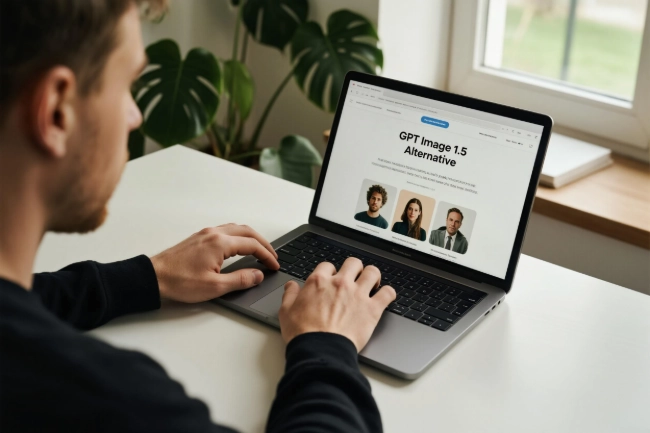
OpenAI's GPT Image 1.5, released in December 2025, set a new bar for text rendering and prompt understanding. But is it your only option? Not even close.
Here's the thing: depending on your budget, technical skills, and workflow, there are better alternatives. Some are completely free. Others offer multimodal capabilities (images + videos + audio). A few let you self-host with full control.
This comprehensive guide breaks down 9 leading GPT Image 1.5 alternatives, comparing their honest pros and cons, revealing hidden costs, and helping you pick the right fit—whether you're a content creator, professional designer, or developer.
Quick spoiler: There's a clear winner for each use case.
What Is GPT Image 1.5? A Quick Overview
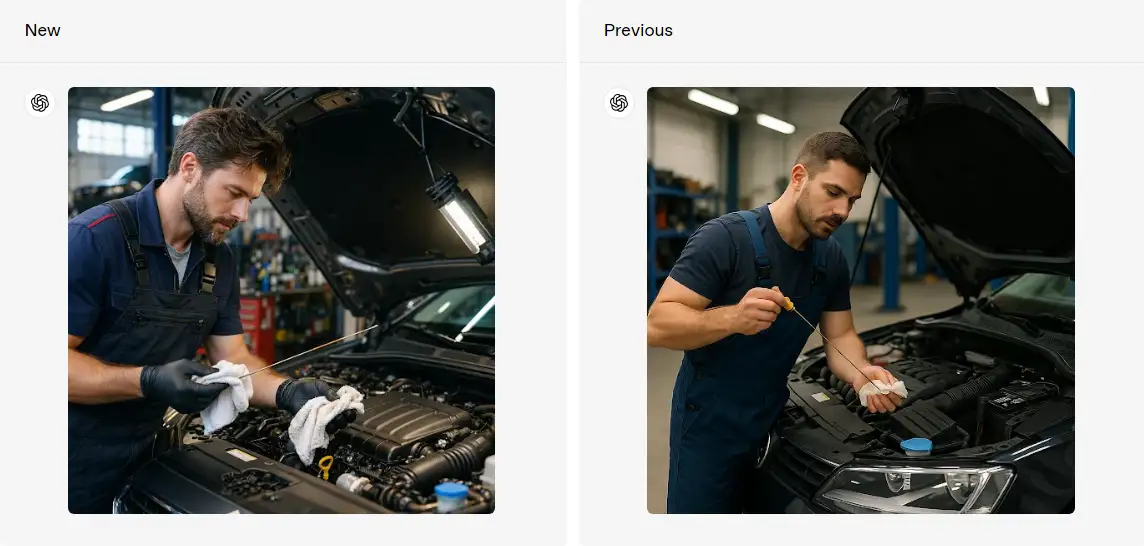
GPT Image 1.5 is OpenAI's latest flagship image generation model. It brought three major upgrades over its predecessor:
- 4× faster generation: Down from 2 minutes to 30 seconds per image
- Perfect text rendering: Finally, readable text in images (logos, book covers, posters)
- Precise editing: Inpainting and outpainting with surgical accuracy
Pricing:
- ChatGPT Plus ($20/month): Up to 50 images per day
- ChatGPT Pro ($200/month): Unlimited images
- API access: $0.02-0.19 per image (varies by quality and size)
Why look for alternatives? Three key reasons:
- Cost: $20/month adds up if you only need occasional image generation
- Limitations: Image-only, no video or audio capabilities
- Lock-in: You're dependent on OpenAI's infrastructure and policies
That's where these alternatives come in.
Quick Comparison Table
| Alternative | Best For | Cost | Quality |
|---|---|---|---|
| Midjourney V7 | Professional work | $10-120/mo | 95% |
| SeaArt AI | All-in-one multimodal | Free/Paid | 85-90% |
| Leonardo AI | Professional quality, no watermarks | Free/Paid | 85% |
| FLUX.1 Schnell | Open-source | Free | 90% |
| Google Gemini | Easy accessibility | Free | 85-90% |
| Stable Diffusion 3.5 | Self-hosting | Free | 85% |
| DALL-E 3 | ChatGPT integration | $20/mo | 90% |
| Adobe Firefly | Commercial projects | $9.99-54.99/mo | 85% |
| Ideogram | Text rendering | Free/Paid | 80% |
Evaluation Methodology
This comparison evaluates each tool based on comprehensive criteria:
Key evaluation areas:
- Quality: Output quality compared to GPT Image 1.5 baseline (0-100%)
- Speed: Average generation time reported by users
- Cost: Real monthly expense including hidden fees
- Ease of use: Learning curve and user interface complexity
- Commercial licensing: Suitability for client work and business use
Test scenarios used for quality assessment:
- Text-heavy prompts: Typography accuracy in book covers, posters, and logos
- Photorealism: Portrait quality, lighting, and fine details
- Complex compositions: Multi-element scenes with accurate physics
- Style challenges: Artistic styles and aesthetic consistency
Let's be real: no tool aced everything. Each has clear tradeoffs based on use case and priorities.
Premium Paid Options
These tools cost money—but deliver professional-grade results worth the investment.
Midjourney V7
Best for: Professionals who need cinematic-quality images for client work or portfolios.
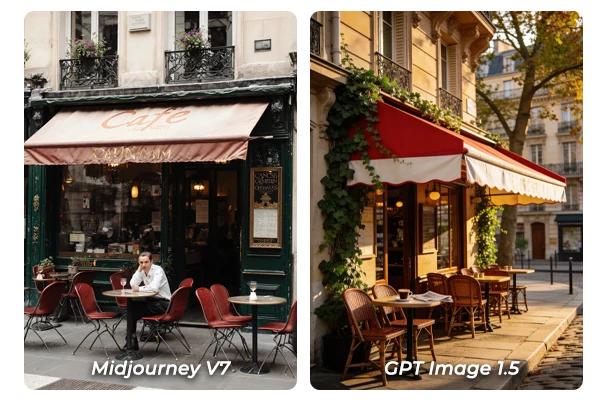
Midjourney V7 consistently ranks as the closest competitor to GPT Image 1.5's quality—hitting 95% of the benchmark. The hyper-realistic output rivals high-end photography, with exceptional skin textures, lighting reflections, and depth of field that look like they came from a professional camera.
Quality score: 95% vs GPT Image 1.5
✅ Features:
- Best photorealism across all alternatives (especially faces and hands)
- Cinematic lighting and composition
- Professional-grade details (fabric textures, reflections)
Best for: Professional designers, client work, portfolio pieces where quality is non-negotiable.
DALL-E 3
Best for: ChatGPT Plus subscribers who want seamless image generation in their existing workflow.
If you're already paying for ChatGPT Plus, DALL-E 3 is your most convenient option. It's particularly strong at understanding natural language prompts—you can literally describe what you want in plain English, and it delivers. No complex syntax needed.
Quality score: 90% vs GPT Image 1.5
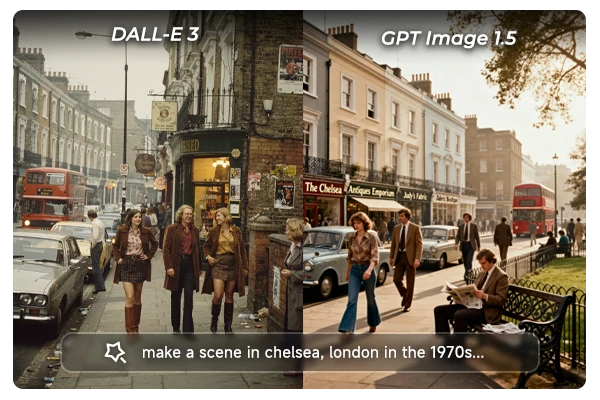
✅ Features:
- Seamless ChatGPT workflow (generate images mid-conversation)
- Understands long, conversational prompts
- Microsoft free option is decent for casual use
Adobe Firefly
Best for: Creative professionals already using Adobe Creative Cloud who want Photoshop integration.
Adobe Firefly makes sense if you're already in the Adobe ecosystem. The Photoshop integration allows generating images directly in layers, with instant access to Adobe's editing tools. That workflow is hard to beat for professional design work.
Quality score: 85% vs GPT Image 1.5
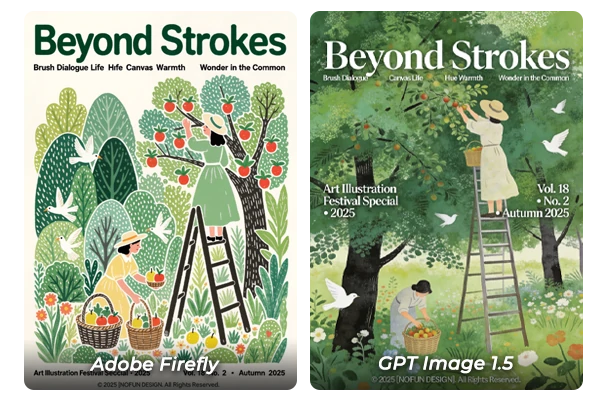
✅ Features:
- Perfect Photoshop workflow (generate → edit → export)
- Text-to-image and video generation
- Image-to-video conversion
Free or Freemium Options
Want professional results without the monthly bill? These tools offer generous free tiers—some with surprising quality.
Leonardo AI
Best for: Users who need professional-quality images without watermarks on a tight budget.
Leonardo AI offers a free tier with 150 fast tokens daily. Each image costs tokens based on model and settings (typically 20-40+ tokens per image). Quality-wise, it's solid—about 85% compared to GPT Image 1.5.
Pricing:
- Free: 150 fast tokens daily
- Apprentice: $12/month (8,500 tokens)
- Artisan: $30/month (25,000 tokens)
Quality score: 85% vs GPT Image 1.5
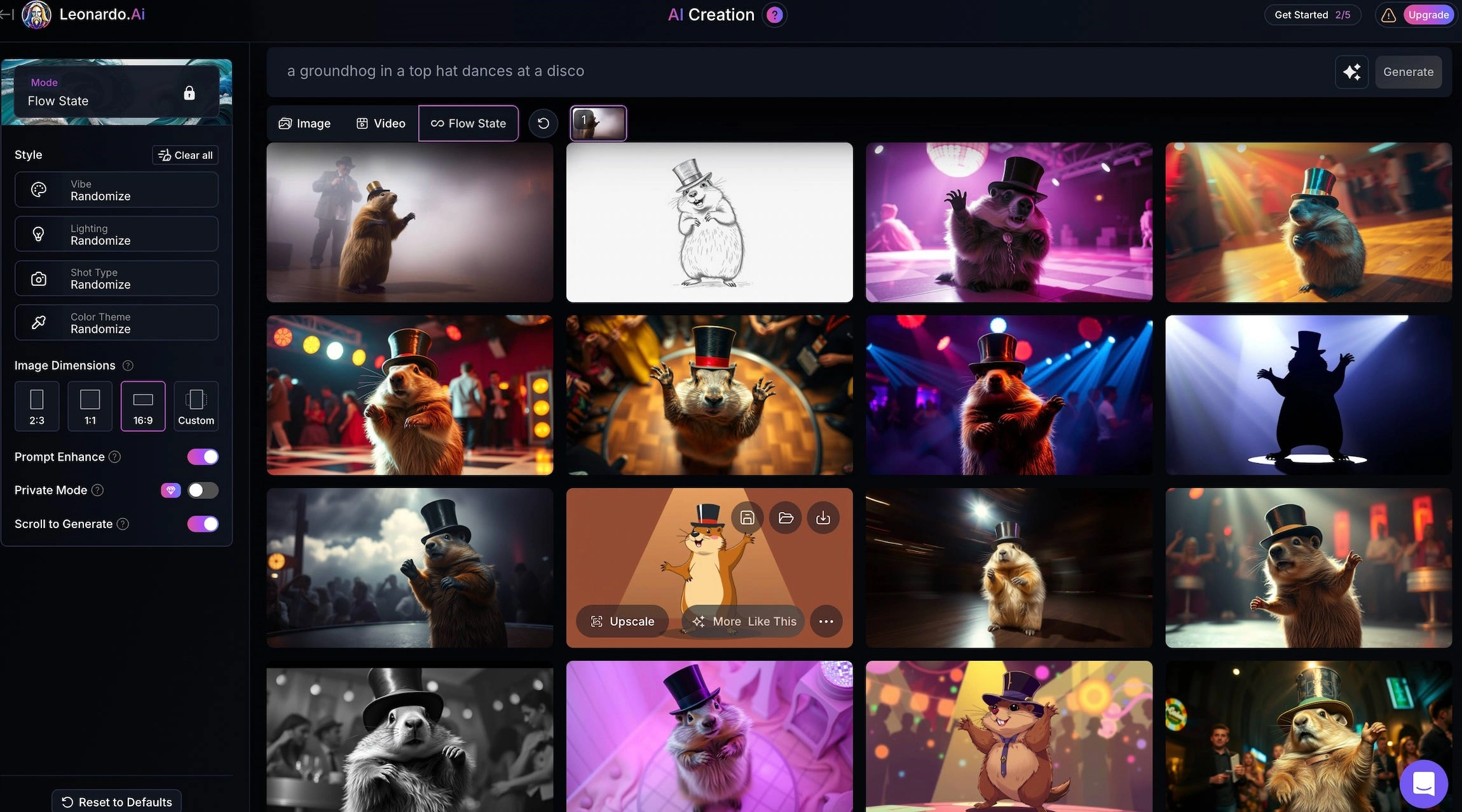
✅ Features:
- Fast generation (20 seconds average)
- Precise control over generation parameters
- Built-in prompt enhancement tool
SeaArt AI ⭐
Best for: Creators who need images, videos, audio, and AI characters in one platform—without juggling multiple subscriptions.
Here's what makes SeaArt AI particularly valuable: it's not just an AI image generator. The platform offers images, videos, audio, and conversational AI characters—all in the same workspace. That multimodal integration is rare.
Core features:
- Images: Millions of pre-trained models including Nano Banana Pro, Wan 2.6, and Qwen integration
- Videos: AI Video Creator with Seedance 1.5 Pro and Wan 2.6 for social media and brand content
- Audio: Text-to-speech and voice generation with multiple language support
- AI Characters: Build conversational bots with custom personalities and voices
- Canvas workspace: Multi-step editing, inpainting, and refinement tools
- Swift AI Model Training: Train custom LoRA models with your own images
Pricing:
- Free Plan: 130 stamina daily (minimum 8 stamina per image = up to 16 images/day, no credit card required)
- Beginner SVIP: 300 stamina daily
- Master SVIP: 3,500 stamina daily
Note: Image cost varies by model (8-30+ stamina). Yearly plans save up to 10%. See official pricing for details.
Quality score: 85-90% vs GPT Image 1.5
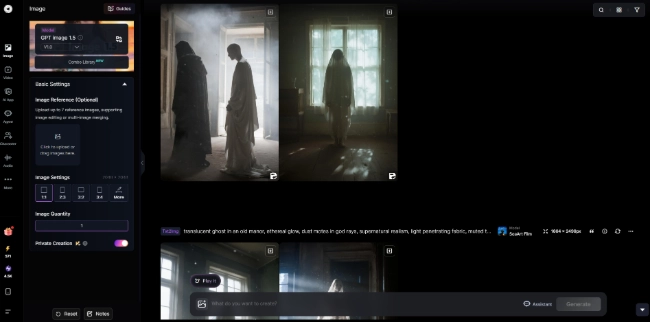
✅ Features:
- All-in-one platform: No need to juggle Midjourney for images + Runway for videos + ElevenLabs for audio
- Generous free tier: 130 stamina daily, with flexible model options starting at 8 stamina per image
- Massive model library: 500+ pre-trained models mean you'll find a style that fits
- Fast generation: Minimal to no queue times (10-15 seconds average)
- Beginner-friendly: Simple interface, no complex parameters required
- Credits never expire: Purchase credits that remain permanently valid
Best for: Content creators, social media managers, small businesses who need both images and videos, anyone tired of managing 5+ subscriptions.
👉 Try models used by millions of users
Google Gemini (Imagen 4)
Best for: Beginners who want a completely free, zero-learning-curve AI image generator with no commitment.
Google Gemini is the easiest tool available. Sign in with your Google account, type a prompt, and you're done. No tutorials needed. No credit card required. User reports indicate generous or no limits on image generation.
Quality score: 85-90% vs GPT Image 1.5
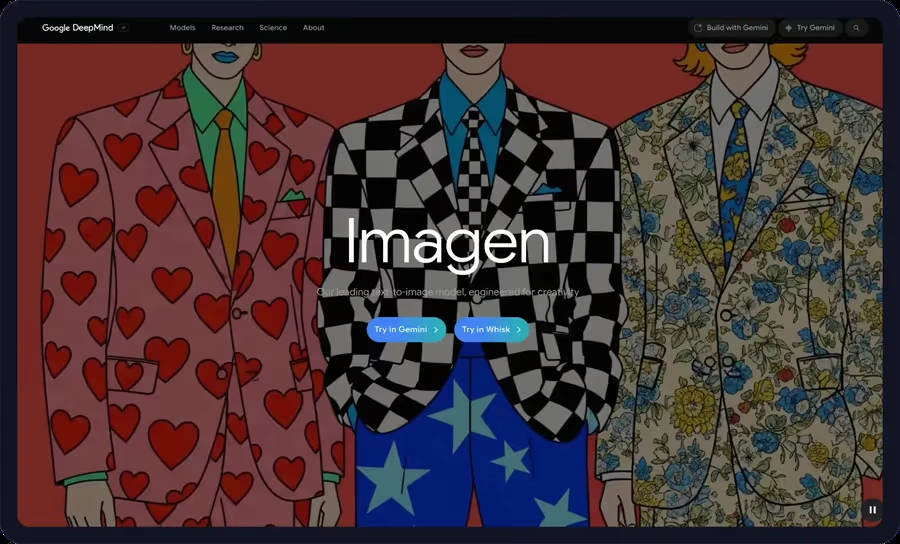
✅ Features:
- Easiest onboarding process
- Up to 2K resolution (2048×2048)
- 10× faster than Imagen 3
- Multilingual support (English, Chinese, Hindi, Korean, Spanish, and more)
Ideogram
Best for: Designers who need accurate typography in images (posters, logos, book covers).
Ideogram specializes in one thing: rendering text inside images. It consistently outperforms other tools—including GPT Image 1.5—for typography accuracy, delivering precise letter spacing and font rendering that other tools struggle with.
Pricing:
- Free: 10 slow credits/week
- Creator: $10/month (400 priority credits + unlimited slow)
- Pro: $50/month (3,500 priority credits + unlimited slow)
Quality score: 80% vs GPT Image 1.5 (overall), 95% for text-specific tasks
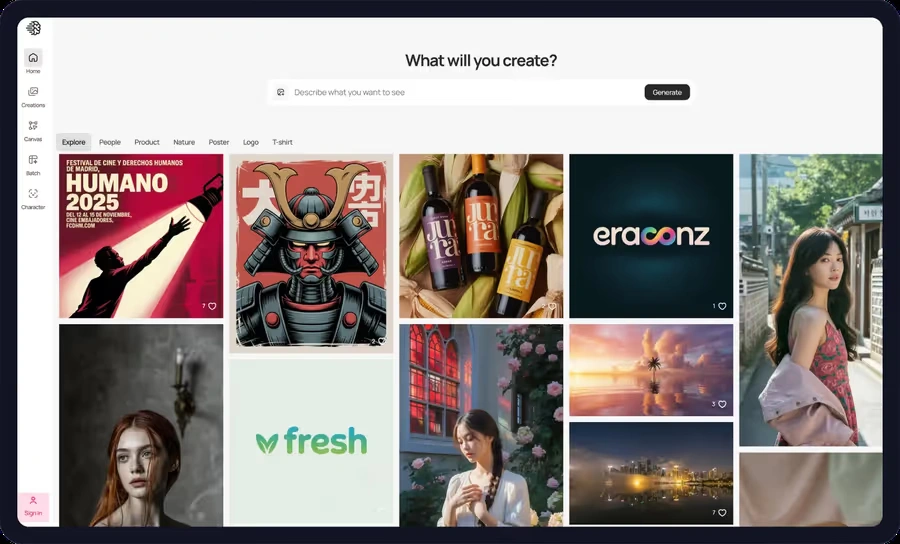
✅ Features:
- Best typography accuracy (beats GPT Image 1.5 on text-heavy prompts)
- Perfect for posters, logos, book covers
- Unlimited slow generations on paid plans
Open-Source Options for Technical Users
Want full control, commercial licensing, and zero ongoing costs? These open-source models deliver—if you're willing to handle the technical setup.
FLUX.1 Schnell
Best for: Developers, businesses needing commercial licensing, and tech-savvy users who want quality without vendor lock-in.
FLUX.1 Schnell (by Black Forest Labs) is the best open-source option available—hitting 90% quality compared to GPT Image 1.5. That's higher than most paid tools.
Quality score: 90% vs GPT Image 1.5
✅ Features:
- Excellent prompt adherence and accuracy
- Commercial-friendly licensing (no attribution required)
- Fast generation even on mid-range GPUs
Stable Diffusion 3.5
Best for: Users who want complete control, privacy, and the ability to customize every aspect of image generation.
Stable Diffusion 3.5 is the gold standard for self-hosting. It achieves 85% quality compared to GPT Image 1.5 when properly configured. The real value? You own the infrastructure—no API calls, no usage limits, complete privacy.
Quality score: 85% vs GPT Image 1.5
✅ Features:
- Complete control and customization
- Highly customizable (open-source model)
- Extensive community resources and tutorials
FAQ: GPT Image 1.5 Alternatives
Is there a free alternative to GPT Image 1.5?
Yes. SeaArt AI provides 130 stamina daily plus multimodal capabilities. Google Gemini is completely free with a Google account. Leonardo AI offers 150 tokens daily with professional quality and no watermarks.
Which alternative has the best quality?
Midjourney V7 achieves 95% quality with hyper-realistic output. SeaArt AI offers 85-90% quality across multiple content types. For pure photorealism, Midjourney leads. For versatility, SeaArt AI wins.
Can I use these for commercial purposes?
Yes, but licensing varies. FLUX.1 Schnell (Apache 2.0), Stable Diffusion 3.5 (open-source), and Midjourney (with commercial plan) allow commercial use. SeaArt AI, Leonardo AI, and Adobe Firefly also permit commercial use under their terms of service. Always check each platform's licensing terms before using for business projects.
Do I need technical skills for open-source options?
It depends. FLUX.1 and Stable Diffusion require basic command-line knowledge and GPU setup (expect 10-20 hours to learn). However, user-friendly alternatives like SeaArt AI and Leonardo AI provide professional-grade results with simple interfaces—no coding required. If you're non-technical, stick with cloud-based platforms.
How does SeaArt AI compare to specialized tools?
SeaArt AI excels in versatility, offering images, videos, audio, and AI characters in one platform. While specialized tools like Midjourney may have a slight edge in pure photorealism (95% vs 85-90%), SeaArt AI's all-in-one approach eliminates the need for multiple subscriptions.
Cost comparison: Midjourney ($30/month) + Runway ($15/month) + ElevenLabs ($11/month) = $56/month for three tools. SeaArt AI provides all three capabilities in one subscription, with a generous free tier to start. For content creators who need diverse content types, SeaArt AI saves both time and money by consolidating workflows. See pricing details.
Which tool is fastest?
FLUX.1 Schnell (2× faster than GPT Image 1.5) and SeaArt AI (instant generation, no queue, 10-15 seconds) lead in speed. GPT Image 1.5 is 4× faster than its predecessor (30 seconds vs 2 minutes), making it quite competitive. Leonardo AI and Ideogram average 20 seconds. Midjourney V7 and Stable Diffusion are slower (30-60 seconds) but prioritize quality over speed.
Conclusion
So, is there a single "best" GPT Image 1.5 alternative? No—and that's the point.
If you need versatility and multimodal content, SeaArt AI eliminates subscription sprawl by combining images, videos, and audio in one platform with a generous free tier. For professional client work where quality is non-negotiable, Midjourney V7 remains the industry standard. And if you're a developer or business needing commercial licensing and control, FLUX.1 Schnell delivers 90% quality with open-source transparency.
The real question isn't "which is better?" It's "which fits your workflow?"
Many creators find that combining tools works best: SeaArt AI for everyday content creation (social media graphics, video thumbnails), Midjourney for high-stakes client work, and FLUX.1 for custom fine-tuning when full control is needed.
Ready to explore? Try SeaArt AI and see how an all-in-one multimodal platform can transform your creative workflow. Or dive into our detailed Wan 2.6 alternative guide for more image generator comparisons.
The tools are here. The choice is yours.
Related Articles
Wan 2.6 vs Wan 2.5: Complete Comparison of Features and Improvements
Seedance 1.5 Pro vs Wan 2.6: Which AI Video Model Fits Your Workflow?
Wan 2.6 vs Veo 3.1: Full Comparison for Video Creators
Wan 2.6 Usage Guide: Complete Tutorial for Video, Image & Music Generation with Pricing & Comparison