

6 Best Lovart Alternative Tools: AI Design Generators That Match Every Feature
Lovart AI has been getting a lot of attention lately, and for good reason - it's one of the first true AI design agents that can handle everything from logo creation to product packaging through natural conversation. But here's the thing: it's not the only game in town anymore.
I've spent the past month testing six Lovart alternative tools that offer similar (and sometimes better) capabilities. Some are cheaper. Some are more powerful. And several offer generous free tiers that let you do real work without hitting paywalls.
If you're exploring options beyond Lovart - whether because of budget, specific features you need, or just curiosity about what else is out there - this comparison will save you hours of testing. Let's get into it.
What is Lovart AI?
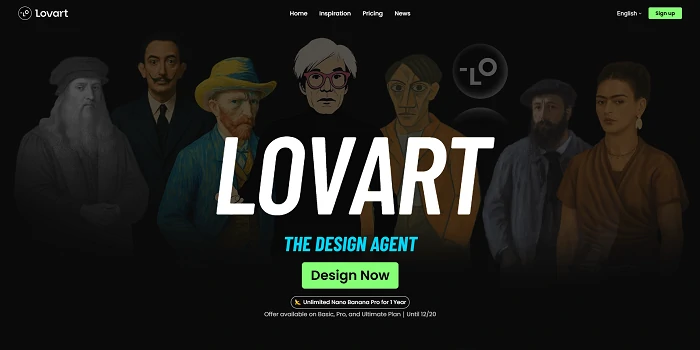
Lovart AI is an AI design agent built by the team behind LeiaPix - the depth mapping tool many designers know. It launched in late 2024 as a conversational design platform, meaning you chat with it like ChatGPT, but instead of text answers, you get complete design assets.
The platform supports advanced AI models including Nano Banana Pro, trained specifically on design workflows. You can start with "create a cookie brand" and Lovart will generate the product photo, design the packaging, create a logo, build 3D mockups, and even generate promotional materials - all through back-and-forth conversation. It's legitimately impressive when it works.
What sets Lovart apart from generic AI image generators is its understanding of design context. Ask for a logo, and it doesn't just generate a random image - it considers typography, brand consistency, and how that logo will look across different applications.
Key Features:
- Conversational design workflow
- Product and package design generation
- Brand identity and logo creation
- 3D mockup rendering
- Multi-modal inputs (text, images, references)
- Iterative refinement through chat
Why Look for Lovart Alternatives?
Here's the thing: Lovart AI is impressive, but it's not perfect for everyone. Common pain points include:
Pricing concerns: Premium features can get expensive for freelancers and small teams.
Feature limitations: Some users need more advanced controls or specific design styles.
Better options exist: Newer tools offer similar functionality with improved workflows or better value.
The good news? You have choices. Let's look at six alternatives that actually deliver.
Top 6 Lovart AI Alternatives
Quick Comparison Table
| Tool | Best For | Starting Price | Free Plan | Key Strength |
|---|---|---|---|---|
| SeaArt Sovart | All-around design | Free (generous) | Yes ✅ | Complete feature set |
| Canva AI | Template-based | $0 (Free) / $15/mo | Yes ✅ | Massive templates |
| Adobe Firefly | Professionals | $4.99/mo | Limited | Adobe integration |
| Uizard | UI/UX designers | Free / $12/mo | Yes ✅ | Rapid prototyping |
| Kittl | Typography design | Free / $15/mo | Yes ✅ | Premium fonts |
| Recraft AI | Vector graphics | Free / $20/mo | Yes ✅ | Scalable assets |
1. SeaArt AI Sovart - Best Overall Lovart Alternative
🏆 Editor's Choice
If you're looking for a true Lovart alternative that matches every feature while adding more, SeaArt AI Sovart is your answer. I've used both extensively, and Sovart delivers the same AI design agent experience with better value.
What makes Sovart stand out? It's built specifically as a design agent - you chat with it like Lovart, with access to the same cutting-edge models including Nano Banana, one of the most advanced AI image generation models available. Want to generate a product photo, create packaging, design a logo, and build 3D mockups? All in one place.
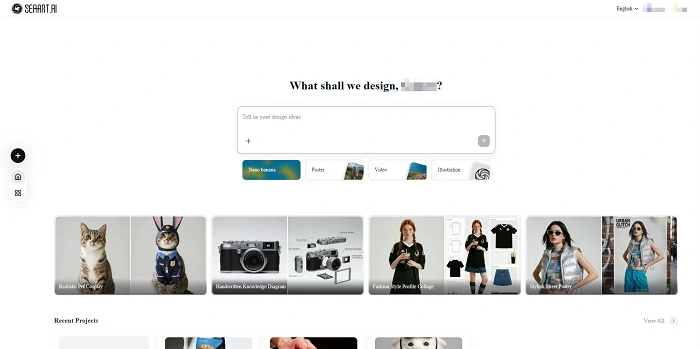
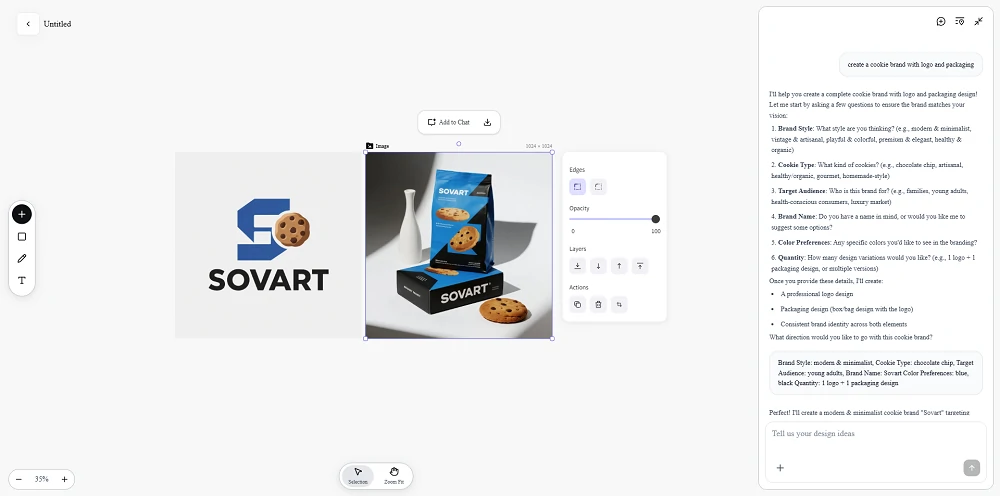
The interface is conversational. Type "create a cookie brand with logo and packaging," and Sovart walks you through each step, asking questions and refining designs based on your feedback. It even generates multiple variations so you can pick what works best.
Real-world use case: I tested Sovart by recreating the same cookie brand project from Lovart's tutorial. The results were nearly identical in quality, but Sovart offered more control over styles and faster generation times.
Key Features:
- AI design agent with conversational interface: Chat naturally to create designs
- Product & package design generation: From concept to mockup in minutes
- Logo and brand identity creation: Complete brand kits with typography
- 3D mockups and visual prototypes: Client-ready product visualizations
- Multi-modal input (text, image, reference): Upload inspiration or describe it
2. Canva AI - Best for Template-Based Design
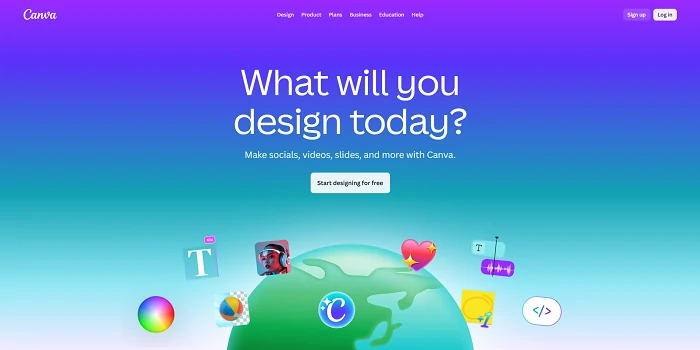
Canva has evolved from a template-based tool into an AI-powered design powerhouse. With "Magic Studio," you get AI image generation, text-to-design, and instant brand kits - all wrapped in Canva's famously simple interface.
What makes Canva different from Sovart or Lovart: it's template-first. Instead of starting with a blank canvas and conversation, you pick from 250,000+ templates and customize. This is faster for repetitive work like social media posts, but offers less creative freedom for unique projects.
The downside? Less control compared to Lovart or Sovart. Canva optimizes for speed and consistency, which means advanced users might feel limited. But for small businesses, educators, or social media managers churning out daily content, it's hard to beat.
Key Features:
- Intuitive drag-and-drop interface: No learning curve required
- 1M+ templates for all design needs: Find starting points fast
- AI-powered Magic Design and Text to Image: Generate custom visuals
- Free plan with generous features: 250,000+ templates free forever
- Collaboration tools for teams: Real-time editing with teammates
Pricing: Free plan available. Canva Pro starts at $15/month (annual billing).
3. Adobe Firefly - Best for Professionals
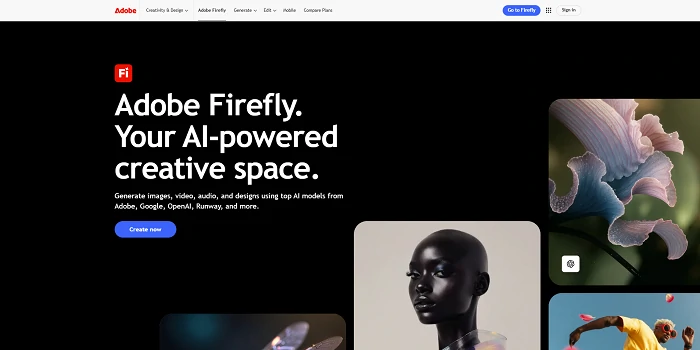
If you're already in the Adobe ecosystem, Firefly is the obvious choice. It's not a standalone design agent like Lovart, but it integrates directly into Photoshop, Illustrator, and Adobe Express.
The killer feature? Commercially safe AI. Adobe trains Firefly exclusively on licensed content, which means you won't face copyright issues with generated images. For professional work and client projects, that peace of mind is worth the premium.
I use Firefly for quick concept work before moving into Photoshop for refinements. It's faster than traditional workflows and outputs higher quality than most standalone AI tools.
The tradeoff: it's less conversational than Lovart or Sovart. You're working with traditional Adobe interfaces, which have a steeper learning curve but offer more precise control.
Key Features:
- Seamless Adobe Creative Cloud integration: Works inside Photoshop and Illustrator
- Commercially safe AI training data: No copyright headaches
- Professional-grade output quality: Client-ready results
- Advanced editing and fine-tuning controls: Precise adjustments
- Vector and raster format support: Scalable designs
Pricing: $4.99/month for 100 monthly generative credits. Included with Creative Cloud All Apps ($59.99/month).
4. Uizard - Best for UI/UX Design
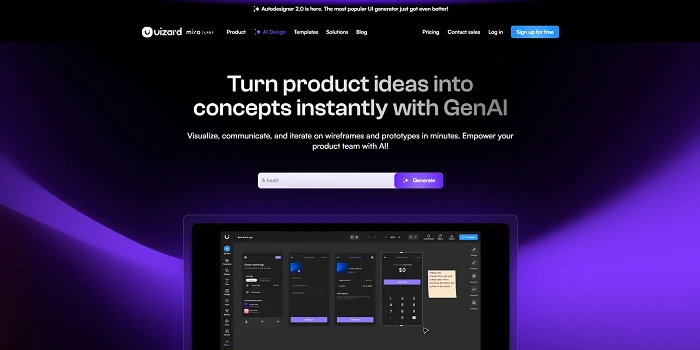
Uizard takes a different approach as a Lovart alternative - it's laser-focused on digital interfaces. If your goal is creating app mockups, website prototypes, or user flows, Uizard beats general-purpose tools.
The standout feature: sketch-to-design conversion. Draw a rough wireframe on paper, snap a photo, and Uizard transforms it into a digital prototype. It's wild how well this works.
For product designers and UX teams, Uizard's component libraries save hours. Instead of building every button and form from scratch, you're assembling pre-built, customizable elements.
Key Features:
- Sketch-to-design conversion with AI: Turn drawings into digital prototypes
- Rapid UI/UX prototyping for mobile and web: Build mockups in minutes
- Pre-built component libraries: Speed up design with ready-made elements
- Real-time collaboration for teams: Work together on prototypes
- Interactive prototype testing: Share clickable demos with stakeholders
Pricing: Free plan with 2 projects. Pro plans start at $12/editor/month.
5. Kittl - Best for Typography & Brand Assets
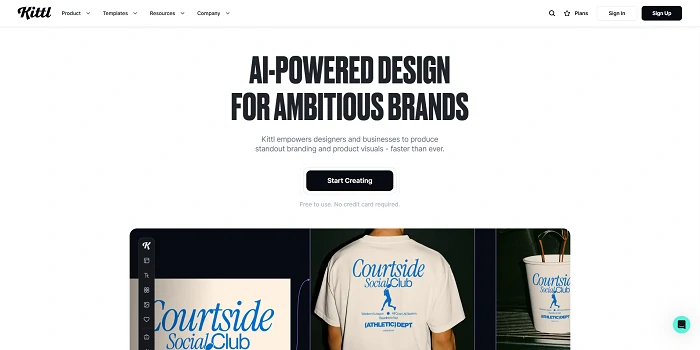
If typography and text-heavy designs are your focus, Kittl is the Lovart alternative that shines. This browser-based platform sits between Canva's simplicity and Adobe's complexity, offering AI-powered design generation with a massive professional font library.
What makes Kittl special: it partnered with Monotype (the company behind famous fonts like Helvetica) to offer thousands of premium typefaces. For logo design, posters, t-shirts, or packaging where text matters, this is huge.
The AI design tools are solid. Generate concepts from prompts, apply AI-powered effects, and customize with professional-grade typography controls. It won't replace Lovart's full design agent experience, but for text-focused branding work, it's actually better.
Key Features:
- AI-powered design generation: Create logos, posters, and brand assets
- Premium font library from Monotype: Thousands of professional typefaces
- Typography-focused tools: Advanced text effects and controls
- Template library for quick starts: Covers most common design needs
- Free plan with core features: Test before upgrading
Pricing: Free plan available. Pro plan starts at $15/month (annual billing).
6. Recraft AI - Best for Vector Graphics
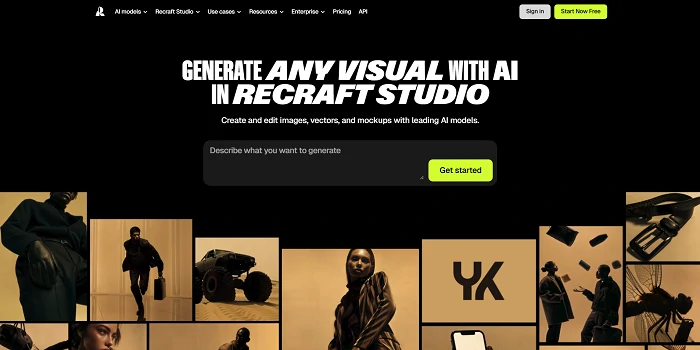
Recraft AI is the Lovart alternative for designers who need scalable assets. While Lovart generates raster images (pixels), Recraft creates true vector graphics - perfect for logos, icons, and illustrations that need to scale infinitely.
The magic is in style consistency. Create one icon in your brand style, and Recraft can generate dozens more that match perfectly. This is huge for building cohesive design systems.
I use Recraft for client logo work. Generate multiple concepts as vectors, refine in Illustrator, and deliver print-ready files. No quality loss, no pixelation, no upscaling headaches.
Key Features:
- AI-powered vector graphics generation: Scalable, editable designs
- Style consistency for brand design: Maintain visual unity across assets
- Infinite scalability without quality loss: Print and web-ready
- Custom color palette and style control: Match your brand exactly
- SVG export for professional use: Industry-standard format
Pricing: Free plan with 50 credits. Pro plans start at $20/month.
How to Choose the Right Lovart Alternative
With six solid options, how do you pick? Here's my framework:
Consider Your Design Needs
Product and packaging design: Go with Sovart. It's the closest match to Lovart's full feature set.
Social media and marketing: Canva AI wins for speed and templates.
Professional client work: Adobe Firefly for commercial safety and quality.
App and website mockups: Uizard is purpose-built for this.
Vector graphics and logos: Recraft AI creates scalable assets. Kittl excels at typography-focused designs.
All-around free option: Canva AI has the most generous completely free tier.
Evaluate Your Budget
$0 budget: Canva AI has the most complete free plan. SeaArt Sovart's free tier is also generous with daily credits.
Under $20/month: Canva Pro ($15), Uizard Pro ($12), Kittl Pro ($15), or Recraft Pro ($20).
Professional budgets: Adobe Firefly integrates with Creative Cloud ($59.99/month total).
Check Learning Curve
Zero learning curve needed: SeaArt Sovart and Canva AI. Sovart uses conversation (like talking to ChatGPT), while Canva uses templates (pick and customize).
Comfortable with AI prompts: Recraft AI and Kittl offer more creative control through prompting.
Already use Adobe: Firefly fits your existing workflow.
Need team collaboration: Canva and Uizard both excel here.
Test Before Committing
Every tool here offers free trials or free tiers. My advice: test the top three for your use case before subscribing.
Try SeaArt Sovart first if you want the full Lovart experience - it's just as easy to use but offers more creative freedom. Then compare Canva AI if you prefer templates, or Firefly if you need Adobe integration.
Why SeaArt Sovart is the Top Choice
After testing all six alternatives, Sovart stands out as the best Lovart alternative for most users. Here's why:
Feature completeness: Every core Lovart capability - product design, logo creation, mockups, conversational interface - is here.
Better value: Sovart offers a generous free tier with daily credits. For most users, the free plan covers everyday design needs without constant paywall friction.
Proven platform: SeaArt AI has been a leader in AI art generation since 2023. Sovart brings that expertise to design agents.
No learning curve: If you've used Lovart, Sovart feels immediately familiar. Same conversational approach, same workflow. Canva is also beginner-friendly, but through templates rather than AI conversation.
Output quality: I ran identical prompts through both. Quality is comparable, with Sovart occasionally delivering better results on complex designs.
The only scenario where I'd choose something else: if you're locked into Adobe workflows (pick Firefly) or need pure simplicity over power (pick Canva).
FAQ
Is there a free alternative to Lovart AI?
Yes. Canva AI offers a completely free plan with generous features. SeaArt AI Sovart also has a generous free tier with daily credits that covers most design needs. Kittl and Recraft AI both have free plans with core features.
Which Lovart alternative is best for beginners?
Both SeaArt Sovart and Canva AI are excellent for beginners, just in different ways. Sovart uses conversational AI (chat with it like Lovart), while Canva uses templates (pick and customize). If you're comfortable talking to ChatGPT, Sovart is just as easy. If you prefer visual templates, Canva works better.
Can SeaArt Sovart do everything Lovart AI can do?
Yes. Sovart covers all of Lovart's key features: AI design agent conversations, product/package design, logo generation, 3D mockups, and multi-modal input. In some cases, Sovart offers more control and style options.
Do I need design skills to use these alternatives?
No. Sovart AI, Canva AI, and Kittl are all built for non-designers. Sovart works through conversation (describe what you want), Canva works through templates (pick and customize), and Kittl combines both approaches. The AI handles the technical work.
Which alternative is best for product packaging design?
Sovart is the top choice for product packaging. It matches Lovart's packaging design capabilities while offering more style options and faster generation.
Can these tools generate 3D mockups like Lovart?
Yes. SeaArt Sovart and Adobe Firefly both create realistic 3D product mockups. Sovart's mockup quality is comparable to Lovart's, making it the best alternative for this specific feature.
Are there open-source alternatives to Lovart AI?
While there are open-source image generators like Stable Diffusion, none offer Lovart's full design agent experience out of the box. For a complete, user-friendly alternative, you'll want a AI design agent like Sovart.
Conclusion
Finding the right Lovart alternative comes down to your specific needs. Need the full design agent experience with product mockups and brand kits? SeaArt Sovart delivers everything Lovart offers with better value. Want simplicity above all? Canva AI gets you results faster. Professional designer with Adobe workflows? Firefly integrates seamlessly.
I've used all six tools for real projects. For most users - especially those specifically looking for a Lovart AI alternative - SeaArt Sovart is the clear winner. Same conversational interface, same design capabilities, better pricing.
Ready to explore? Try SeaArt free AI art generator today and see why it's becoming the go-to choice for designers who want Lovart's power without the limitations.
The future of AI design is here. Pick the tool that fits your workflow, and start creating.
Related Articles
Best 7 Seedance 1.5 Pro Alternatives for AI Video Creation
9 Best GPT Image 1.5 Alternatives: Free, Paid, and Open-Source Options Tested
Wan 2.6 Best Alternative for AI Image and Video Creation - 10 Top Choices
Discover the 4 Best Civitai Alternatives for High-Quality Models & AI Art
Nano Banana: Why It Stands Out in Editing Images and How to Use It?
Nano Banana 2 (Pro) vs. Nano Banana 1: The New Upgrades