

Best 15 Grok Imagine Prompts: Examples & Tips
Grok Imagine prompts are text descriptions you write to generate AI images with Grok's image model. Type your description, and the AI creates images based on what you asked for.
💡 Grok Imagine is available through xAI's Grok products. The underlying model is built on FLUX.1 architecture (developed by Black Forest Labs), which means it responds better to natural language descriptions rather than traditional "prompt formulas." This architectural difference is why Grok prompts focus on detailed visual descriptions instead of keyword stacking. If you're looking for an AI image generator with free daily credits, SeaArt offers 130 Stamina daily without requiring a paid subscription.
Why Grok Prompts Are Different (FLUX vs Stable Diffusion)
If you've used Stable Diffusion before, you might be used to stacking quality keywords:
"masterpiece, best quality, 8k, ultra detailed, woman portrait"
Grok doesn't work that way. It uses FLUX.1 architecture (developed by Black Forest Labs), which is trained to understand natural language descriptions - more like briefing a photographer than tagging an image.
Compare:
| SD-Style | FLUX-Style (for Grok) |
|---|---|
| "masterpiece, 8k, woman, night, city" | "Woman in black coat under neon signs in Tokyo, rain-soaked streets reflecting pink lights, shot on 35mm film" |
This architectural difference is why the techniques below focus on visual descriptions instead of quality tags. Let's break down how to write them.
3 Rules for Writing Better Grok Prompts
🎯 If you want better results, stop adding adjectives and start adding details Grok can actually draw.
Rule 1: Be Specific About Lighting and Mood
Vague prompts get vague results. Don't just say "a woman in a forest." Tell Grok what the light looks like.
Example:
Instead of: "A man standing in the city at night."
Try: "A man in a black coat standing under neon signs in Tokyo, rain-soaked streets reflecting pink and blue lights, cinematic framing, shot on 35mm film."
Why it works: You gave Grok color cues (pink, blue), a location (Tokyo), a mood (rain-soaked), and a style reference (35mm film). Each detail narrows the possibilities.
Rule 2: Name the Camera or Art Style
Grok understands photography and art references. Use them.
- For realistic photos: "shot on Canon EOS R5", "Fujifilm XT4", "85mm portrait lens", "shallow depth of field"
- For art styles: "Studio Ghibli style", "Pixar 3D render", "oil painting by Rembrandt", "cyberpunk digital art"
Camera and style references work because they bundle multiple visual cues (lighting, composition, color grading) into one phrase. Saying "shot on Fujifilm XT4" implies film grain, color science, and a specific depth-of-field look without listing each element separately.
Rule 3: Control Emotions and Actions
Faces are hard for AI. You need to be direct.
Don't say: "A woman smiling"
Say: "A woman with a genuine laugh, eyes slightly closed, crow's feet visible, warm natural lighting on her face"
For actions, describe the motion: "A skateboarder mid-ollie, frozen in mid-air, wheels clear of the ground, arms out for balance"
15 Best Grok Imagine Prompts (Ready to Copy)
I've grouped these by style so you can find what you need fast. Copy any of them, tweak the details, and paste them into Grok. If you need more inspiration, check out our Nano Banana Pro prompt guide for advanced techniques.
Artistic Portrait Prompts
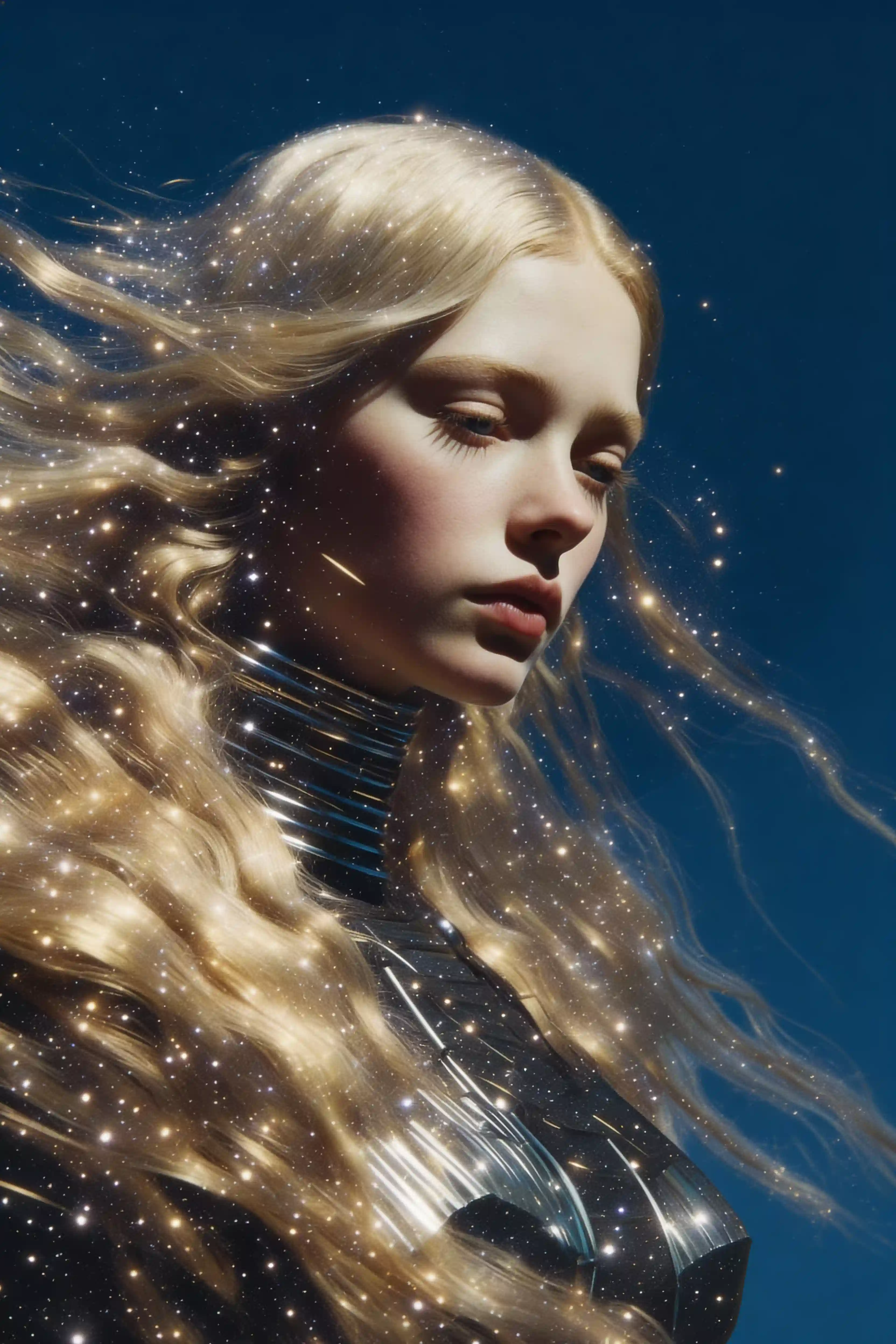
1. Cosmic Double Exposure Portrait
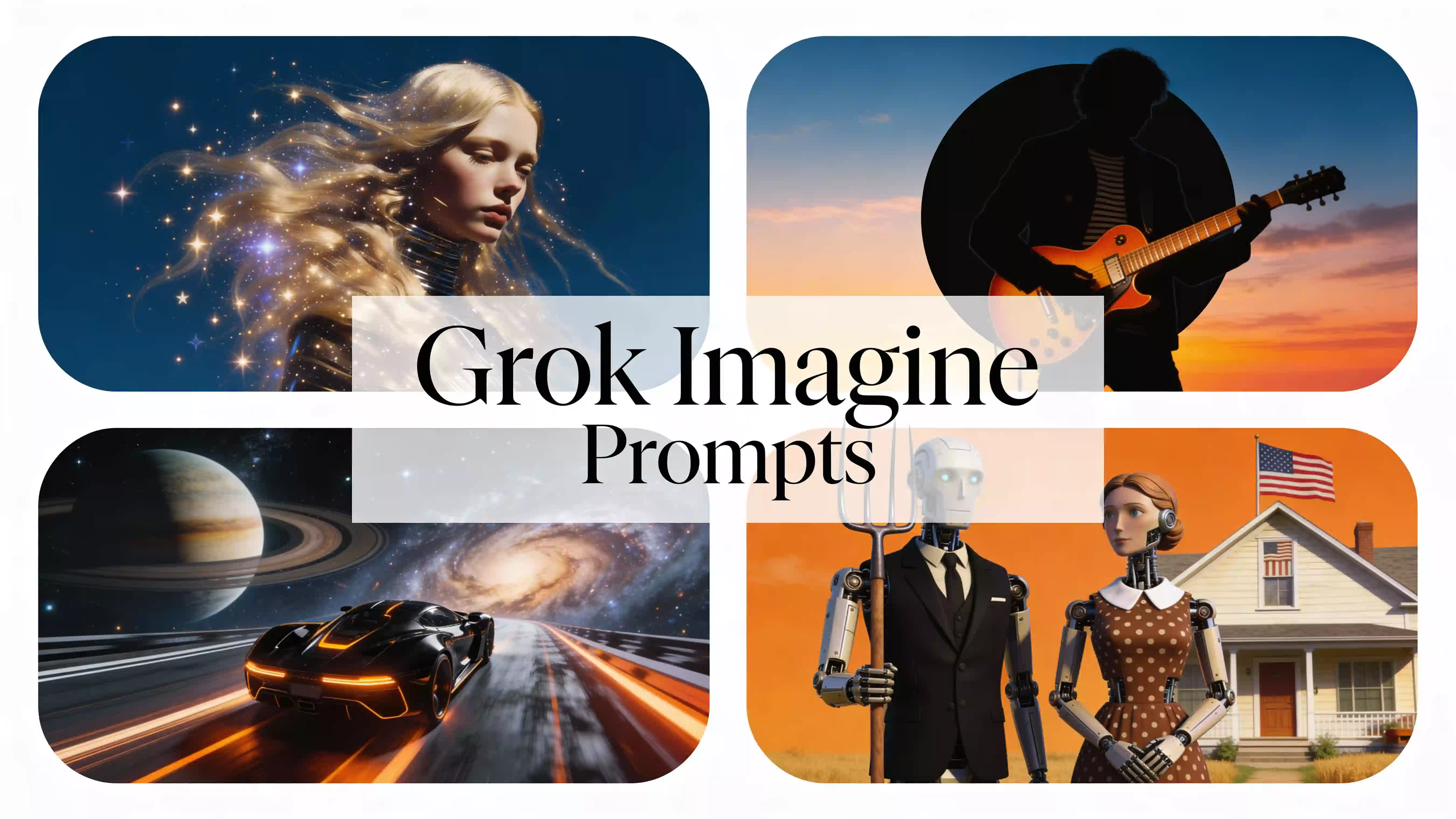
Woman portrait in profile, flowing blonde hair blending with starry galaxy, golden light particles scattered throughout hair, deep blue circular background, ethereal atmosphere, fine art photography
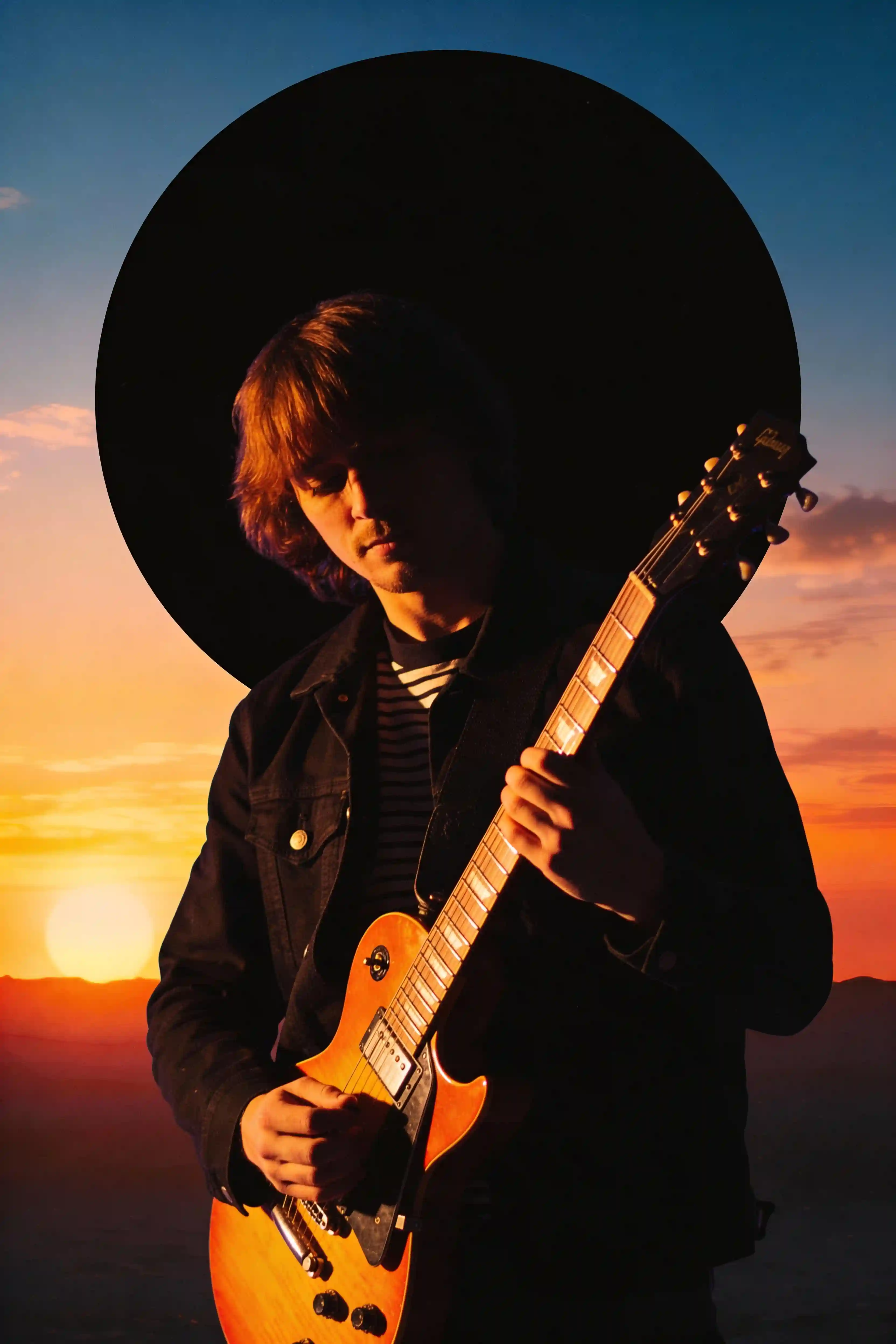
2. Synthwave Guitarist Silhouette
Guitarist silhouette holding sunburst electric guitar, orange backlight outlining figure, black circular backdrop with sunset gradient, 80s synthwave style
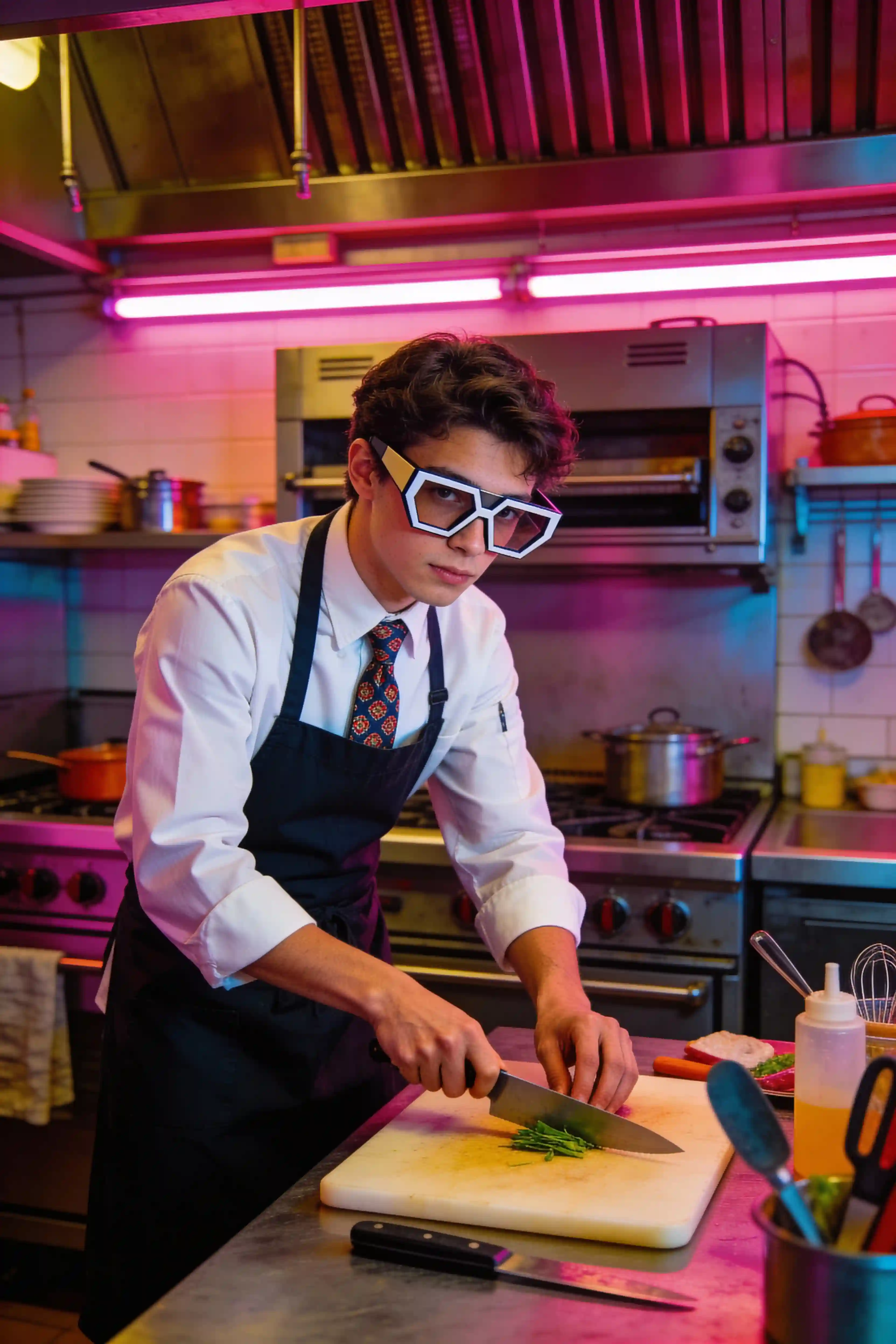
3. Chef in Retro Kitchen
Young chef preparing food in retrofuturistic kitchen, wearing white shirt and dark apron with patterned tie, oversized geometric eyeglasses, hands working on cutting board, neon pink lighting strips, synthwave color palette, vintage kitchen equipment, cinematic composition
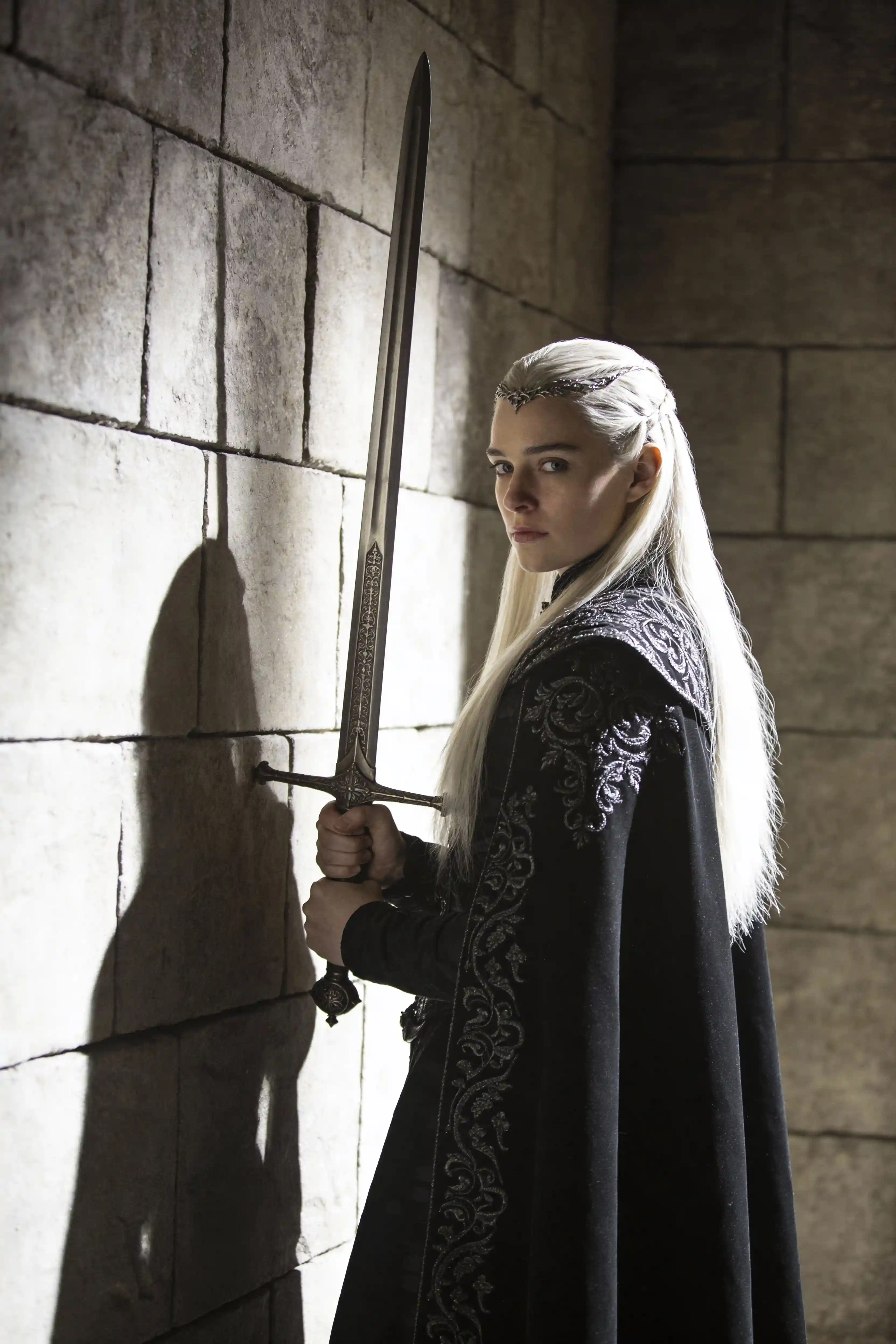
4. Dark Fantasy Character Portrait
Ethereal figure with long platinum blonde hair wearing elegant black robes with ornate embroidery, holding medieval longsword with both hands, dramatic side lighting against textured stone wall, fantasy warrior aesthetic, cinematic depth, moody atmosphere
Fantasy & Sci-Fi Prompts
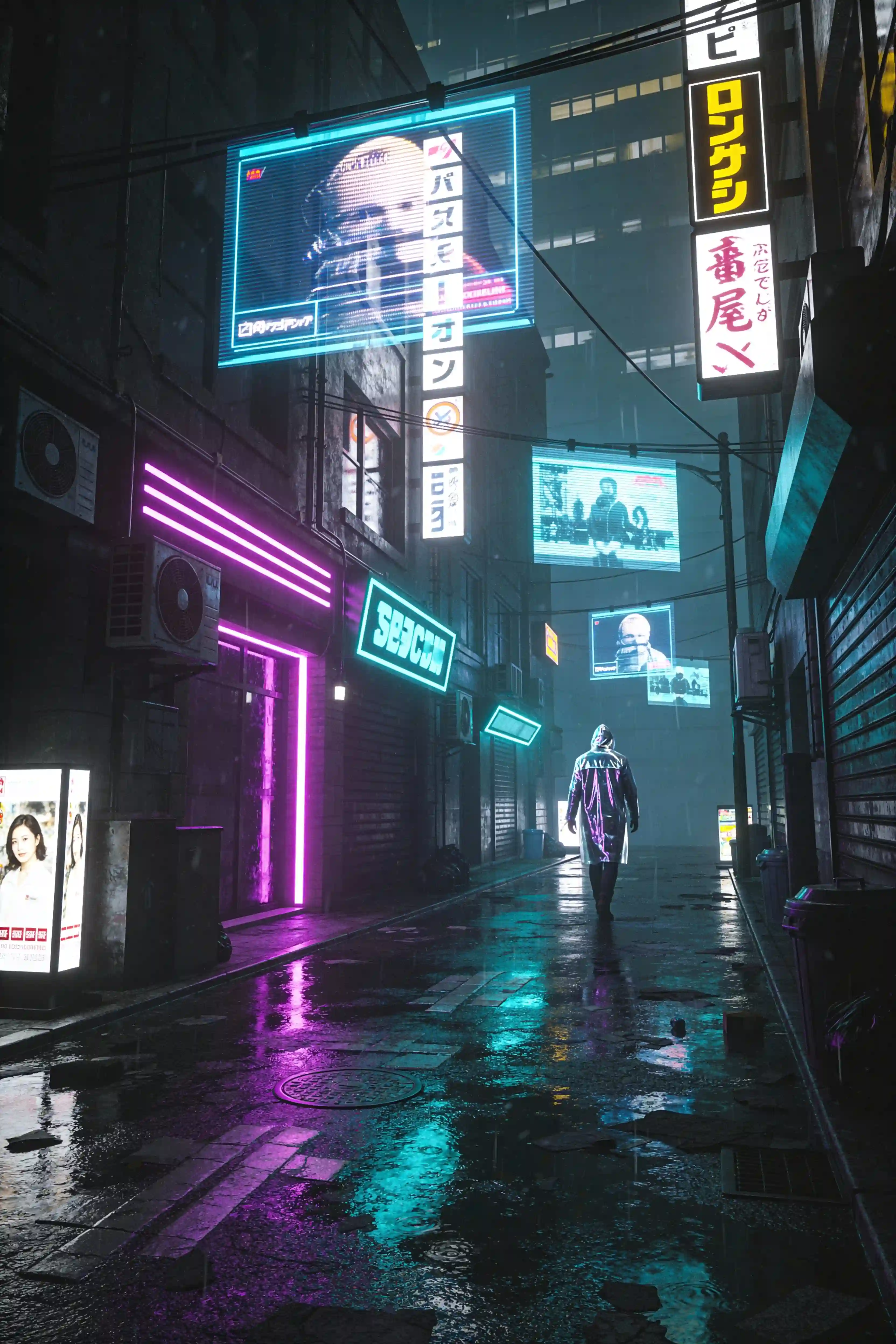
5. Cyberpunk Street Scene
Neon-lit alleyway in a futuristic Tokyo, holographic advertisements floating in mid-air, a lone figure in a reflective raincoat walking away from camera, wet pavement reflecting purple and cyan lights, Blade Runner atmosphere, cinematic wide shot
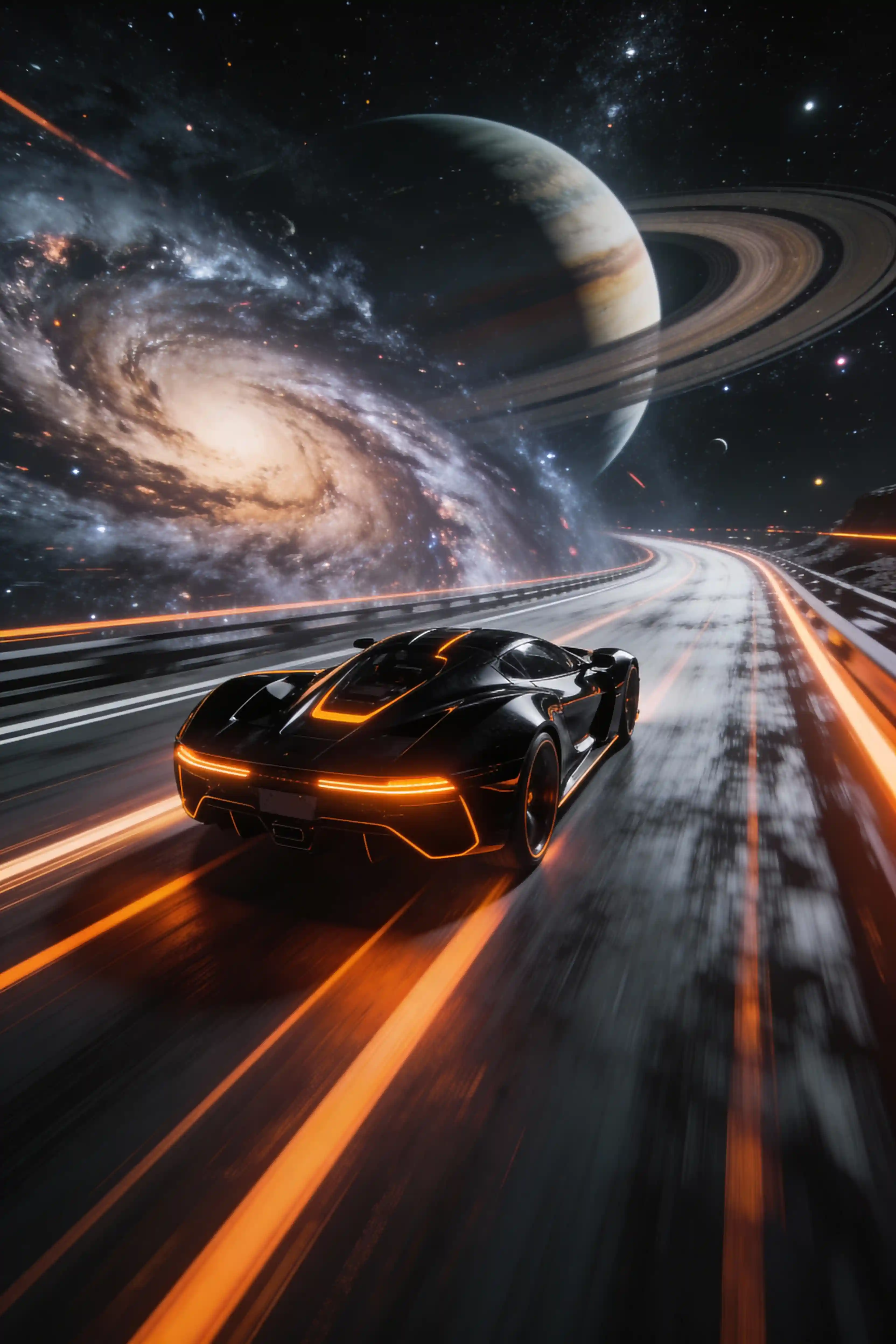
6. Futuristic Space Racer
Sleek black sports car with orange accent lights racing through cosmic highway, swirling galaxy and planetary rings in the background, motion blur trails, dramatic speed lines, sci-fi concept vehicle design, epic scale, cinematic lighting
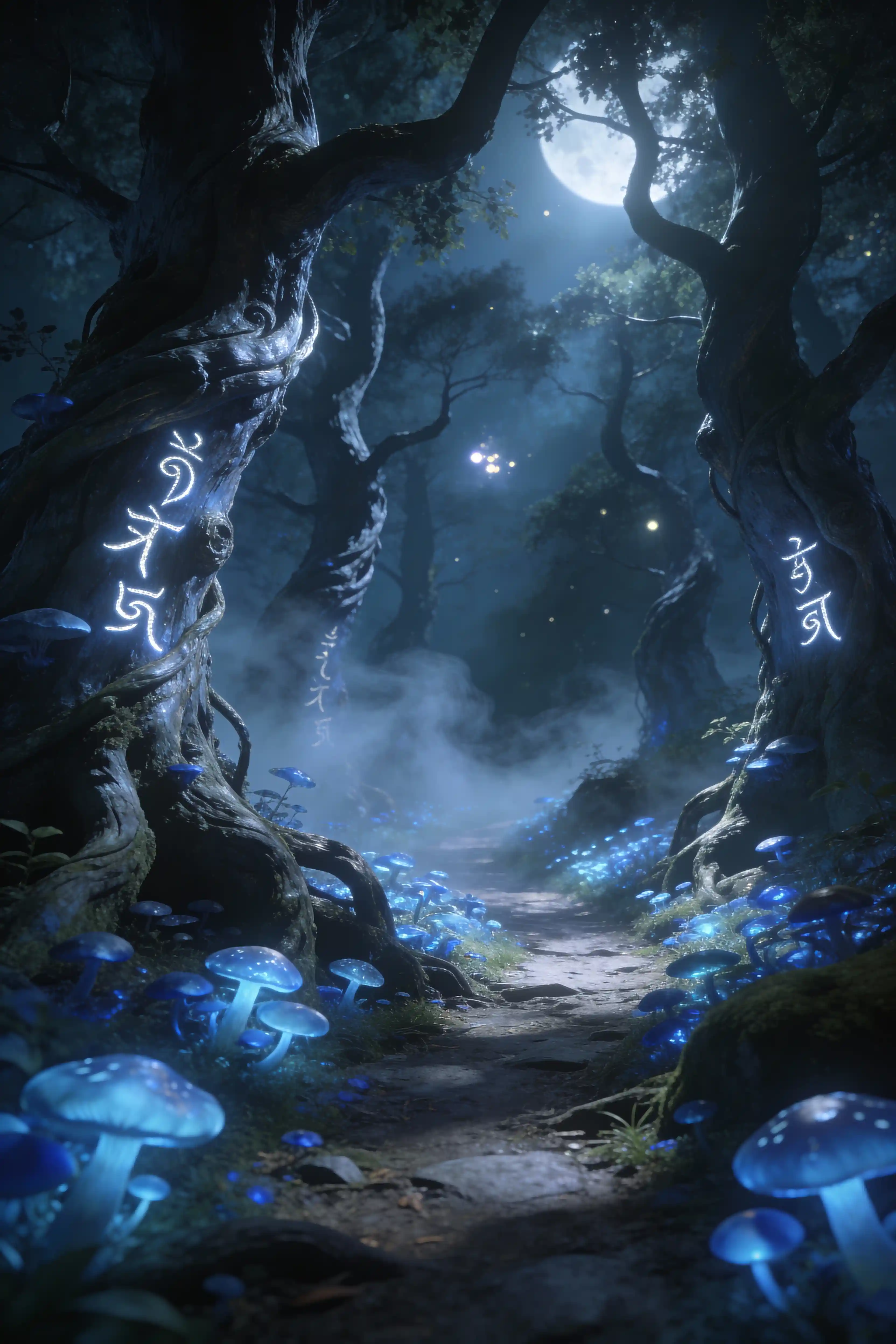
7. Enchanted Forest Path
Mystical forest path covered in luminescent blue mushrooms, ancient twisted trees with glowing runes carved into bark, mist rolling across the ground, moonlight filtering through canopy above, Studio-Ghibli inspired but photorealistic
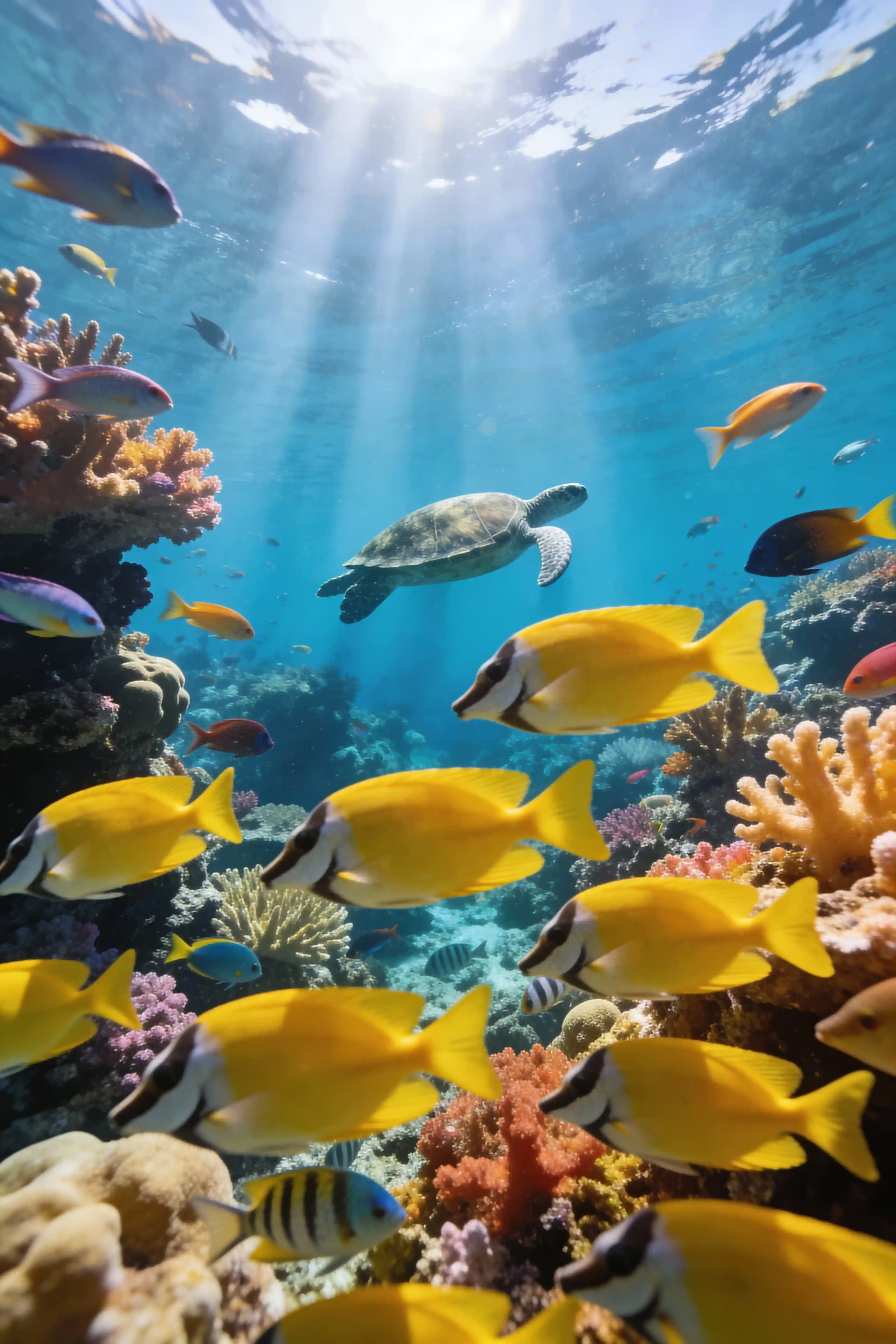
8. Underwater Reef Scene
Colorful coral reef teeming with tropical fish, shafts of sunlight penetrating clear blue water, sea turtle swimming in mid-distance, school of yellow fish in the foreground, underwater photography, wide-angle perspective, National Geographic style
Anime & Cartoon Style Prompts
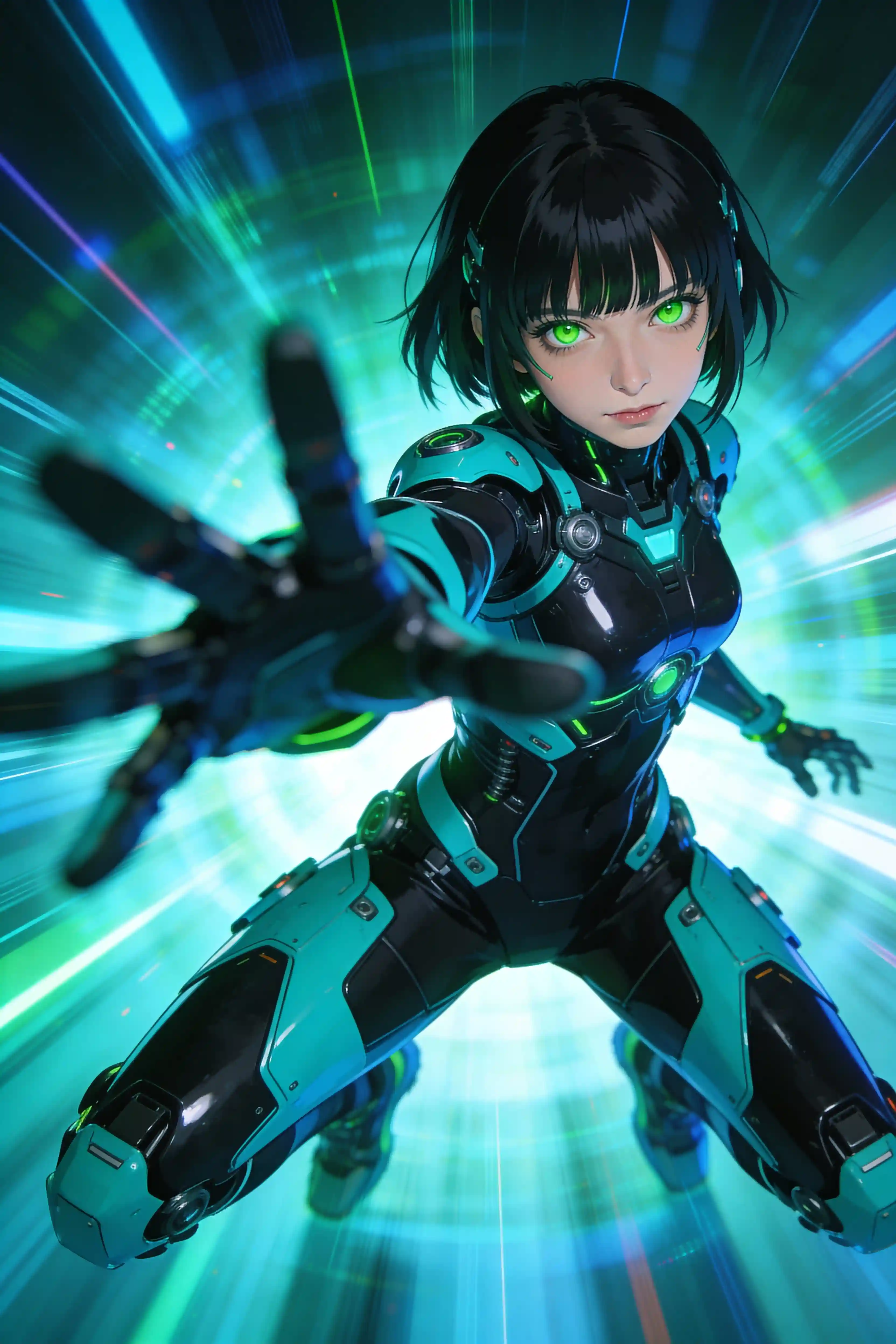
9. Cyberpunk Anime Action Shot
Anime cyberpunk girl with short black hair and green eyes, wearing a black and cyan futuristic bodysuit, dynamic pose with motion blur speed lines, holographic effects, sci-fi style
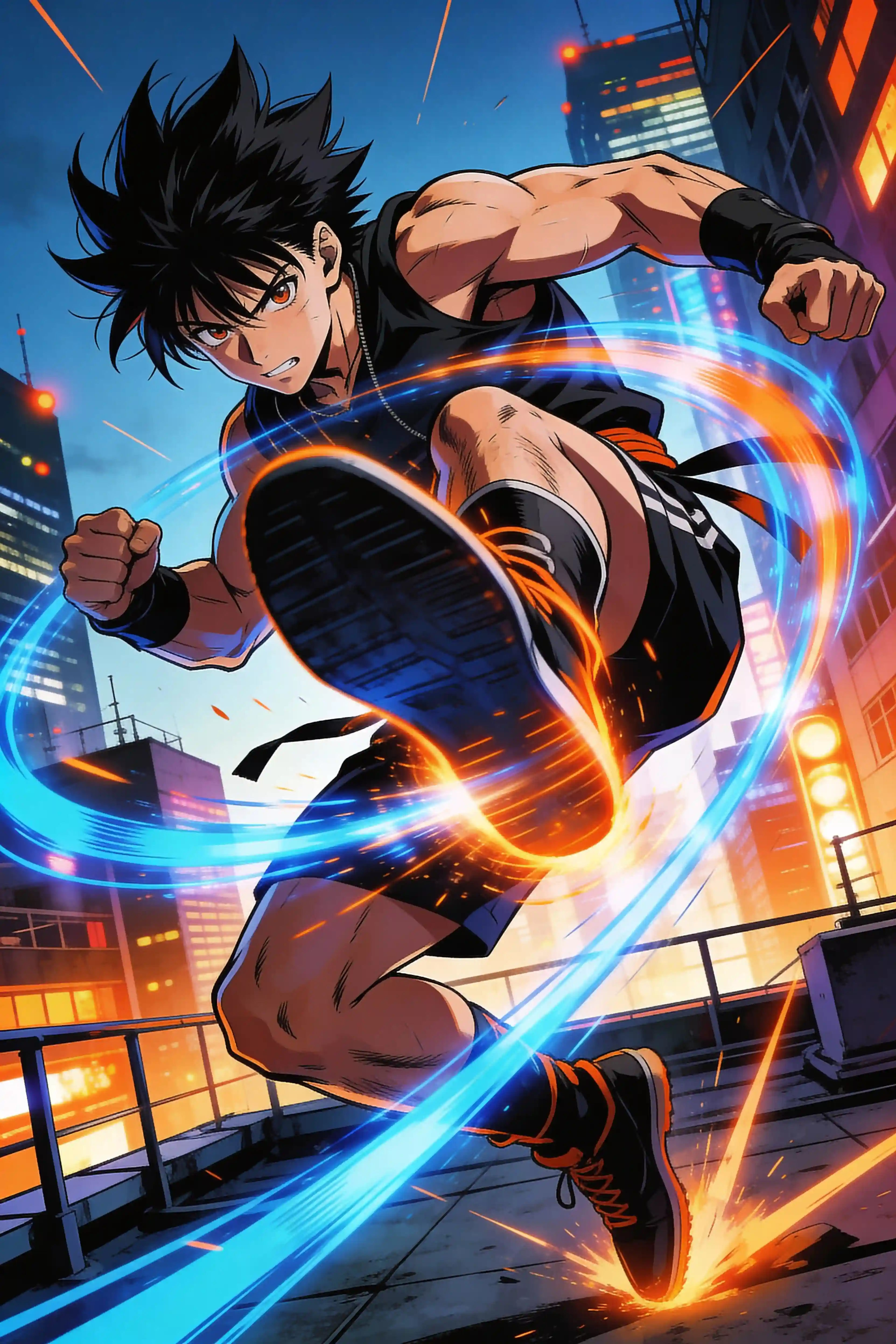
10. Action Hero Dynamic Pose
Anime male character in mid-air spinning kick, energy effects trailing from his foot, determined expression, spiky black hair, urban rooftop background, dramatic angle from below, shonen manga style, high contrast colors
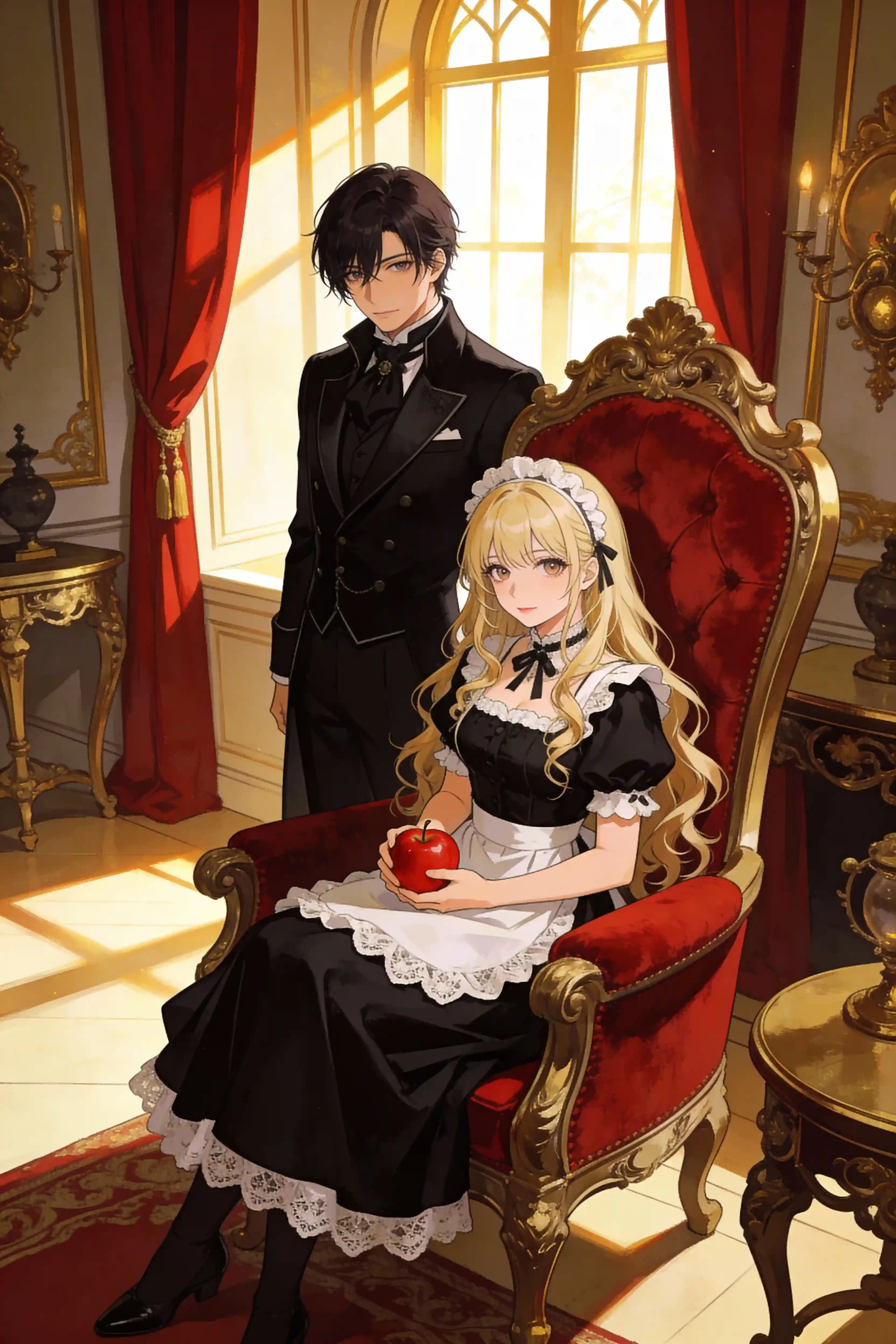
11. Victorian Gothic Anime Couple
Anime couple in Victorian gothic style, blonde woman in elegant black dress sitting on red velvet chair holding an apple, dark-haired man in black tailcoat, luxurious interior with warm sunlight
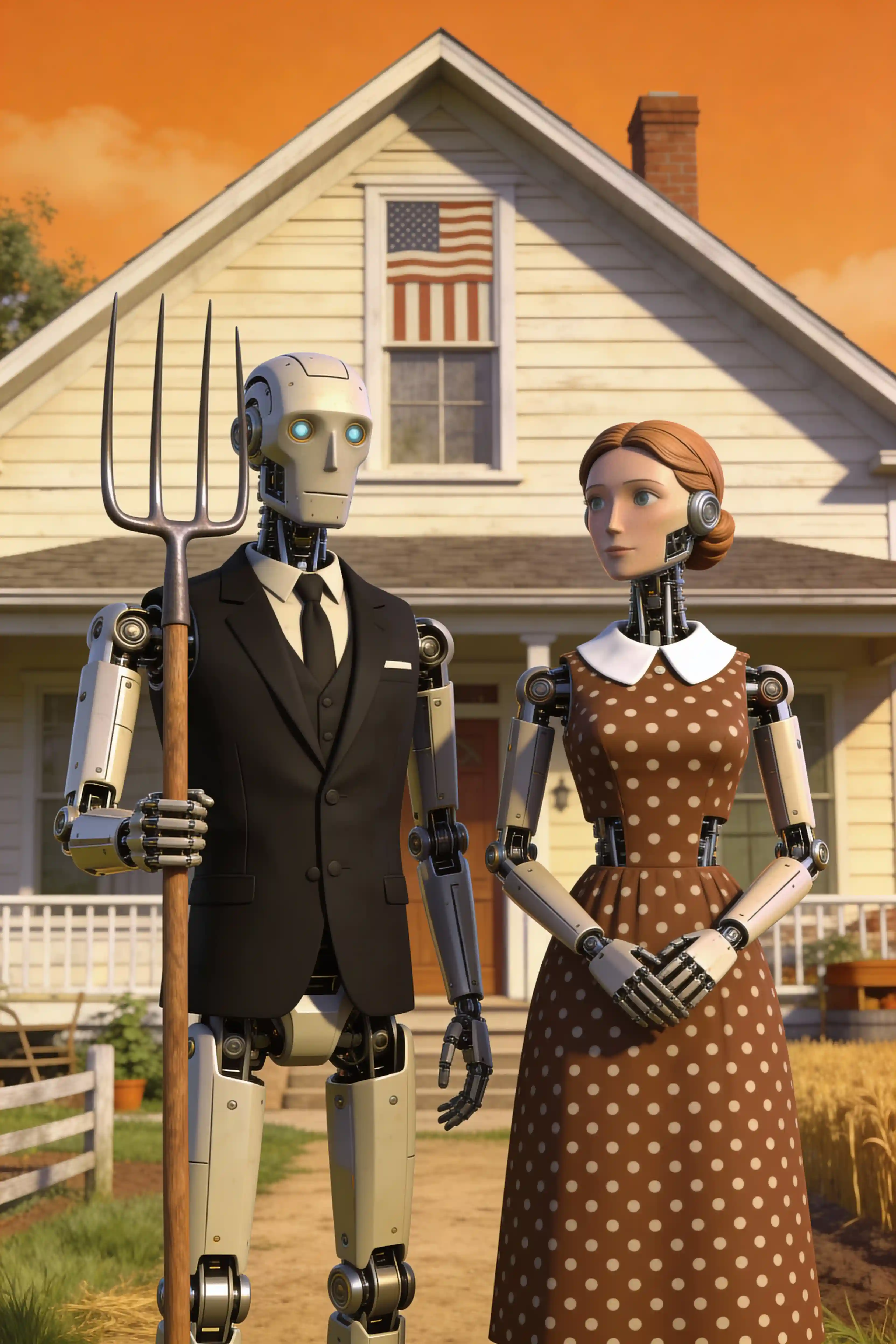
12. Retro-Futuristic Robot Couple
3D robot couple in American Gothic style, male robot in black suit with pitchfork, female robot in brown polka dot dress, farmhouse background with warm orange tones, retro-futuristic aesthetic
Landscape & Nature Prompts
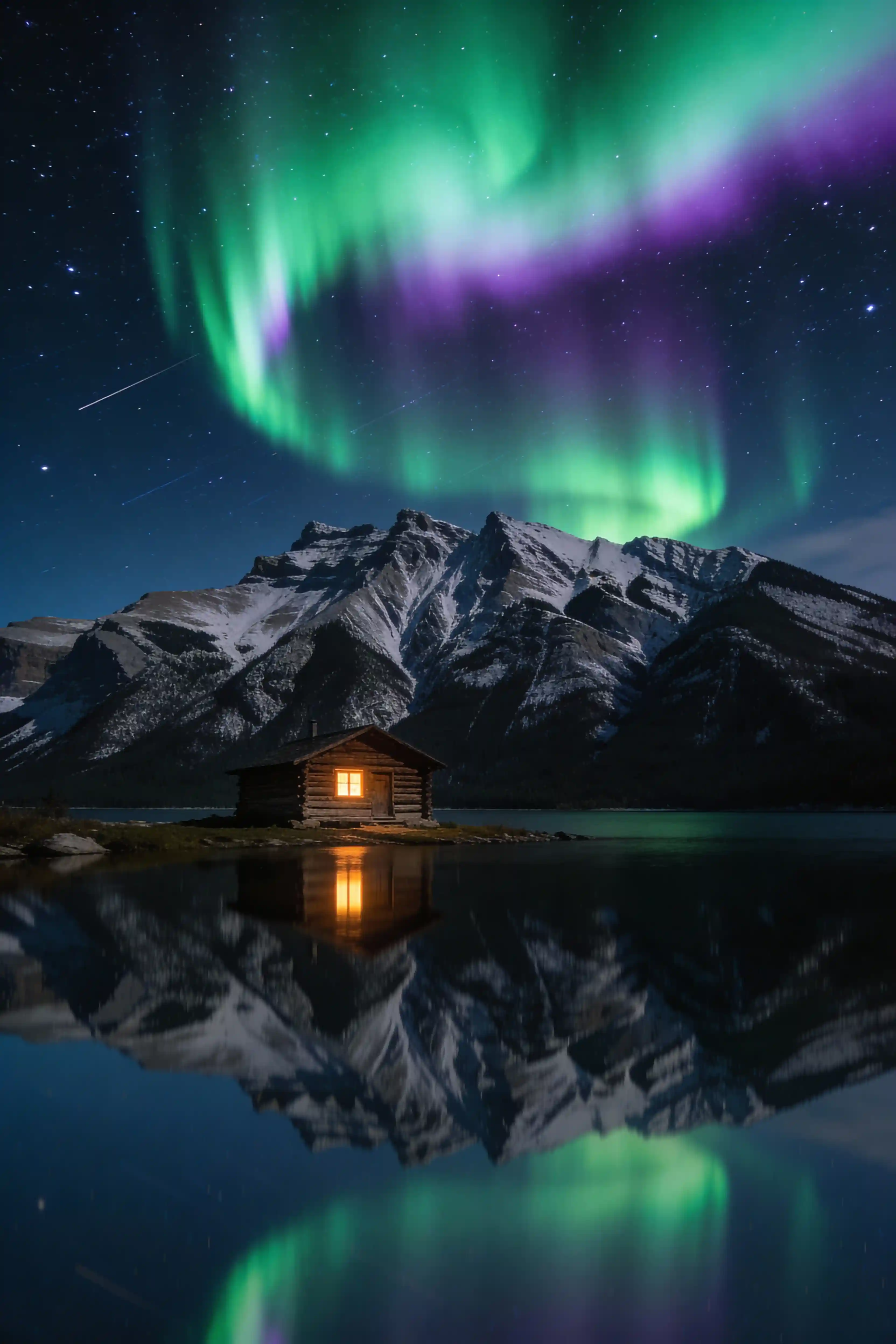
13. Aurora Borealis Lake Reflection
Northern lights dancing across the night sky above calm mountain lake, green and purple aurora reflected perfectly in still water, snow-capped peaks silhouetted against a starry sky, a single log cabin with warm window glow on the shoreline, long exposure photography
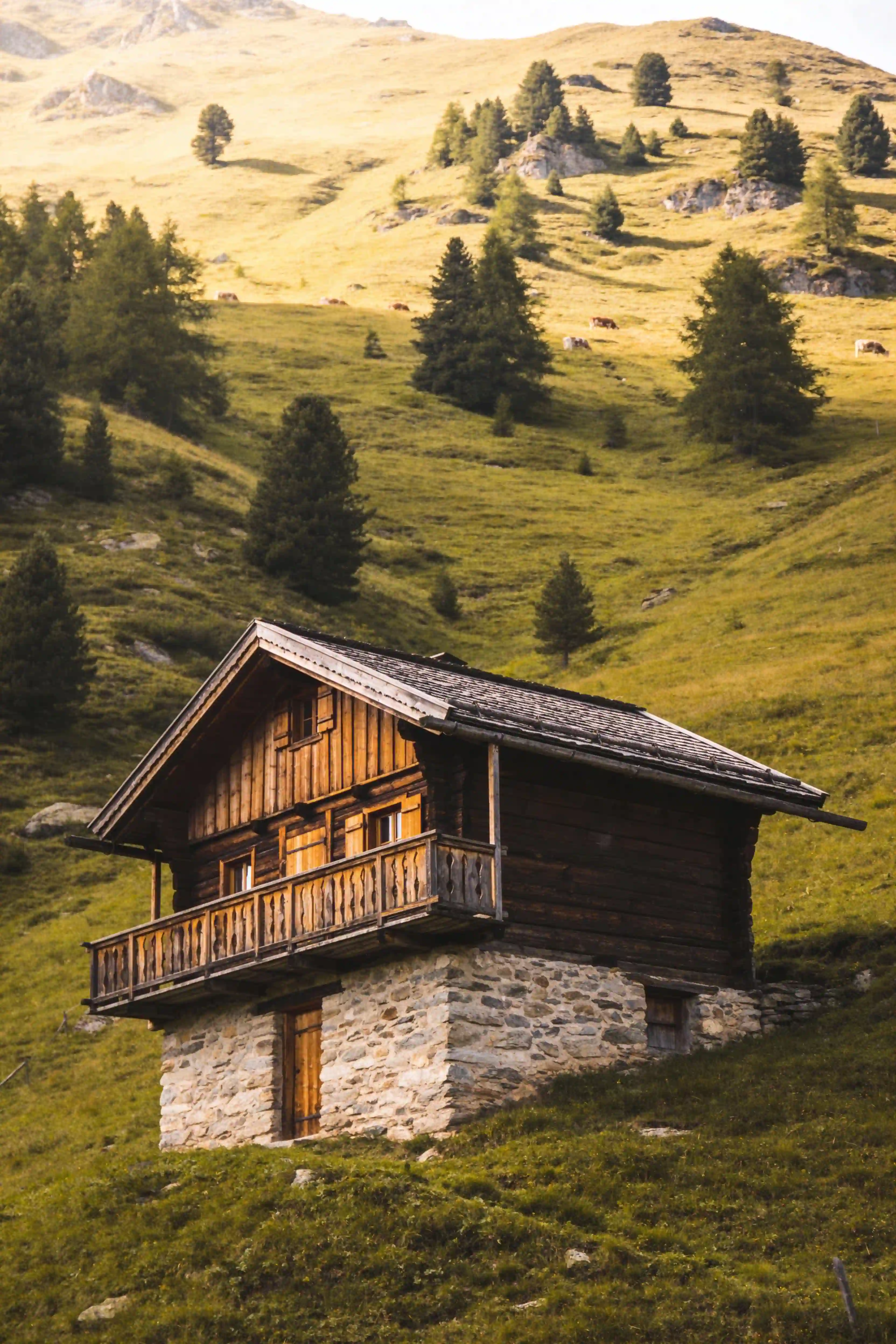
14. Alpine Mountain Chalet
Traditional Alpine chalet on green mountain slope, wooden structure with stone foundation, scattered pine trees on rolling hillside, pastoral landscape, natural lighting
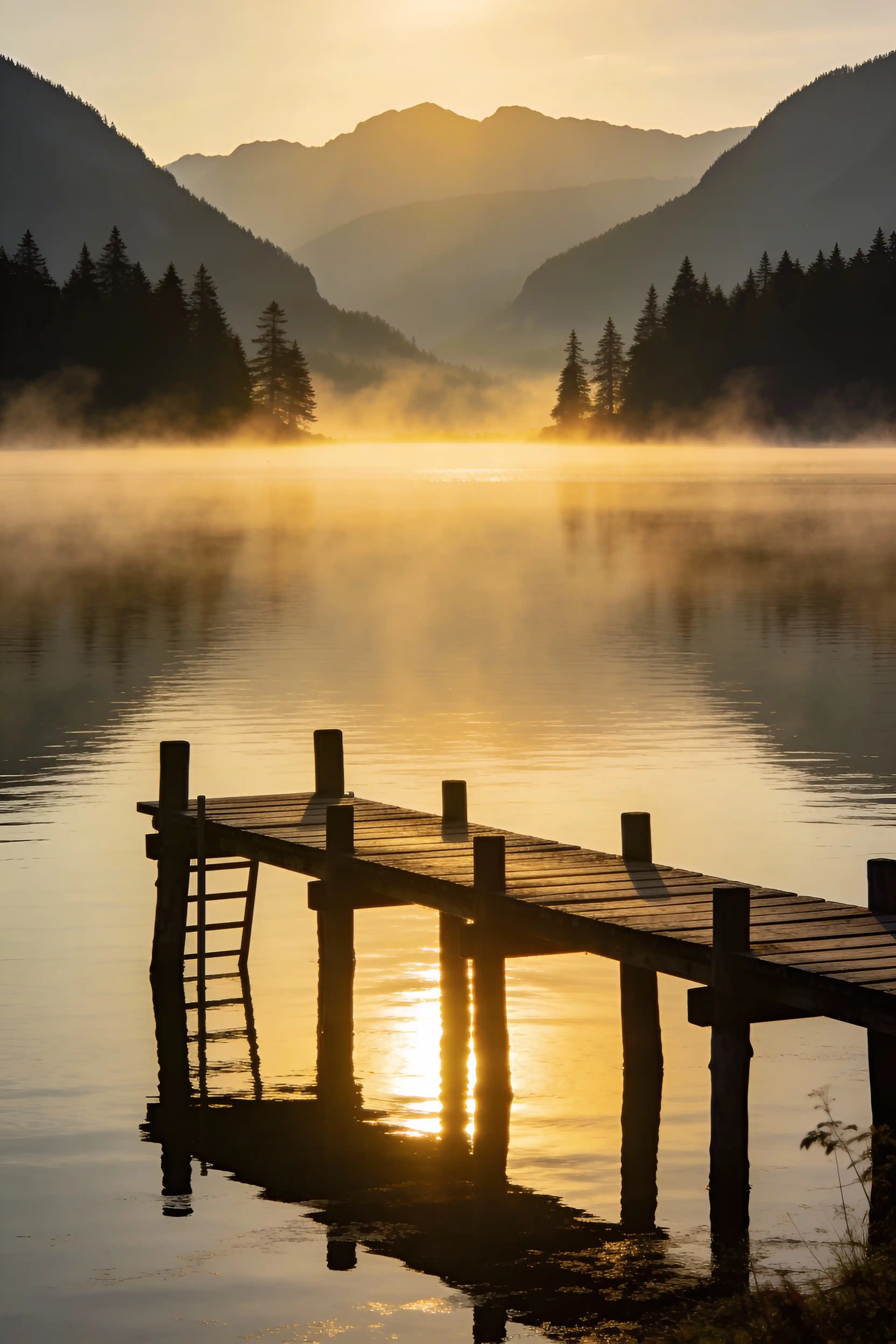
15. Misty Lake Pier at Dawn
Wooden pier extending into misty lake at dawn, calm water reflecting golden light, fog over water, mountain and forest silhouette in background, serene landscape photography
How to Use These Prompts (Step by Step)
✅ You don't need a fancy workflow. Copy a prompt, generate a few options, then tweak the one that's closest. That's the loop.
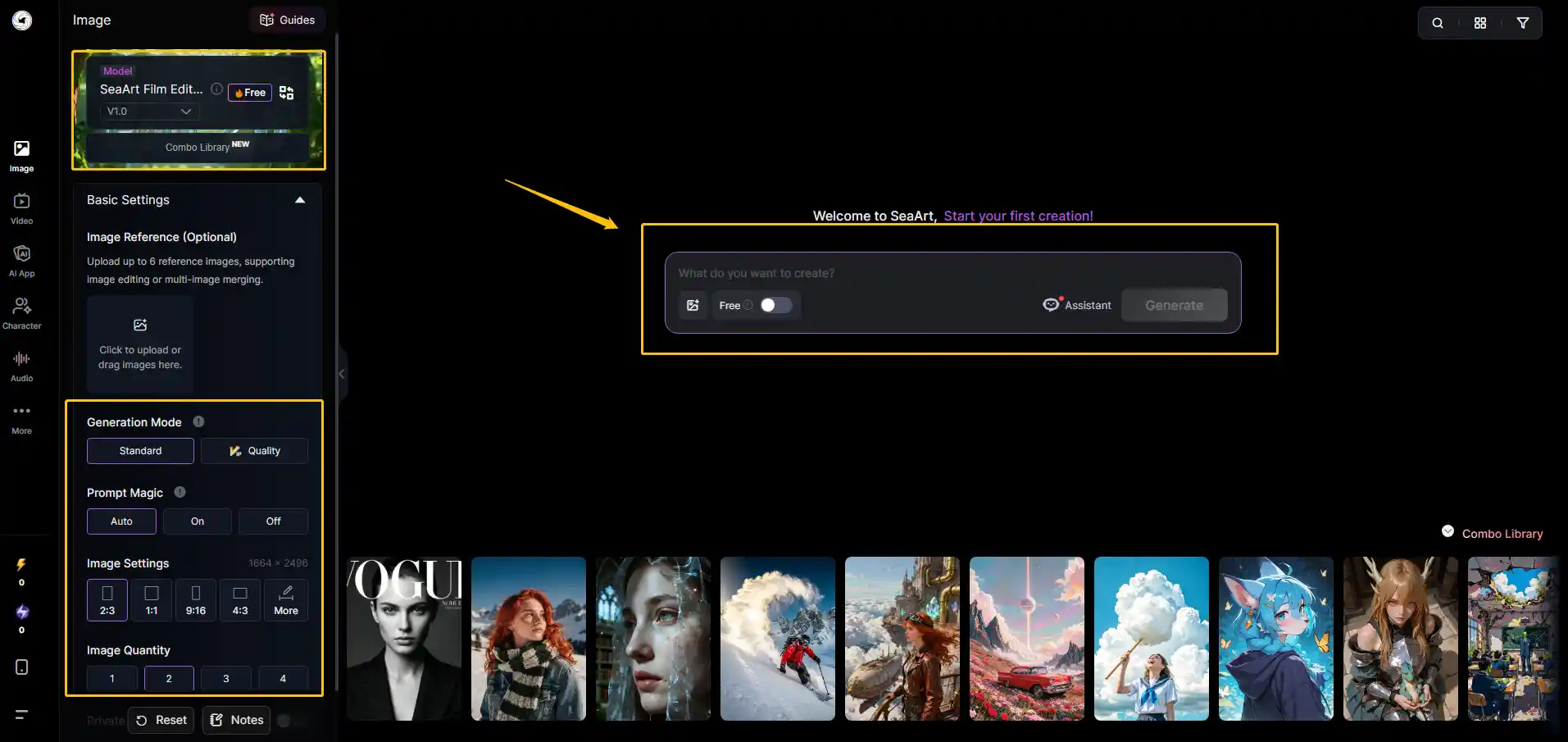
Step 1: Choose your platform. These prompts work on Grok Imagine, or you can use them on SeaArt's image generator (which supports similar natural-language prompting).
Step 2: Paste one of the prompts from this page into the prompt box.
Step 3: If you're aiming for realism, pick a photo-style model. If you want anime or 3D, pick a matching style model (this matters more than most people think).
Step 4: Generate multiple variations (most tools let you create 2-4 at once), then keep the best composition.
Step 5: Iterate naturally: change one element at a time (lighting, outfit, camera angle), regenerate, and compare. Avoid changing everything at once - it makes it harder to learn what works.
What Makes a Grok Prompt Actually Work
After testing 200+ prompts, here's what I've learned:
Length matters, but not how you think. Short prompts work if they're specific. "Cyberpunk street, neon signs, rain" can beat a 50-word paragraph that's all fluff.
Style references beat vague adjectives. Saying "shot on Fujifilm XT4" tells Grok way more than saying "high quality photo."
Color words are your friend. Instead of "colorful," say "electric blue and hot pink." Instead of "dark," say "charcoal gray fading to black."
Emotions need context. Don't just say "happy." Say "laughing with eyes closed, hand covering mouth, shoulders shaking."
Negative-style instructions are less reliable. FLUX-based models (including Grok) respond better to positive constraints. Instead of "no blur, no noise," try "sharp focus, clean composition, minimal grain." If your tool has a separate negative prompt field, keep it short and test whether it actually improves results - sometimes it doesn't.
Common Mistakes (and How to Fix Them)
Mistake 1: Asking for too many things in one prompt
If you cram 10 different elements into one prompt, Grok will give you a messy image that tries to do everything and succeeds at nothing.
Fix: Pick 3-4 main elements. One subject, one background, one lighting style, one mood. That's it.
Mistake 2: Using brand names without context
Saying "Nike shoes" doesn't tell Grok what kind of Nike shoes or how to frame them.
Fix: "White Nike Air Max sneakers on wooden floor, top-down view, natural window light, product photography."
Mistake 3: Expecting text rendering to work
Text to image generators often struggle when you need readable text inside images. Grok is better than most, but still not perfect.
Fix: If you need text, generate the image first, then add text in Canva or Photoshop. Or keep text requests simple: "neon sign saying OPEN" works better than "detailed menu board with 20 items."
Mistake 4: Not specifying aspect ratio
Many AI generators default to square or 1:1 aspect ratios. If you need specific dimensions (phone wallpaper, banner, social media post), state it explicitly.
Fix: Add "vertical composition, 9:16 aspect ratio" for phone screens, or "wide banner, 16:9 aspect ratio" for desktop wallpapers.
Conclusion
Grok Imagine is built on FLUX.1 architecture, which produces high-quality results when you use natural-language prompts. It's particularly good for rapid iteration and exploring different creative directions.
If you need consistent, high-quality output for client work or professional projects, it probably is not your only tool. The quality varies depending on the prompt. I'd use it for brainstorming, then move to a free AI art generator like SeaArt for final versions - especially if you don't already have a SuperGrok subscription.
Want to try these prompts? Grab one of the 15 grok imagine prompts above, tweak the details to match your needs, and generate a few variations. Pick the best result and refine from there. 🎉
Related Articles
24 Gemini prompts for High-Quality Professional Headshots 2026
30+ Best Friendship Prompts for Gemini AI to Create Stunning Photos in 2026
Best 15 Grok Imagine Prompts: Examples & Tips
Polybuzz AI Alternative: Comparing Character Chat Platforms by Real Use Cases
Introducing SeaArt AI 2.0: Agentic, Multimodal, and Creator-First