

30+ Best Friendship Prompts for Gemini AI to Create Stunning Photos in 2026
Transforming your friendship photos with Gemini AI image-to-image requires the right style prompts. Simply uploading your photo and saying "make it better" won't work. The difference between a mediocre filter and stunning AI transformation comes down to how you describe the style you want.
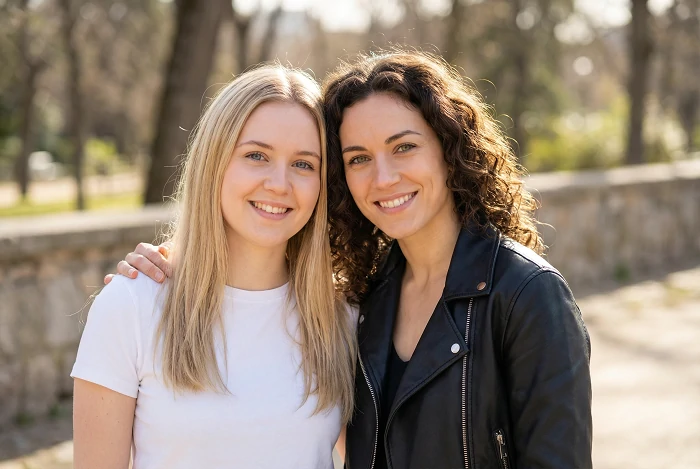
This guide provides 30+ friendship prompts for Gemini to transform your real photos - whether it's you and your friends together, or separate photos you want reimagined in one scene. Organized into three categories: realistic photography styles, artistic transformations, and themed occasions. Each prompt is copy-paste ready for immediate use with your uploaded photos.
What Makes a Good Friendship Prompt for Gemini AI?
When transforming your real photos with Gemini's image-to-image, your prompt describes the style and artistic effect you want, not the content (Gemini already sees your friends in the uploaded photo).
Two common scenarios:
Scenario 1: You have a photo of you and your friends together
Upload the photo
Prompt describes the style transformation: "Transform into warm vintage film aesthetic with soft focus, golden hour tones, and grainy texture"
Scenario 2: You have separate photos of each friend
Upload multiple photos
Prompt describes how to combine them: "Combine into a group photo with anime style, vibrant colors, detailed line art, and cherry blossom background"
Bad vs Good Prompts:
❌ Weak: "make it better"
Gemini doesn't know what "better" means
❌ Weak: "two friends in a coffee shop"
You're describing content that's already in your photo
✅ Strong: "Cinematic movie poster style with dramatic lighting, high contrast, film noir aesthetic, professional color grading"
Describes the artistic transformation you want
✅ Strong: "Studio Ghibli animation style with soft watercolor textures, dreamy atmosphere, and whimsical hand-drawn aesthetic"
Specific style reference Gemini can follow
Key elements to include in your prompts:
- Visual style: realistic photo, anime art, oil painting, pixel art
- Mood/atmosphere: warm and cozy, dramatic and epic, peaceful and dreamy
- Technical details: lighting type, color palette, texture, film grain
- Art references: Studio Ghibli, film noir, vintage Polaroid, cinematic
The more specific your style description, the better Gemini transforms your friendship photos.
Realistic Photography Style Prompts
Transform your friendship photos into professional-quality images with these realistic photography styles. Perfect for social media, wallpapers, or printed memories.
Warm & Natural Styles
Best for: Instagram posts, casual memories, everyday moments
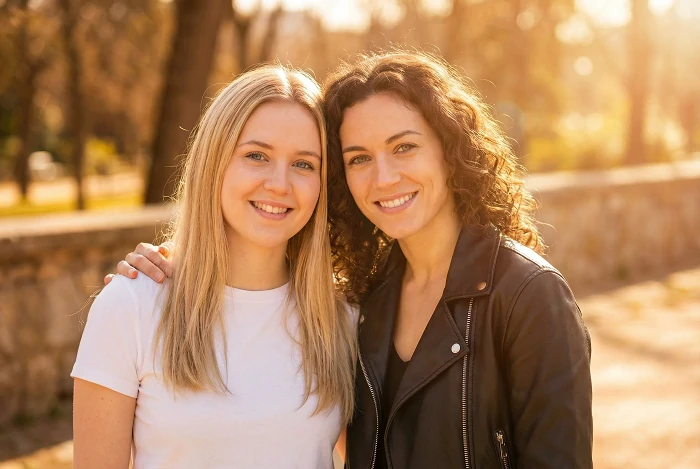
Prompt 1: Golden Hour Glow
Transform into golden hour photography style with warm orange and amber tones, soft natural lighting, gentle lens flare, shallow depth of field, dreamy bokeh background, professional DSLR aesthetic
Prompt 2: Vintage Film Look
Apply 35mm film aesthetic with slight grain texture, warm faded colors, soft focus, analog photography feel, nostalgic 1990s vibe, natural lighting with gentle shadows
Prompt 3: Bright and Airy
Create bright and airy photography style with overexposed highlights, soft pastel tones, minimal shadows, clean and fresh aesthetic, natural sunlight feel, magazine editorial quality
Prompt 4: Candid Photojournalism
Transform into candid photojournalistic style with natural colors, sharp focus on faces, environmental storytelling, authentic moment capture, documentary photography aesthetic, unposed and genuine feel
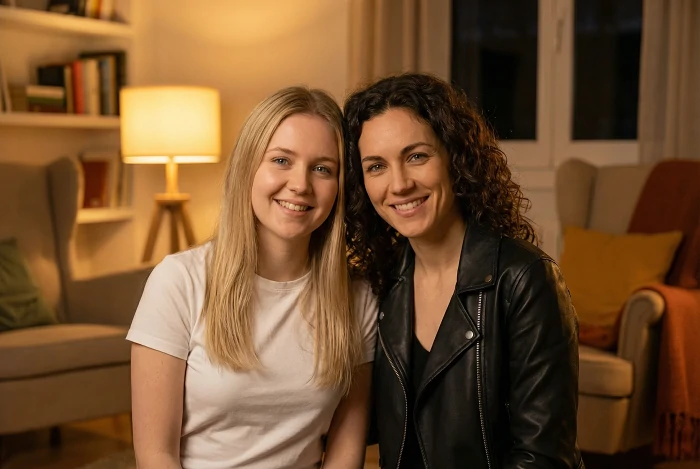
Prompt 5: Moody Indoor Lighting
Apply warm indoor lighting with cozy lamp glow, rich amber tones, soft shadows, intimate atmosphere, evening warmth, comfortable home setting aesthetic
Adventure & Cinematic Styles
Best for: Travel photos, dramatic memories, epic moments
Prompt 6: Sunset Silhouette
Transform into dramatic sunset silhouette with vibrant orange and pink sky, dark foreground subjects, high contrast, cinematic composition, golden hour magic, breathtaking landscape backdrop
Prompt 7: Epic Adventure
Apply cinematic adventure photography style with wide-angle perspective, dramatic landscape, vibrant natural colors, National Geographic aesthetic, inspiring and triumphant mood
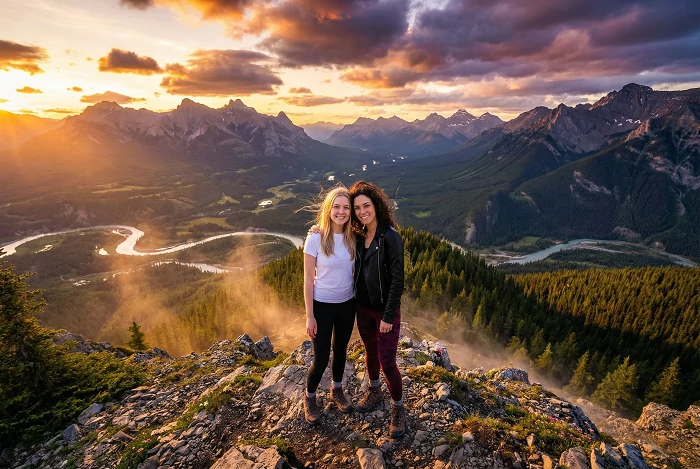
Prompt 8: Urban Street Photography
Transform into gritty urban street photography with natural city lighting, candid street style, documentary aesthetic, authentic city life feel, dynamic composition, vibrant urban colors
Prompt 9: Vintage Road Trip
Create vintage road trip aesthetic with warm faded tones, 1970s color palette, slight vignette, nostalgic summer feeling, classic Americana style, carefree adventure mood
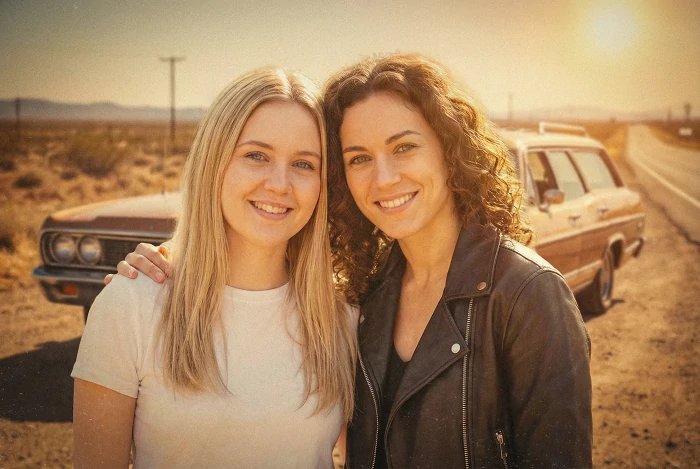
Prompt 10: Nature Photography
Apply professional nature photography style with rich green tones, crisp detail, natural forest lighting with sun rays through trees, peaceful outdoor aesthetic, hiking adventure feel
Artistic & Creative Style Prompts
Transform your friendship photos into stunning artistic creations. These style prompts turn real photos into paintings, anime art, and dramatic visual effects.
Anime & Illustration Styles
Best for: Profile pictures, social media art, creative posts
Prompt 11: Modern Anime Transformation
Transform into modern anime illustration style with bold outlines, vibrant saturated colors, detailed anime eyes and hair, manga aesthetic, clean digital art quality, typical anime shading and highlights
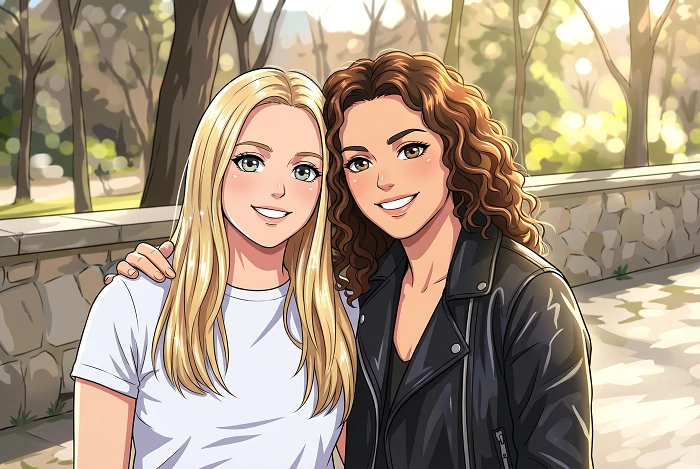
Prompt 12: Chibi Cute Style
Convert into adorable chibi art style with super-deformed proportions, big sparkling eyes, tiny bodies, pastel color palette, kawaii aesthetic, cute and cheerful illustration, heart and star decorative elements
Prompt 13: Studio Ghibli Magic
Apply Studio Ghibli animation style with soft watercolor textures, dreamy atmospheric lighting, hand-painted aesthetic, whimsical and nostalgic feeling, detailed background scenery, Miyazaki-inspired warmth
Prompt 14: Comic Book Art
Transform into comic book illustration with bold ink outlines, cel-shaded coloring, dynamic action lines, pop art aesthetic, vibrant primary colors, graphic novel style, halftone dot patterns
Prompt 15: Pixel Art Retro
Convert into 16-bit pixel art style with retro video game aesthetic, limited color palette, clear pixel definition, nostalgic 1990s gaming vibe, simple but charming 8-bit or 16-bit graphics
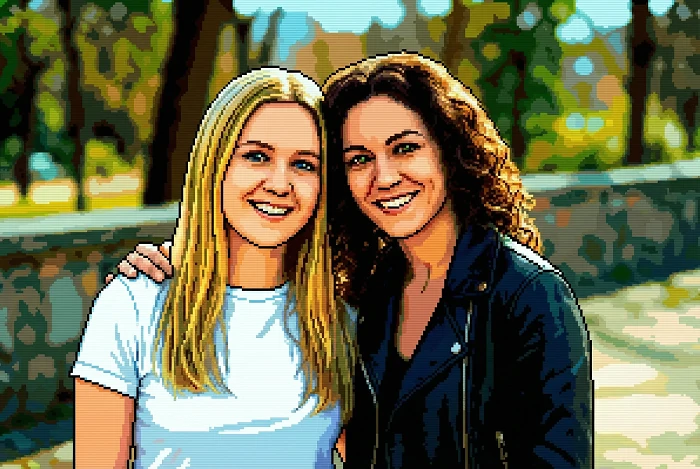
Dramatic & Cinematic Effects
Best for: Artistic prints, dramatic presentations, creative projects
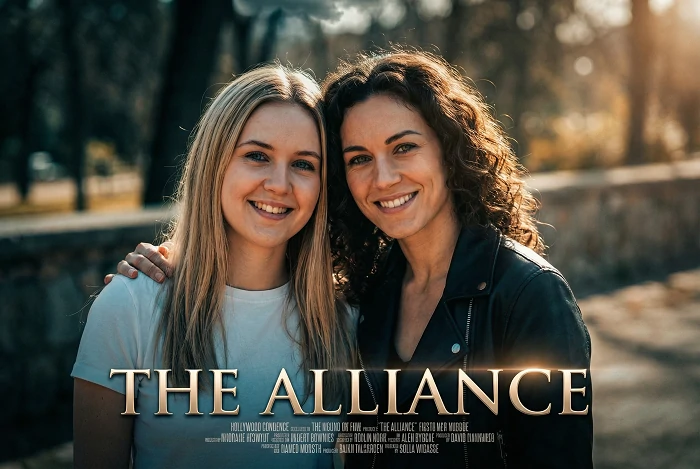
Prompt 16: Movie Poster Drama
Transform into cinematic movie poster style with dramatic lighting, high contrast shadows and highlights, professional color grading, epic composition, theatrical atmosphere, Hollywood blockbuster aesthetic
Prompt 17: Black and White Fine Art
Convert to high-contrast black and white fine art photography, dramatic side lighting, film noir aesthetic, emotional intensity, minimalist composition, classic Ansel Adams style with rich tones
Prompt 18: Neon Cyberpunk
Apply cyberpunk aesthetic with vibrant neon pink and blue lighting, futuristic glow effects, dark moody atmosphere, Blade Runner inspired, wet pavement reflections, sci-fi urban style
Prompt 19: Oil Painting Classic
Transform into classical oil painting style with visible brushstrokes, rich color depth, Renaissance painting aesthetic, museum-quality fine art, soft blended edges, traditional portrait painting technique
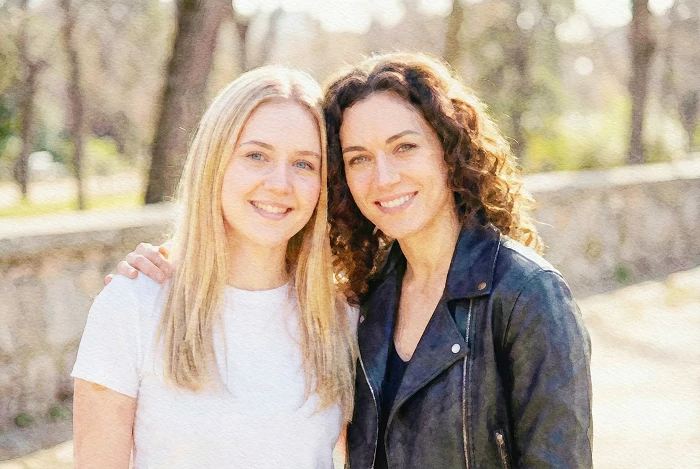
Prompt 20: Watercolor Art
Convert into soft watercolor painting with flowing color bleeds, paper texture, gentle washes of color, artistic brush strokes, dreamy and ethereal aesthetic, traditional watercolor illustration style
Themed & Occasion-Based Style Prompts
Add festive flair and seasonal magic to your friendship photos. These themed styles are perfect for holiday cards, celebration posts, and seasonal memories.
Celebration & Party Effects
Best for: Birthday posts, party memories, special event photos
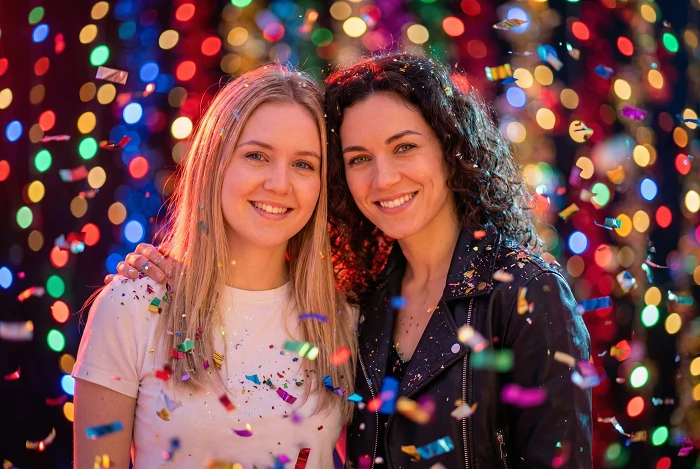
Prompt 21: Festive Party Glow
Add festive party atmosphere with colorful bokeh lights, warm celebratory glow, confetti overlay effects, joyful vibrant colors, sparkle and shimmer elements, festive mood enhancement
Prompt 22: Birthday Celebration Style
Apply birthday party aesthetic with soft pastel balloon colors, warm indoor party lighting, cheerful bright tones, festive decorative overlays, happy celebration mood, Instagram party filter style
Prompt 23: Dynamic Party Energy
Create energetic party atmosphere with motion blur effects, colorful LED light streaks, vibrant neon party colors, club photography style, dynamic movement feeling, exciting nightlife aesthetic
Prompt 24: Elegant Evening Style
Transform into elegant evening celebration with sophisticated color grading, warm candlelight glow, bokeh city lights background, formal event photography style, refined and classy atmosphere
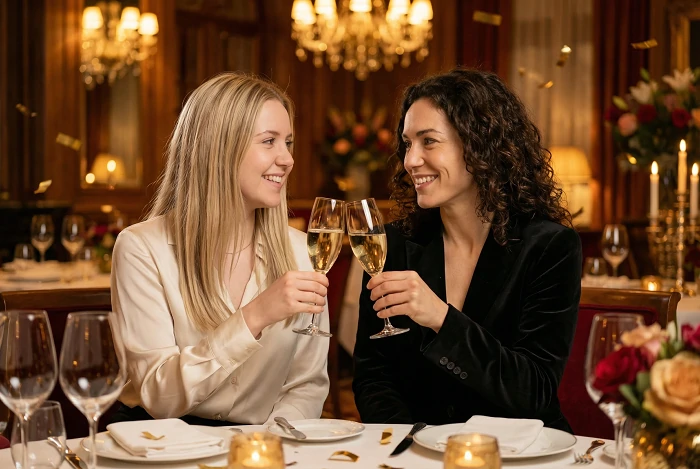
Prompt 25: Champagne Toast Moment
Apply luxury celebration style with golden warm tones, soft romantic lighting, elegant bokeh effects, sophisticated color palette, intimate celebration mood, high-end restaurant photography aesthetic
Seasonal & Holiday Styles
Best for: Holiday cards, seasonal posts, festive memories
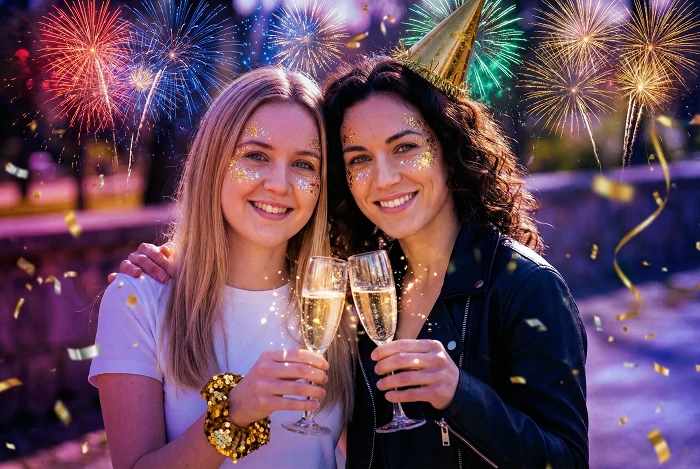
Prompt 26: New Year Sparkle
Add New Year celebration magic with firework light effects, festive sparkle overlays, midnight celebration atmosphere, vibrant party colors with gold accents, champagne celebration aesthetic
Prompt 27: Bright Summer Vibes
Apply bright summer beach aesthetic with vivid saturated colors, warm golden sunshine, tropical vibes, light and airy feel, vacation photography style, cheerful summer energy
Prompt 28: Cozy Autumn Warmth
Transform into cozy autumn aesthetic with warm orange and amber tones, fall foliage color palette, golden hour glow, pumpkin spice vibes, harvest season warmth, rustic comfortable feeling
Prompt 29: Winter Wonderland Magic
Add winter wonderland atmosphere with cool blue-white tones, soft snowfall effects, crisp winter lighting, magical holiday feeling, frosty sparkle elements, cozy cold weather aesthetic
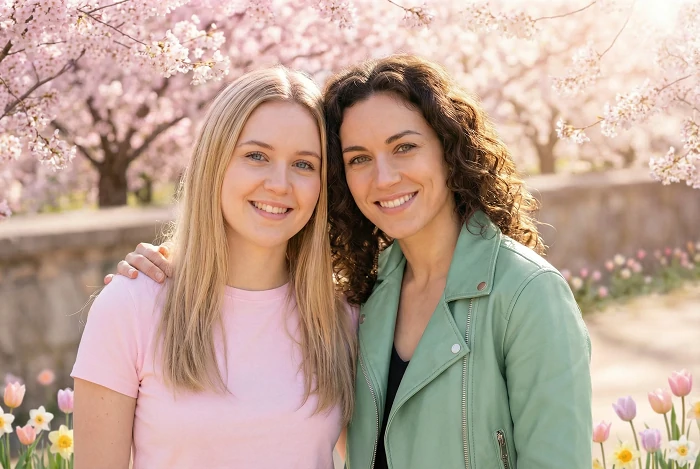
Prompt 30: Fresh Spring Colors
Apply fresh spring aesthetic with soft pastel color palette, gentle warm sunshine, blooming flower colors, light and hopeful mood, renewal and growth feeling, cherry blossom season vibes
How to Use These Prompts with Gemini AI
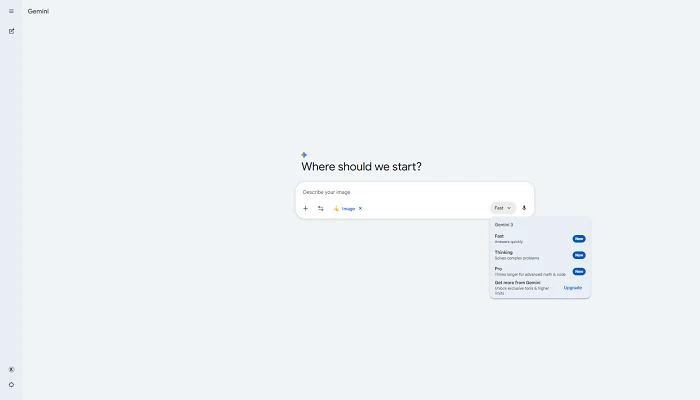
Ready to transform your friendship photos? Here's the step-by-step process for using Gemini's image-to-image feature.
Step-by-Step Guide
Step 1: Prepare Your Photos
Gather the photos you want to transform:
Option A: A photo of you and your friends together
Option B: Separate photos of each friend (Gemini can combine them)
Best results with clear, well-lit photos where faces are visible
Step 2: Access Gemini AI
Choose one of these options:
Gemini (easiest): Visit gemini.google.com/app
Google AI Studio: For advanced features
ImageFX: Google's dedicated image tool
All three support image-to-image transformation with Gemini.
Step 3: Upload Your Photo(s)
Click the upload button and select your friendship photo. If combining multiple people, upload all photos you want to merge.
Step 4: Copy Your Chosen Style Prompt
Select one of the 30+ style Gemini AI prompts above. Copy the entire text describing the transformation you want.
Step 5: Paste and Generate
Paste your style prompt into Gemini's input field along with your uploaded photo. Click generate. Wait 10-30 seconds.
Step 6: Refine if Needed
Not perfect? Adjust these elements:
- Strengthen the effect: Add "strong," "intense," or "highly detailed" to your prompt
- Soften the effect: Add "subtle," "gentle," or "soft" to your prompt
- Change specific aspects: Modify color palette, lighting intensity, or texture details
Pro tip: For combining separate photos, add instructions like "merge into single group photo" or "place side by side" to your style prompt. For higher resolution output (2048×2048+), consider using SeaArt's Nano Banana Pro AI tool.
Pro Tips for Better Photo Transformations
Want to level up your results? Here's what actually works when transforming real friendship photos with AI.
Use high-quality source photos: Start with clear, well-lit photos. Blurry or dark source images produce poor transformations no matter how good your prompt is.
Be specific about intensity: Add words like "strong," "intense," "vivid" for dramatic transformations, or "subtle," "gentle," "soft" for lighter effects.
Reference specific artists or styles: Instead of "painting style," say "Van Gogh oil painting" or "Monet impressionist style." Gemini understands famous artist names and art movements.
Describe textures and surfaces: "Visible brushstrokes," "smooth digital art," "grainy film texture," or "watercolor paper texture" give Gemini concrete visual details to follow.
Match mood to style: Don't ask for "cheerful anime style" with a sad source photo. The transformation works best when the desired mood matches your original photo's energy.
Don't fight the composition: Your uploaded photo's composition (how people are positioned) largely stays the same. Focus your prompt on style, color, and atmosphere rather than trying to change poses.
Layer effects carefully: Combining "anime style + neon lights + vintage film" might confuse the AI. Stick to 2-3 compatible style elements maximum.
SeaArt AI: Alternative Platform for Nano Banana Pro
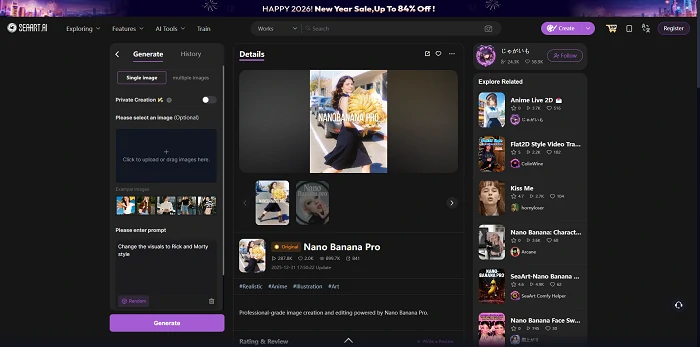
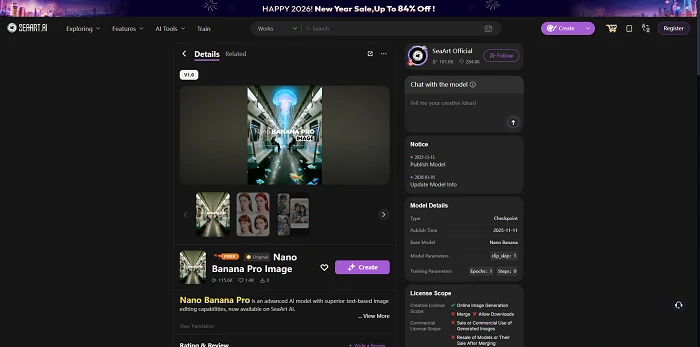
SeaArt AI provides access to the Nano Banana Pro model (Google's Gemini 3 Pro Image) through a dedicated workflow interface designed specifically for image transformation.
Key Features
Resolution control: Direct selection between 1K, 2K, or 4K output quality. Choose the resolution that fits your use case - 1K for social media sharing, 2K for high-quality digital display, or 4K for professional printing.
Flexible aspect ratios: Generate images in different aspect ratios (square, portrait, landscape) to match your intended use without post-cropping. Useful for Instagram posts, story formats, or desktop wallpapers.
Single or multiple image upload: Upload one friendship photo for style transformation, or upload multiple photos to combine or create variations from different source images in one workflow.
Streamlined workflow interface: Purpose-built tool with visual controls for resolution, aspect ratio, and generation parameters. All settings visible in one screen without navigating through chat conversations.
Using These Prompts on SeaArt
All 30 style prompts in this guide work with SeaArt's Nano Banana Pro workflow:
- Visit SeaArt's Nano Banana Pro tool
- Upload your friendship photo(s)
- Select your desired resolution (1K/2K/4K) and aspect ratio
- Copy any style AI photo prompt from this guide
- Generate your transformed image
Key advantages:
- Multi-resolution output
- Custom aspect ratios
- Multi-image processing
- Visual workflow controls
- Professional-grade quality
Conclusion
These 30+ free friendship prompts for gemini give you copy-paste style transformations across realistic photography, artistic effects, and themed occasions. Upload your friendship photos to Gemini, apply any prompt above, and transform your memories instantly.
Want resolution control (1K/2K/4K) and custom aspect ratios? Try SeaArt's Nano Banana Pro workflow for direct quality selection and multi-image processing.
Your friendship photos deserve beautiful transformation. Start creating now.