

Kling O1 vs Sora 2 Comparison: Features, Pricing, and Video Quality Review
The AI video war is heating up. Just as we got comfortable with the existing tools, China's Kling O1 dropped, directly challenging OpenAI's highly anticipated Sora 2. For creators, this competition is exciting but confusing.
Here's the thing: you want to know if the elusive, expensive Sora 2 ($200/mo) is actually worth the investment, or if Kling O1 offers a better value proposition right now. You need a tool that doesn't just generate random clips but fits into a professional workflow.
In this comparison review, I've analyzed both models head-to-head on video quality, editing features, availability, and price. Whether you are a filmmaker, marketer, or hobbyist, this guide will help you decide which AI video generator is the right tool for your next project.
Kling O1 vs Sora 2: Quick Comparison Table
Before we dive deep, let's look at the key specs. This table highlights why availability and pricing are the biggest differentiators right now.
| Feature | Kling O1 | Sora 2 |
|---|---|---|
| Model Type | Unified Video Model (Generation + Editing) | World Simulator (Physics-based Generation) |
| Max Duration | 10 Seconds (Extendable) | up to 25 Seconds |
| Audio Generation | No (Silent video only) | Yes (Native Audio + Voice) |
| Pricing | ~$26/mo (Pro Plan) | ~$200/mo (ChatGPT Pro) |
| Availability | Global (Open to everyone) | US & Europe (Invite/Pro Only) |
| Best For | Editing, Face Swaps, Marketing Videos | Long Cinematic Shots, Sound Design |
Deep Dive into Kling O1: The Master of Editing
Kling O1 isn't just generating pixels; it's redefining how we interact with video. As the world's first unified multimodal video model, it operates on a unique philosophy: Multi-modal Visual Language (MVL).
Unlike traditional tools that guess your intent, Kling O1 uses natural language as a semantic backbone. This means you can combine text, images, and specific subject descriptions into one cohesive prompt. The model deeply understands your creative intent, making the operation intuitive and the creation process significantly more efficient. It doesn't just "make video" - it acts as a new creative engine that unlocks infinite possibilities.
I've tested it extensively, and its ability to modify existing footage based on this deep understanding is a game-changer for content creators.
Think of Kling O1 as the "Nano Banana of AI Video." Just as Nano Banana revolutionized image editing by letting you change details with simple text, Kling O1 does the same for video. It understands your natural language instructions to edit reality - removing objects or changing styles - without complex technical skills.
Key Features That Stand Out
1. Smooth Transformations
Kling O1 excels at morphing. You can upload a start frame (like an old logo) and an end frame (the new logo), and it generates a smooth, logical transition between them. It handles digital noise, pixel warping, and light trails seamlessly, making it perfect for branding videos.
2. Elements & Inpainting
This is where Kling O1 truly beats the competition. You can create "Elements" - specific characters or objects - and insert them into any video.
- Object Removal: Want to remove a ship from an ocean shot? Just type "remove the ship," and Kling fills in the background perfectly.
- Character Insertion: You can take a video of an empty subway and place yourself in it by using a character Element. The lighting and reflections adjust automatically.
3. Video Extension & Style Transfer
Need your video to look like an anime? Kling O1 can take a standard video and apply a style reference (like Naruto or Jujutsu Kaisen) to transform the entire aesthetic while keeping the original motion intact.
Pros & Cons
✅ The Good:
- Excellent prompt adherence for complex instructions.
- Powerful editing tools (Inpainting, Face Swapping) that actually work.
- Globally available right now.
❌ The Bad:
- No native audio generation yet.
- Clips are limited to 10 seconds initially (though extendable).
Deep Dive into Sora 2: The World Simulator
OpenAI defines Sora 2 not just as a video tool, but as a "World Simulator." While Kling O1 focuses on editing reality, Sora 2 aims to simulate it entirely from scratch with unprecedented fidelity.
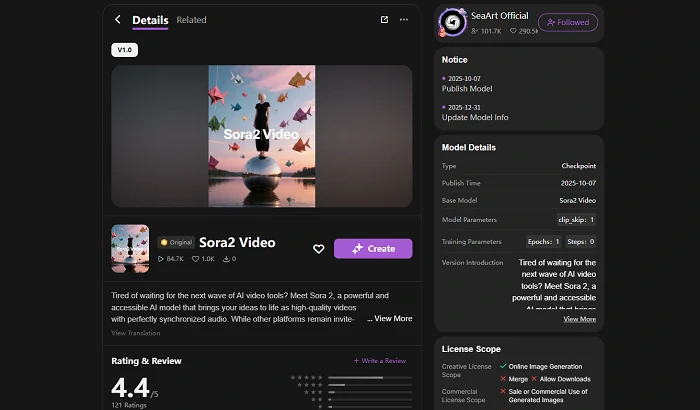
Its power lies in its physics-first architecture. Unlike traditional models that guess motion, Sora 2 understands how objects interact in the 3D world - how water splashes, how fabric moves, and how light refracts. It breaks video data into "spacetime patches," allowing it to maintain coherence over longer durations (up to 25 seconds) than any competitor. It doesn't just create video; it simulates a consistent physical world.
Key Features That Stand Out
1. Native Audio Generation
Sora 2 doesn't just make silent movies. It generates synchronized audio - footsteps, ambient noise, and even voice - directly with the video. This is a huge time-saver for creators who don't want to hunt for sound effects later.
2. Cameo Feature
Similar to Kling's Elements, Sora 2 allows you to train a "Cameo" on a specific face/character to maintain consistency across shots. While powerful, early tests suggest it can sometimes struggle with maintaining facial details compared to Kling's face swap precision.
3. Longer, Cinematic Clips
Sora 2 can generate up to 25 seconds of coherent video in a single go. For storytelling, those extra 15 seconds mean you can hold a shot longer, allowing for more slow-paced, cinematic establishing shots.
Pros & Cons
✅ The Good:
- Superior physics simulation and object interactions.
- Integrated audio generation is a major plus.
- Generates longer continuous clips.
❌ The Bad:
- Extremely expensive entry point ($200/mo).
- Limited availability (Invite-only in many regions).
- Less granular control over specific edits compared to Kling.
Kling O1 vs Sora 2: Side-by-Side Comparison
Now, let's compare them directly on the factors that matter most to your workflow.
Video Quality and Realism
Sora 2 often wins on raw "cinematic" feel. Its understanding of physics means water flows correctly, and reflections are accurate. However, Kling O1 holds its own with sharp 1080p output and 60fps smoothness. For most social media and marketing use cases, Kling's quality is more than sufficient and often looks sharper in motion.
Editing Capabilities
If you need to edit video, Kling O1 is the clear winner.
- Scenario: You have a stock video of a model walking, but you want a top-down drone shot.
- Kling O1: You can prompt "Generate a top angle," and it reimagines the scene from above.
- Sora 2: Primarily focuses on generating new scenes from scratch rather than modifying existing uploads with this level of control.
Kling's ability to remove objects, swap faces, and change camera angles on existing footage makes it a functional tool for post-production, not just generation.
Beyond Video: Image Generation Capabilities
Great video starts with a great image. What makes these models special is that they aren't just "video makers" - they are world-class image engines first.
- Kling Omni-Image (Image O1): Think of this as your character consistency engine. It can analyze up to 10 reference images at once to lock in your character's look. This precise control also comes from its Multi-modal Visual Language (MVL) philosophy - meaning it actually understands what you want, rather than just guessing.
- Sora 2 Image: This model brings Sora's "world simulation" physics into static frames. It excels at complex lighting and spatial coherence that often baffles standard image generators. For a quick hands-on experience, you can try the Sora 2: AI Video Generator on SeaArt AI.
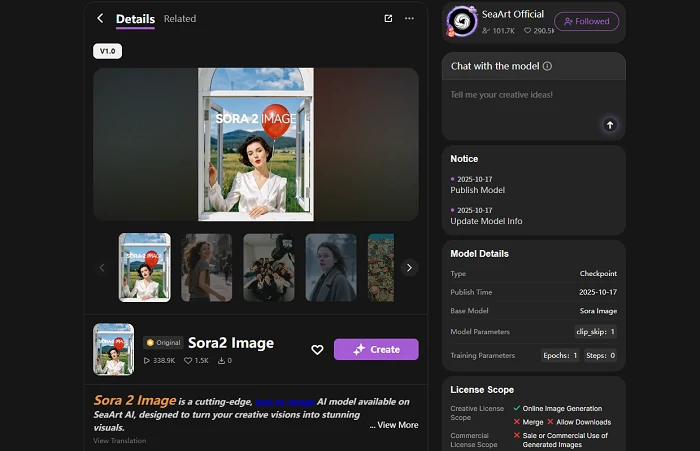
Why it matters: You can generate your assets (characters, scenes) with these specialized image models first to ensure perfection, then animate them. It's a workflow that guarantees higher quality control than direct text-to-video generation.
Accessibility and Pricing
This is the dealbreaker.
- Sora 2: Requires a $200/month subscription to ChatGPT Pro and is geo-restricted.
- Kling O1: Available globally with a Pro plan around $26/month.
For 90% of users, Kling O1 is the accessible choice. It delivers professional results at a fraction of the price. You can also check out the guide on how to use Kling AI to get started immediately.
Verdict: Which One Should You Choose?
The choice depends entirely on your budget and what you need to build.
Choose Kling O1 if: You are a marketer, editor, or content creator who needs to modify existing footage, swap faces, or create specific branded content on a reasonable budget. Its editing controls are unmatched.
Choose Sora 2 if: You have a high budget, need out-of-the-box audio, and want to generate long, cinematic establishing shots without much granular editing.
My Recommendation: For most creators today, Kling O1 (accessed directly or via platforms like SeaArt) offers the best return on investment. It's a tool you can actually use now to finish projects.
FAQ
Q1: Is Kling O1 free to use?
Kling O1 offers a trial system, often using a credit model. While the high-end generation features are part of the paid tier (approx. $26/mo), it is significantly cheaper than Sora 2. You can also access it via SeaArt AI which provides flexible options.
Q2: Can Sora 2 edit existing videos like Kling?
Sora 2 has some editing capabilities, but it is primarily designed as a text-to-video generator. Kling O1 is superior for tasks like object removal, face swapping, and camera angle changes on existing footage.
Q3: Which model is better for character consistency?
Both models use "anchors" (Elements in Kling, Cameos in Sora). Early user tests suggest Kling O1 currently holds facial details better during complex movements.
Q4: Does Kling O1 generate sound?
Kling O1 itself focuses on high-fidelity visual editing and is currently silent. However, its "brother model," Kling 2.6, supports native audio generation. If you need video with sound, you can use Kling 2.6 to generate synchronized audio clips, covering the gap that Sora 2 fills.
Conclusion
The battle between Kling O1 vs Sora 2 proves that AI video is evolving fast. Sora 2 impresses with its physics and audio, but its price tag makes it a luxury tool. Kling O1 fights back with incredible editing versatility and global accessibility, making it the practical winner for creators today.
The best part? You don't need to juggle multiple expensive subscriptions or wait for exclusive invites. SeaArt brings these top-tier models into one convenient platform. Experience the power of an all-in-one solution where you can explore premium video tools alongside a powerful free AI art generator for your static assets. Why wait? Start your creative journey today.
Related Articles
Kling 2.6 vs Sora 2: Production Reality vs. The Hype
Kling O1 Guide: Master the Unified Multimodal AI Video Model
Kling 2.6 vs Veo 3.1: Full Comparison for Creators
Kling O1 vs Veo 3.1: Which AI Video Generator is Better?
Kling 2.6 vs Kling 2.5 Turbo Review: Performance & Value Compared