 Enterprise Version
Generate
History
Private Creation
Private Creation
Create private works that are only visible to yourself.
[Private Creation] is a premium feature that is available after becoming an SVIP.
Unlock Now
Already the end

No Data
No Data
Details
Related Works
Report
Not Interested
Original
Anime Battle Scenes AI [Seedance 2.0]
173
0
346
2026-02-28 04:32:10 Update
#Popular
#Unique Experience
#Interact Duo
#Video Generation
...View More
Unlock the full potential of Seedance 2.0 to create anime fight scenes featuring fluid motion, impactful pacing, and visually consistent characters, ready for edits, reels, storyboards, or social media.
Anime Battle Scenes AI [Seedance 2.0]
View Translation
Rating & Review
-- /5
Not enough ratings or reviews received yet
more

No data available
Related Works

No Data
Log in to view all works
Log In Now



Why Anime Battle Scenes AI Works for Action Creators?


No Editing Skills Needed
Upload or type a prompt, click generate, and you're done. You don't need animation tools or a timeline.

Share-Ready Clips
Make short fight videos that are easy to post on Shorts, Reels, or TikTok without overthinking the format.



Characters Stay Recognizable
Keep faces, hair, and outfits closer to your idea, so the clip feels like one scene, not random frames.

Download Without Watermarks
All videos downloaded from SeaArt AI are completely watermark free and will not affect visual presentation.
Get Smooth Fight Motion from AI Anime Fight Video Generator
With our AI anime video generator, recreate fight scenes from your favorite anime IPs or retell the stories you want to bring to life.
Craft Cinematic Anime Battle Videos Effortlessly
Try Seedance 2.0 on SeaArt AI and effortlessly create seamless anime-style battle videos. Enter simple prompts and provide reference images of your characters to generate vibrant, high-energy fight scenes inspired by classic anime. Customize character appearances, intense expressions, and dynamic fighting styles, from hand-to-hand combat to supernatural powers and epic weapon duels, for thrilling one-on-one clashes or large-scale battles with complete creative control.
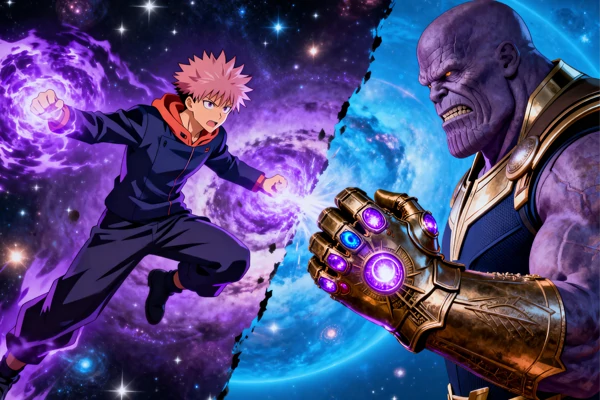
Power Your Creations with Dynamic Anime Action
This AI fight generator sparks instant inspiration with hyper realistic AI generated anime battle scenes. Explore dynamic poses and explosive motion that serve as powerful references for enhancing character movement, energy, and intensity across comics, storyboards, and animations. Create unlimited variations to capture the perfect angle and impact while dramatically accelerating your creative workflow.
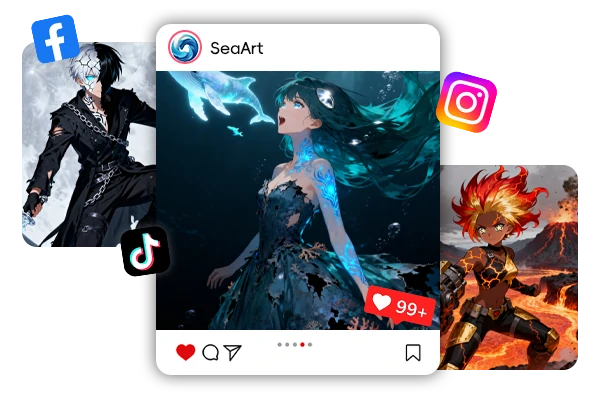
From Fan Imagination to Viral Anime Clips
Anime fans can now bring their favorite characters to life with Seedance 2.0 video generator's personalized dynamic video creation. Extend cherished stories beyond the canon, faithfully recreate legendary fight scenes, or turn your wildest original ideas into breathtaking animated sequences. Produce true doujin works, share stunning clips on social media, and bond with the global otaku community over your shared passion.
FAQs about Anime Battle Scenes AI

How do I write prompts that create fluid fight choreography?
Use a beat list and simple action verbs: dash, block, spin, slam, dodge. Add a little timing ("short pause") and one camera rule ("wide shot" or "close-up on impact"). A short, ordered prompt usually works better than one huge paragraph that tries to explain everything at once.

What makes this different from a basic anime video tool?
It's built for fight scenes where you want the action to be easy to read. If a clip looks chaotic, you can tighten the stage, reduce the number of beats, and stick to one camera style. Those small limits often turn a messy clip into something you can actually post or edit.
Is it okay to use these anime battle scenes AI clips for fan projects and social sharing?
For fan edits, stay respectful by avoiding claims of official affiliation and using only audio you have permission to include. For original creations, the best results come from designing your own characters and settings. Clips may be used for personal fan projects and social media sharing, subject to copyright laws and platform policies. Commercial use or redistribution may require permission from the relevant rights holders.
More
SUNRISEAI PTE. LTD.