Generate
History
Private Creationvip-icon
Details
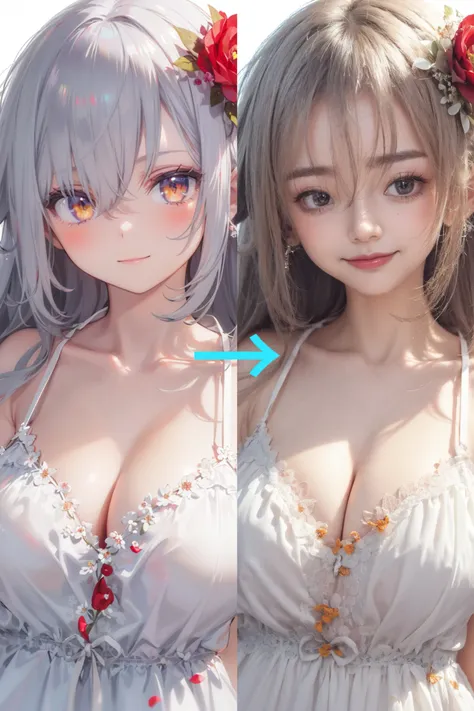
Anime to Realistic (qwen edit)
Original

Anime to Realistic (qwen edit)

1.5K
0
199
2026-01-05 13:05:25 Update
#Realistic
#Graphic Design
#Beauty Enhancement
#HD Zoom
#Realistic Portrait

Rating & Review

5.0 /5

Not enough ratings or reviews received yet

more
no-data
No data available

Anime to Realistic (qwen edit) Features

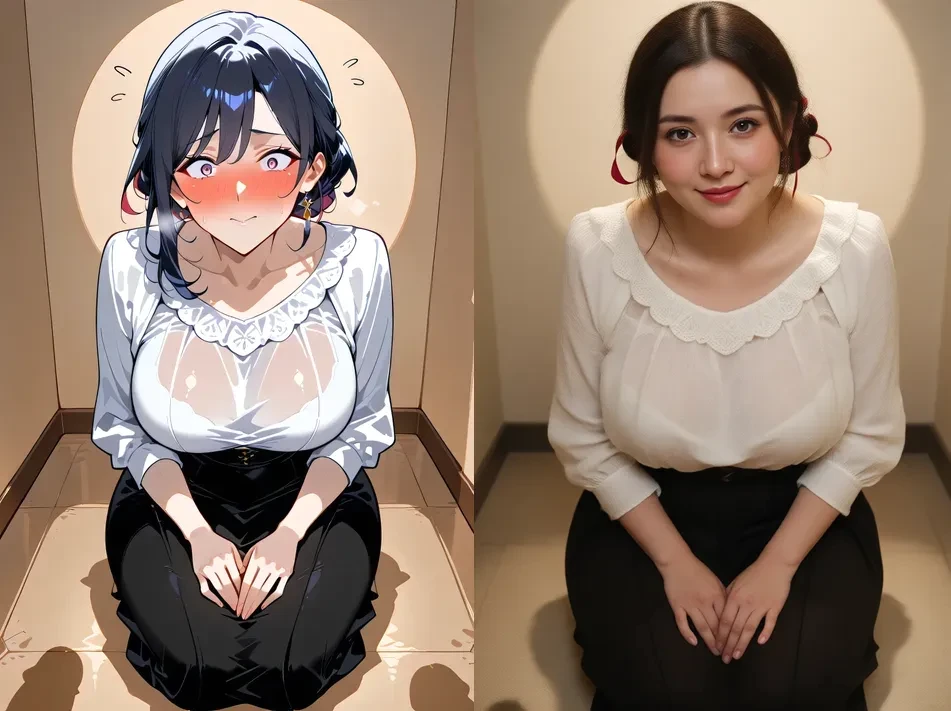
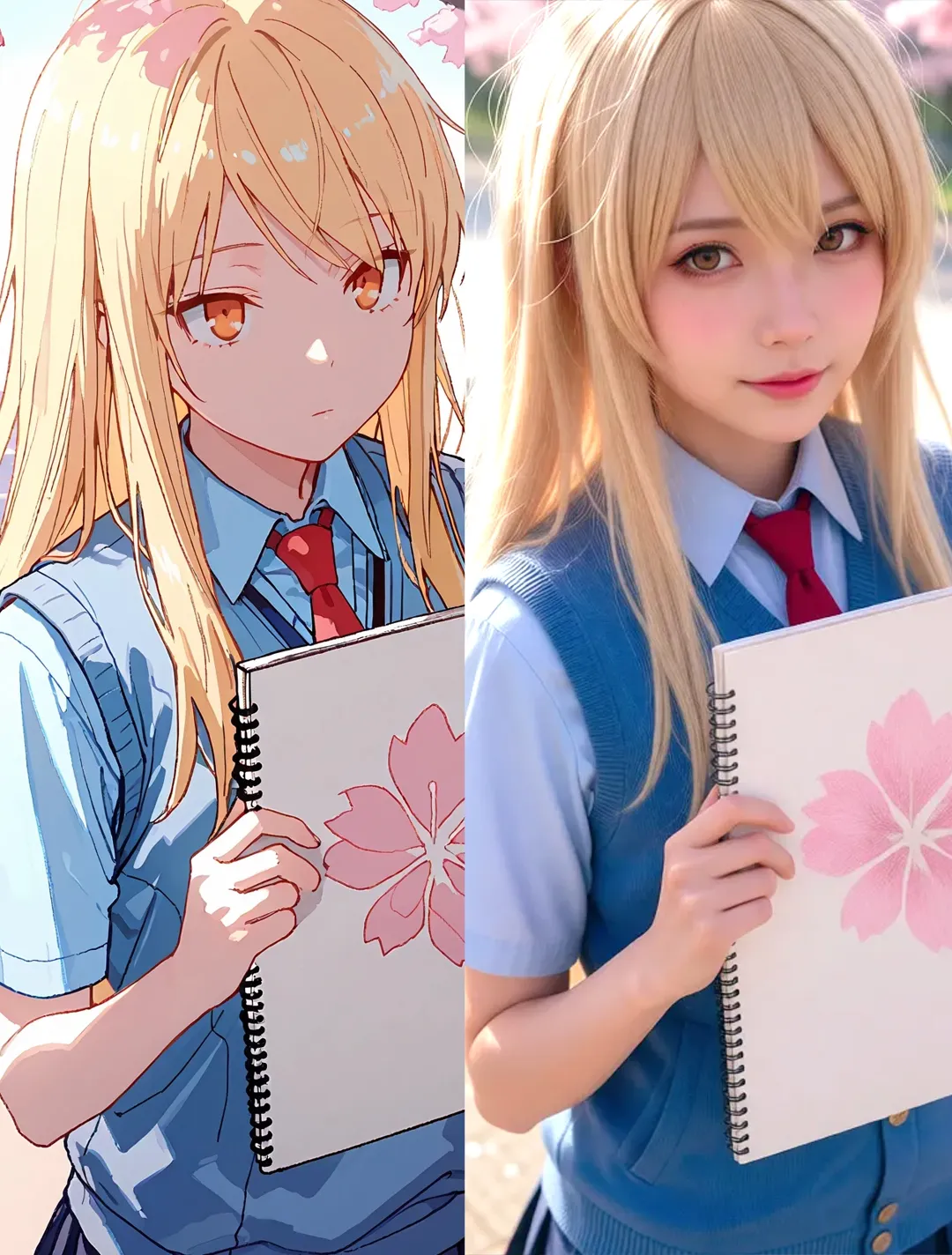
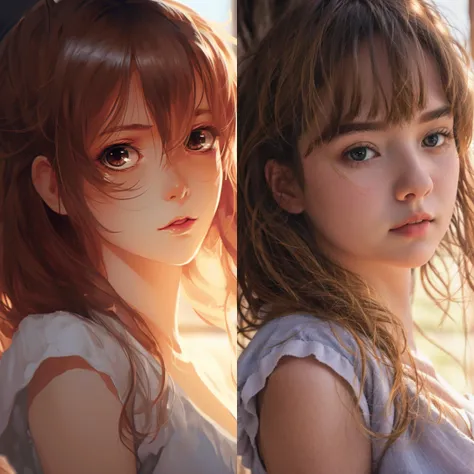
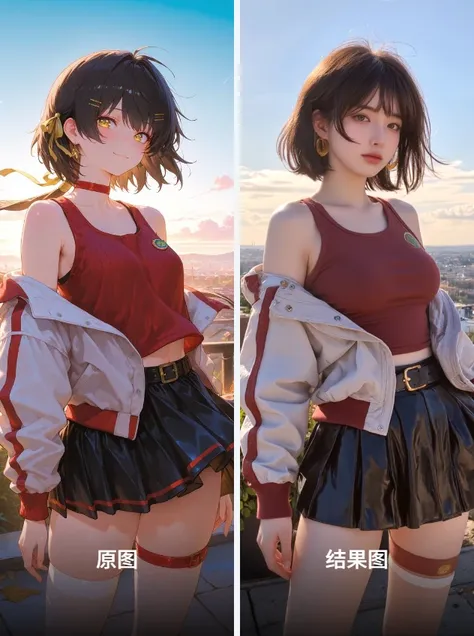
Transform anime images into ultra-realistic portraits quickly and effortlessly with qwen edit 2601.

side by side anime and real person

Ultra-fast Transformation

Anime to Realistic (qwen edit) provides blazing-fast conversion of anime images to realistic portraits. With advanced algorithms, you can transform images in seconds, achieving high-definition results. Ideal for graphic designers seeking speedy and efficient workflows in their creative projects.

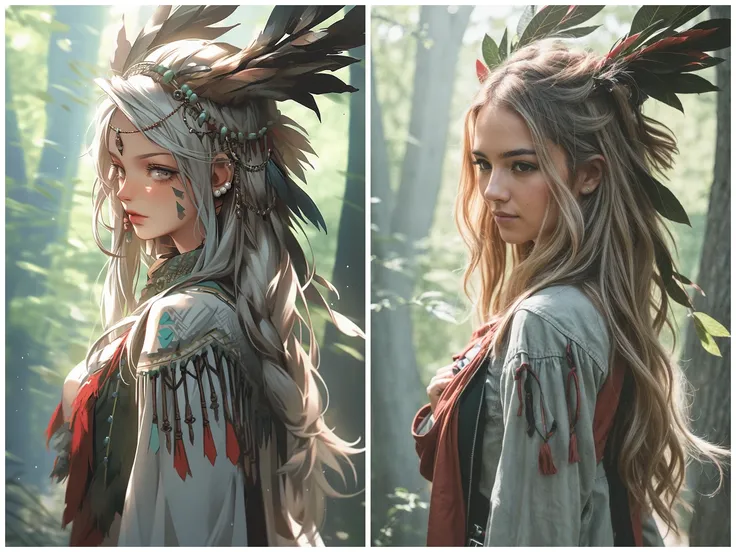
side by side anime and real person

HD Zoom for Detail Enhancement

Experience exceptional clarity with the HD Zoom feature, enabling stunning detail enhancements in converted images. Whether it's intricate ?????? features or background nuances, this tool provides superior zoom capabilities to fine-tune every aspect, ensuring your work stands out with unmatched precision.

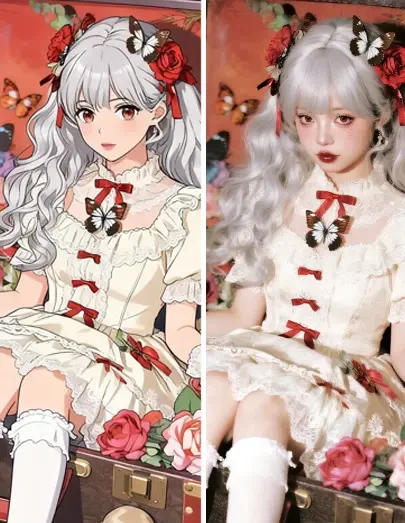
side by side anime and real person

Beauty Enhancement for Lifelike Results

The beauty enhancement feature adds lifelike qualities to anime portraits, transforming them into realistic images. Achieve convincing artistic effects with this function by enhancing skin textures and creating natural-looking lighting, resulting in portraits that resonate with realism.

Operation Steps

Upload Your Anime Image

Start by uploading the anime image you want to transform into a realistic portrait. Ensure your file is in a compatible format, such as JPG or PNG.

Select Desired Output Settings

Choose your preferred output settings, including detail enhancement and beauty filters. Customize zoom levels to refine the realism and aesthetics of the result.

Save Your Transformed Image

After processing, download the transformed portrait directly to your device. Confirm the result meets your expectations before saving as a high-quality output.

FAQ

collapse

How does Anime to Realistic (qwen edit) work?

Anime to Realistic (qwen edit) uses sophisticated algorithms to quickly convert anime imagery into realistic portraits. It leverages ultra-fast processing speeds to deliver high definition and lifelike results, suitable for various design projects.

expand

Can I adjust detail levels during conversion?

Yes, you can adjust detail levels using the HD Zoom and beauty enhancement settings. These features allow you to refine the output to match your desired realism, enhancing both detailed features and overall aesthetics.