Generate
History
Private Creationvip-icon
Details
WAN 2.2 rapid-aio-GGUF
Original

WAN 2.2 rapid-aio-GGUF

195
0
32
2025-10-29 01:47:57 Update

Rating & Review

-- /5
0 Ratings

Not enough ratings or reviews received yet

no-data
No data available

What Makes Our Wan2.2 GGUF Workflow Stand Out

Instant Cloud Access

Skip the hassle of installation and configuration. Access powerful I2V generation directly with just your browser. No hardware requirements.

Always Up-to-Date

Always running the latest version automatically. Get new improvements, and optimizations instantly without any manual updates required.

Cinematic-level Aesthetic Control

Professional-grade video generation made simple. Advanced aesthetic parameters deliver cinematic quality while remaining accessible to creators at any level.

Convert an image to video clip with AI

Optimized Performance for Everyone

Optimized for speed and efficiency without compromising quality. Generate videos 40% faster than standard implementations. Our ComfyUI Cloud-powered workflow ensures smooth performance on any device. No GPU bottlenecks, no hardware limitations, just creative freedom for everyone.

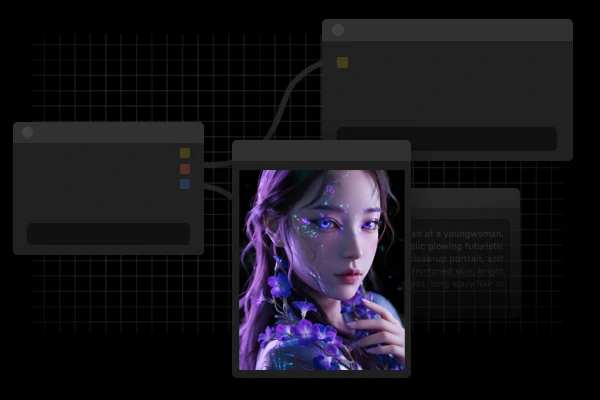
Wan2.2 GGUF workflow interface

Complete Image-to-Video Generation

Transform static images into dynamic narratives with granular control over every aspect. Adjust motion intensity from subtle to dramatic, select video formats optimized for any platform, and apply cinematic style presets. Natural language prompts give you precise control over camera movements, lighting changes, and subject actions.

How to Run Wan2.2 GGUF Workflow

Step 1: Upload Your Image

Upload your reference image by clicking the upload area or dragging and dropping. Supported formats include JPG, PNG, and WebP.

Step 2: Craft Your Prompts

Enter a detailed text prompt describing the motion, action, or transformation you want to see.

Step 3: Adjust Parameters

Adjust video length and style presets. Use advanced options for fine-grained control over the output.

Step 4: Generate

Download in your preferred format (MP4, WebM, ProRes, or GIF).

Wan2.2 GGUF - FAQs

collapse

Do I need a powerful computer to use Wan2.2 GGUF Workflow?

No. Since everything runs in our website, you only need a stable internet connection and a modern web browser. We handle all the computational heavy lifting.

expand

Can I use Wan2.2 GGUF ComfyUI for free?

Yes. We offer free access for you to try the advanced Wan2.2 GGUF workflow.

expand

How long can my generated videos be?

Videos up to 20 seconds achieve optimal results.

expand

Can I use generated videos commercially?

Yes! All videos generated with Wan2.2 workflow come with full commercial usage rights. Use them for marketing, social media, client projects, or any business purpose without restrictions.

expand

What formats are supported for download?

We support multiple professional formats including MP4 (H.264 and H.265), WebM, ProRes, and GIF. Choose the format that best fits your workflow and platform requirements.

Start Creating with Wan2.2 GGUF Workflow Today

Instant access to advanced AI video generation. No installation required, no technical expertise needed.