
Type
Checkpoint
Publish Time
2025-12-20
Base Model
Seedream
Model Parameters
clip_skip:1
Training Parameters
Epochs:1
Steps:0

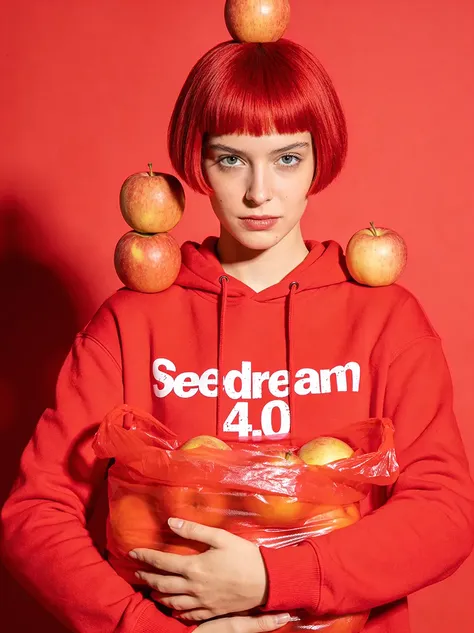
We are thrilled to bring Seedream 4.0 to SeaArt AI - a cutting-edge, multimodal image creation model. Seedream 4.0 redefines AI art generation by unifying text-to-image synthesis, advanced editing, and multi-image composition into a single, powerhouse architecture.
l Unified Multimodal Powerhouse: Unlike traditional models that separate creation and editing, Seedream 4.0 processes both within one framework. This allows for consistency across tasks, supporting text prompts, reference images, and batch processing simultaneously.
l Stunning 4K Resolution: Experience native generation up to 4K (4096x4096 pixels). Choose from flexible aspect ratios including 1:1 square, 9:16 portrait, or 16:9 landscape to fit any platform.
l Lightning-Fast Inference: Optimized for speed, Seedream 4.0 can generate a 2K image in as little as 1.8 seconds using advanced techniques like adversarial distillation and speculative decoding.
l Deep Knowledge & Reasoning: This isn't just an image generator; it’s a knowledge-driven engine. It can create accurate educational illustrations, historical timelines, and charts by incorporating domain-specific reasoning.
l Precision Editing: Perform targeted modifications with simple text commands. objects, replace backgrounds, or even change lighting (e.g., "Turn on the lights in the living room") while keeping the rest of the scene intact. It includes advanced tools for inpainting, outpainting, face enhancement, and photo restoration.
l Style Versatility: Effortlessly switch between diverse artistic styles, from photorealistic and cinematic lighting to watercolor, cyberpunk, anime, and vector art.
l Complex Composition: The model excels at blending multiple reference images for consistent outputs and can handle intricate prompts, such as designing retro website layouts or comparing architectural styles.
l Batch Efficiency: Streamline your creative iteration by uploading multiple reference images and generating several variations at once.
Seedream 4.0 is a proven leader in the field. As of September 2025, it holds the top spot on the Artificial Analysis Image Arena leaderboards for both Text-to-Image and Image Editing. In internal evaluations, it achieves high scores for prompt adherence, aesthetics, and text rendering, surpassing its predecessors in both quality and real-time utility.
Seedream 4.0 is integrated into SeaArt AI as a dual-mode tool, allowing you to switch seamlessly between creating new images and editing existing ones without leaving the interface.
1. Access the Model
Quick start by click on the “Create” button.
l Image Generation (Text-to-Image): For creating scenes from scratch.
l Image Edit: For modifying uploaded images (inpainting, objects, changing lighting).
2. Text-to-Image Generation (Create)
Enter Prompt: Type a detailed description. Seedream 4.0 excels at complex reasoning, so you can use sophisticated prompts like "an ultra-realistic teriyaki salmon fillet with cinematic lighting" or "a timeline of Chinese dynasties with icons".
Set Aspect Ratio: Choose your desired native resolution (e.g., 1:1 Square, 9:16 Portrait, or 16:9 Landscape). The model natively supports up to 4K resolution.
Generate: Click Generate. The model is optimized for speed and can produce a 2K image in as little as 1.8 seconds.
3. Image Editing & Reference (Refine)
Upload Reference: Upload the image you want to modify.
Instructional Prompting: Instead of just describing the image, give a command.
Example: " the boy in this picture".
Example: "Turn on the lights to light up the living room while keeping the evening outside".
Multi-Image Blending: You can upload multiple reference images to blend elements, such as using a line draft to guide the composition of a photorealistic scene.
4. Advanced Tips for SeaArt Users
Consistency: If you are creating a series (e.g., a storyboard), use the multi-image input to maintain character or object consistency across different generations.
Style Transfer: Use the editing mode to transform your upload into specific styles like "cyberpunk," "watercolor," or "vector art" by simply asking for it in the prompt.




