
Type
Checkpoint
Publish Time
2025-11-26
Base Model
Flux.2
Model Parameters
clip_skip:1
Training Parameters
Epochs:1
Steps:0


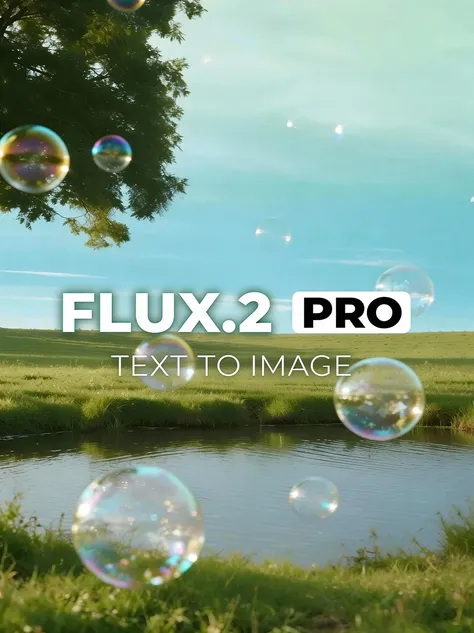
FLUX.2: The New Standard for Photorealism & Control
FLUX.2 by Black Forest Labs is now available on SeaArt AI! This model represents a massive leap forward from the original Flux.1, moving beyond simple image generation into true professional-grade production. Impressively, Flux 2 now offers a level of control and fidelity that was previously impossible.
Flux 2 addresses the biggest pain points in AI art, delivering features that turn "random generation" into "precision creation."
● True-to-Life Photorealism: FLUX.2 pushes the boundaries of reality. It eliminates common "AI glitches" by mastering real-world physics, lighting, and textures. It specifically excels at the difficult details, perfectly rendering hands, faces, and small objects that competitors often distort.
● Character & Style Consistency: This is a game-changer for storytellers and brand designers. You can now input multiple reference images (up to 10) to ensure your characters, product designs, or artistic styles look exactly the same across dozens of different variations.
● Perfect Text & Typography: Say goodbye to gibberish. Flux 2 has superior text rendering capabilities, allowing you to generate legible infographics, memes, UI mockups, and logos that actually follow your brand guidelines.
● Massive Resolution: Create with confidence at up to 4 megapixels without losing clarity or coherence.
● Brand Identity & Marketing: Use the Multi-Reference feature to generate consistent product photography or brand assets without varying styles.
● Graphic Design & UI: Generate complete layouts, posters, or app mockups that include readable, complex text and correct logo placement.
● Iterative Design: Refine your work using advanced inpainting and depth-control tools to edit specific parts of an image without ruining the rest.
Getting started with this powerhouse model is simple:
1. Select the Model: Choose Flux 2 from the model library.
2. Upload References: If you need consistency, upload your reference images (character sheets or product shots) into the multi-reference slot to guide the generation.
3. Craft Your Prompt: You can use natural language, but Flux 2 also supports granular, structured prompts if you need specific control over layout and elements.
4. Generate: Hit create to see high-fidelity results that adhere strictly to your instructions.
Want to see what Flux 2 can really do? Copy and paste these into SeaArt:
1. The "Perfect Text & Design" Prompt
Use this to demonstrate Flux 2's ability to handle complex typography and layouts.
Prompt: "A futuristic neon infographic poster for a cyber-cafe named 'NEON NEXUS'. The main text 'NEON NEXUS' is written in bold, glowing cyan letters at the top. Below, a menu list reads: '1. Coffee', '2. Data', '3. Recharge' in crisp white sans-serif font. The background features a detailed cyberpunk street scene with rain. High contrast, 4k resolution, photorealistic textures."
2. The "Consistent Character" Workflow (Multi-Reference)
Use this to highlight the 10-image reference capability for maintaining character identity.
Instruction: Upload 3-4 reference images of the same character (e.g., a warrior in different poses) to the Multi-Reference slot.
Prompt: "The character from the reference images sitting peacefully in a sunlit medieval library, reading an ancient scroll. Cinematic lighting, dust motes dancing in the light, highly detailed face and armor textures, 4 megapixel resolution."
3. The "Product Photography" Prompt
Use this to showcase the photorealism and texture handling.
Prompt: "A professional macro product shot of a luxury perfume bottle made of sapphire blue glass with gold accents. The bottle is resting on black volcanic rock. Water droplets are on the glass. Sharp focus, dramatic studio lighting, ray-traced reflections, indistinguishable from reality."
4. The "Complex Logic & Hands" Prompt
Use this to show off the improved anatomical and spatial logic.
Prompt: "A close-up portrait of an elderly watchmaker fixing a clock. His hands are visible, holding tiny tweezers and a gear with perfect anatomical precision. The workspace is cluttered but coherent, with brass tools scattered logically on the wooden table. Warm tungsten lighting."



