


Sora 2 vs Veo 3.1: AI Video Tools Compared for Creators
AI video generator has entered a new era - one defined by cinematic realism, dynamic motion, and creative control. As OpenAI's Sora 2 vs Veo 3.1 of Google go head-to-head, users are eager to know which one truly delivers the best performance.
In this guide, we'll dive deep into real-world comparisons and give you some insights to decide which tool fits your creative or professional needs best.
What is Sora 2?
Sora 2, developed by OpenAI, is a next-generation AI video model capable of generating realistic, story-driven videos from text prompts. Unlike its first version, Sora 2 introduces upgraded functions with narrative flow across longer clips.
Key Features:
- 🔊 Synchronized Audio: Generates natural sound effects, voices, and ambient noise.
- 👤 Cameo Mode: Sora 2 cameo lets users insert themselves or characters directly into scenes - great for content creators and social media storytelling.
- 🎬 Multi-shot Consistency: Keeps lighting, style, and objects coherent across different camera angles.
- 🎨 Creative Flexibility: Adjust camera movement, tone, and mood with precise text prompts.
Technical Specs:
- 📺 Resolution: Up to 1080p (some users report experimental 4K outputs).
- ⏱️ Duration: Free users - up to 15s, Pro users - up to 25s (Typical output: 5s/10s, with internal reports showing 1min capability under specific conditions).
How to Use Sora 2?
1. Access the Sora 2 app on IOS or on the Sora.com website with an OpenAI account (For Sora 2 price: free invite-only as of now for American and Canadian users).
2. Click the "+" button to get started:
1) Type your Sora 2 prompt, describing the desired scene, style, and motion.
2) Upload an image as inspiration for reference.
3) Use Cameo: Generate videos through prompts. (Mobile only).
3. Preview and regenerate until satisfied.
4. Export directly for social platforms.
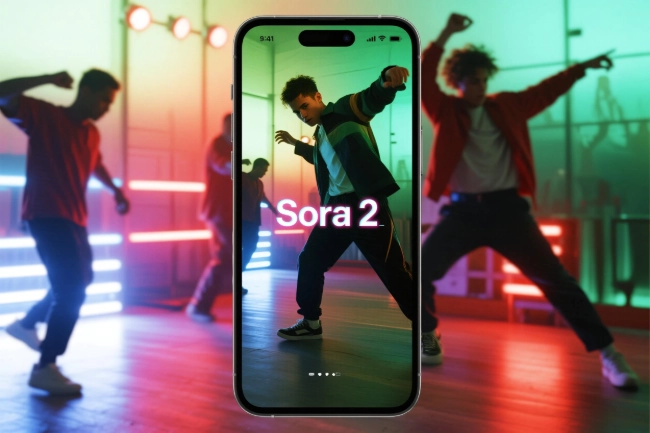
Sora 2's interface is intuitive, similar to prompting ChatGPT, with TikTok-style feeds that highlight its role as a social platform rather than just a tool. Next, let's take a look at the other main contender in the Sora vs Veo 3 showdown.
What is Veo 3?
Veo 3, developed by Google DeepMind, is positioned as a professional-grade AI video generator that integrates deeply with Google's ecosystem. It's built for filmmakers, marketing teams, and production studios who need advanced precision and long-form storytelling.
Key Features:
- 🔊 Local Audio Generation: Generates spatially accurate sound that matches on-screen motion.
- 🎞️ Scene-to-Scene Continuity: Handles longer scripts with coherent transitions and depth.
- 🛠️ Professional Integration: Multi-image style control (up to 3), frame-to-frame generation, object editing, and video extension - like professional video workflow tools.
- ✨ High-Fidelity Output: Produces ultra-realistic lighting and texture rendering.
Technical Specs:
- 📺 Resolution: 1080p
- ⏱️ Duration: 8 seconds
Veo 3.1 AI video generator update introduces enhanced cinematic realism, faster generation speeds, and added video-to-video generation.
How to Use Veo 3.1?
1. Access Veo 3 via Google Flow, Gemini app, API, or Vertex AI (subscription-based).
2. Enter text-based scripts or storyboards.
3. Choose the generation method, set the model, output quantity, and aspect ratio.
4. Input clear prompts (theme + action + style + camera + mood and other directional cues)
5. Export video and experience the generation results.
Now that we've looked at their features, let's compare Sora vs Veo 3 side by side.
Sora 2 vs Veo 3.1: Head-to-Head Comparison
Based on aggregated reviews and test results from various sources and Sora 2 vs Veo 3 Reddit comments, here's how both models compare across key performance aspects.
| Category | Sora 2 | Veo 3.1 | Verdict |
|---|---|---|---|
| Video Quality & Realism | Smooth motion; Slightly stylized textures | Ultra-realistic visuals with cinematic lighting | Veo 3.1 wins |
| Audio Generation | Basic but improving; Synced ambient sound | Full dynamic range, spatial sound | Veo 3.1 wins |
| Scene Consistency | Stable across short clips | More detailed and cinematic | Veo 3.1 wins |
| Creative Control | Cameo and mood tuning | Technical and precise, less expressive | Tie |
| Ease of Use | Beginner-friendly UI | Requires experience with scripts and settings | Sora 2 wins |
| Output Length | Up to 25s | Up to 8s | Sora 2 wins |
| Price & Accessibility | Free + invite system | Subscription-only | Tie |
| Social Integration | Cameo, shareable clips, TikTok style | Studio-focused | Sora 2 wins |
⚖️ Sora 2 vs Veo 3 Comparison: Limitations and Challenges
🧠 Common Issues:
- Sometimes, the hand/finger rendering is inaccurate
- Might show unrealistic physics in complex motions
- Copyright and bias concerns.
🎞️ Sora 2 Limitations:
- Limited editing features
- Invite-only access
🎥 Veo 3.1 Limitations:
- High subscription cost
- Steeper learning curve
Both platforms can struggle with complex scenes, a challenge faced by all AI-generated content.
👉Sora 2 vs Veo 3.1 - Which One to Use?
From the comparison above, here's the conclusion:
- Choose Sora 2 if:
You're a content creator, social media storyteller, or hobbyist who values flexibility, ease of use, and free access.
- Choose Veo 3/3.1 if:
You're a filmmaker, studio, or enterprise user needing professional-grade video generation with consistent quality and integrated tools.
For most creators, Sora 2 offers a faster, more accessible start - while Veo 3 remains the powerhouse for professional production environments.
🚀 Another Video Generation Alternative - SeaArt AI
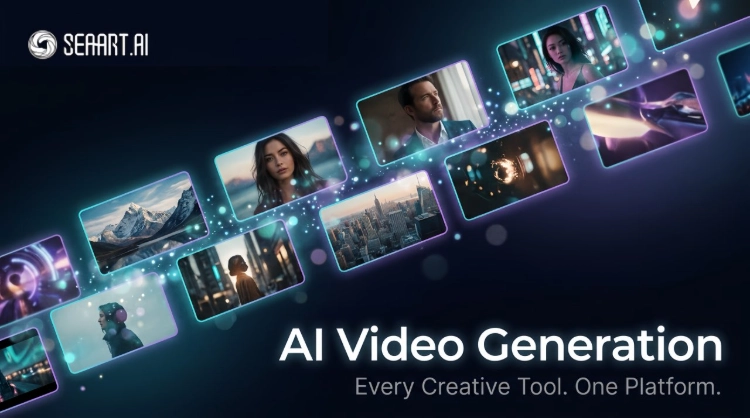
If Sora 2 and Veo 3 feel too limiting, try SeaArt AI - a next-generation platform for everyone, from casual creators to pros. Available to all with free and budget-friendly plans, it lets your creativity flow with easy, all-in-one AI video generation and editing.

🌟 Key Highlights:
- No limits, open for everyone.
- Real-time generation and preview.
- Multiple AI video model support.
- AI image-to-video & AI text-to-video generator flexibility.
- Smart editing, made simple.
- AI Retouch for perfect motion and details.
- AI-synced sound & voice.
- Creator-friendly community.
- Beginner-friendly interface + free trial credits.
Sora 2 vs Veo 3 - FAQs
What AI model does Sora use?
Sora 2 is the latest video-and-audio generation model by OpenAI. It builds on the original "Sora" model, adding more realistic physics simulation, synchronized sound and dialogue, and better controllability.
When did the Veo 3.1 come out?
Veo 3.1 was officially introduced in October 2025 and subsequently rolled out to users and developers via Google's platforms.
When will Sora 2 and Veo 3.1 be available worldwide?
Sora 2 is currently limited to the US and Canada, while Veo 3.1 reaches 159 countries through Google's AI programs. Global availability for Sora 2 is still in progress.
How to get the Sora 2 invite code?
The quickest way is to obtain an invite code from active users on OpenAI's official Discord. Or you can find shared codes from users across different social media platforms.
Conclusion
To wrap up, choosing between Sora 2 vs Veo 3.1 depends on your needs. Sora 2 is great for creators wanting flexibility and ease of use, Veo 3 is built for pros needing high-quality visuals and editing. For a versatile, beginner-friendly alternative, try SeaArt AI with all-in-one video generation and editing tools.
Related Articles
Complete Sora 2 Prompt Guide: Tips for Stunning Video Creation
Top 8 Veo 3 alternatives: Find the AI Video Generator that Suits You Best
PixVerse AI Review 2026: Is This AI Video Generator Actually Good?
SeaArt AI Video Generation: Every Creative Tool You Need, All in One Place