

In the anime and illustration-oriented model space, there is a new open-source model that is very worth paying attention to recently: Anima.
It is a 2B-parameter text-to-image model launched through a collaboration between CircleStone Labs and Comfy Org, mainly aimed at anime characters, illustrations, and non-photorealistic art styles. If you usually make anime images, illustration posters, and derivative-style images in ComfyUI, then quickly throw away the pony model in your hands, because this model is very worth trying.
What will you learn?
Basic text-to-image workflow in ComfyUI
How to write prompts
Recommended parameters and sampler choices
How to use the Anima extension node
Q: What is Anima? What is it suitable for?
A: Anima is an open-source model that leans toward anime and artistic illustration styles.
It is not the kind of all-purpose model we commonly see that is good at many styles; what it is good at is anime illustration.
If your goal is to:
Draw anime characters
Make illustration covers
Make anime posters
Then it will suit you better than many models that lean toward realism.
However, note:
Anima is not good at strong realism.
If you use it to make very realistic portrait photography, realistic skin texture, or realistic cinematic styles, the results usually will not be its strong point.
This is also stated quite clearly in the model’s official Hugging Face description: it is itself an anime / illustration / art-focused model.
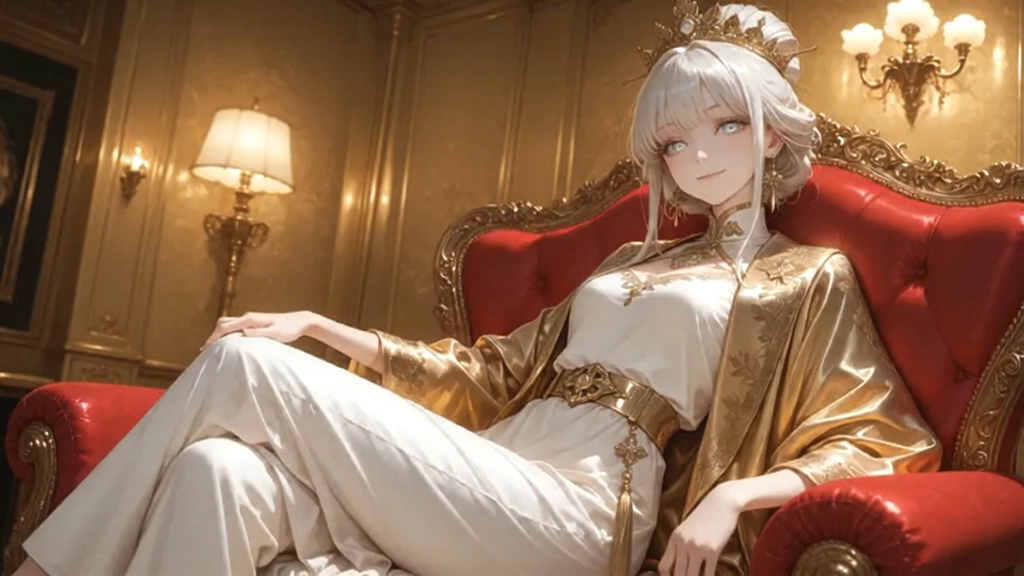
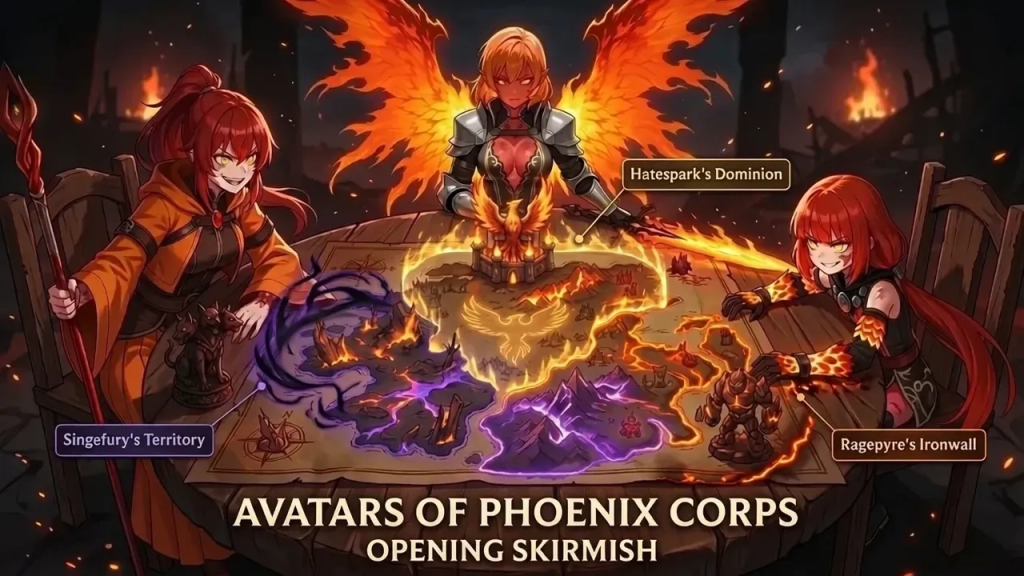
Model showcase:
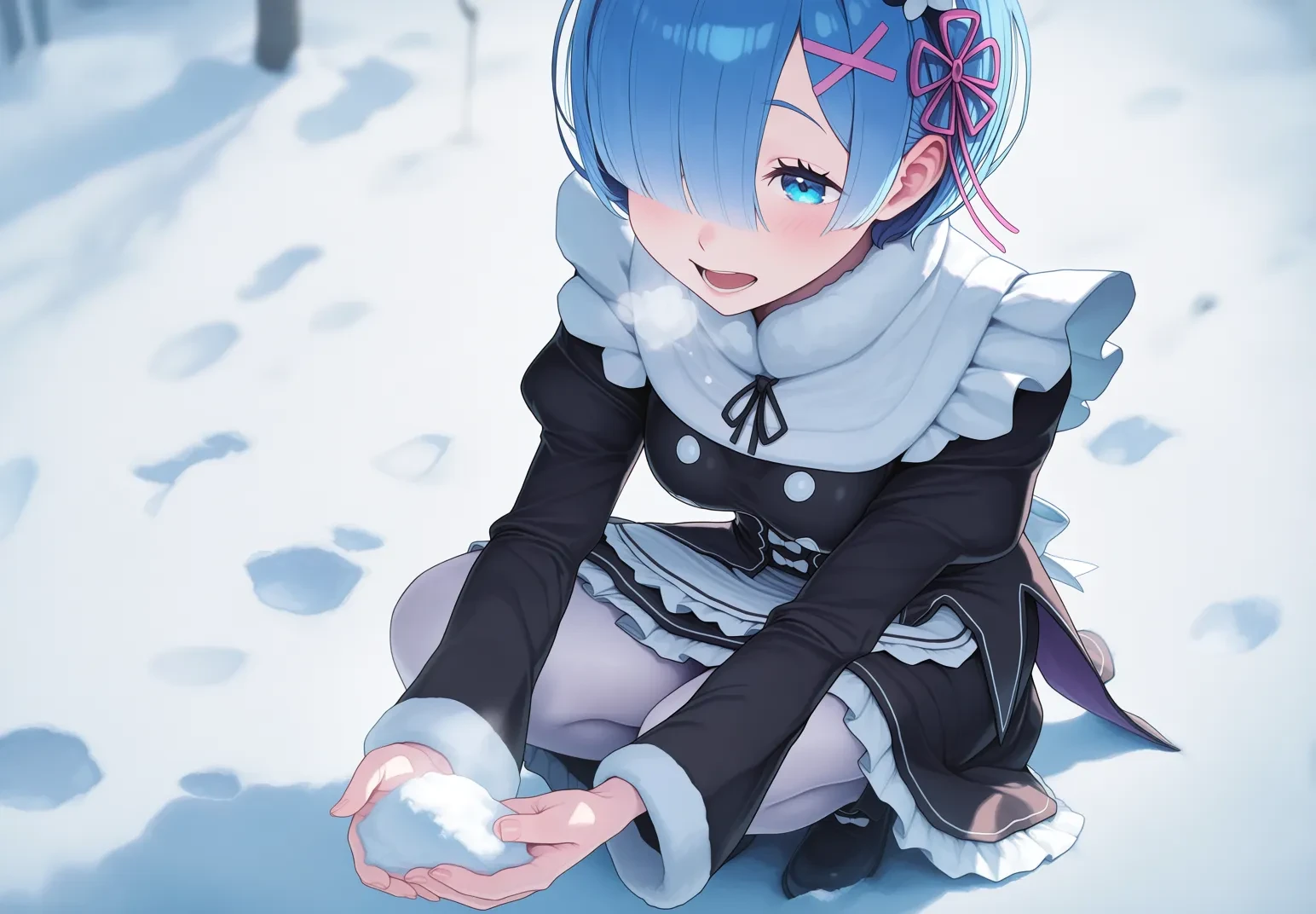
prompt:masterpiece, best quality, aesthetic, absurdres, year 2025, year 2024, year 2023, newest, recent, detailed,
@shiroski,@tencarcyan_old_type1,@sbmssvmt_v2,@cleandongye,
solo, 1girl,Rem_RZ,rem_(re:zero), blue eyes, blue hair, short hair, hair over one eye, pink hair ribbon, x hair ornament,
winter_maid_uniform, black sleeves, double fur-trimmed sleeves, black dress, white pantyhose, maid headdress, white waist apron, rectangular collar, covered, modesty, white buttons,
(fur trim ankle boots, black ankle boots:0.7),happy,Shallow depth of field,A girl crouching in the snow, happily holding a handful of snow. Steam is coming out of the girl's mouth.
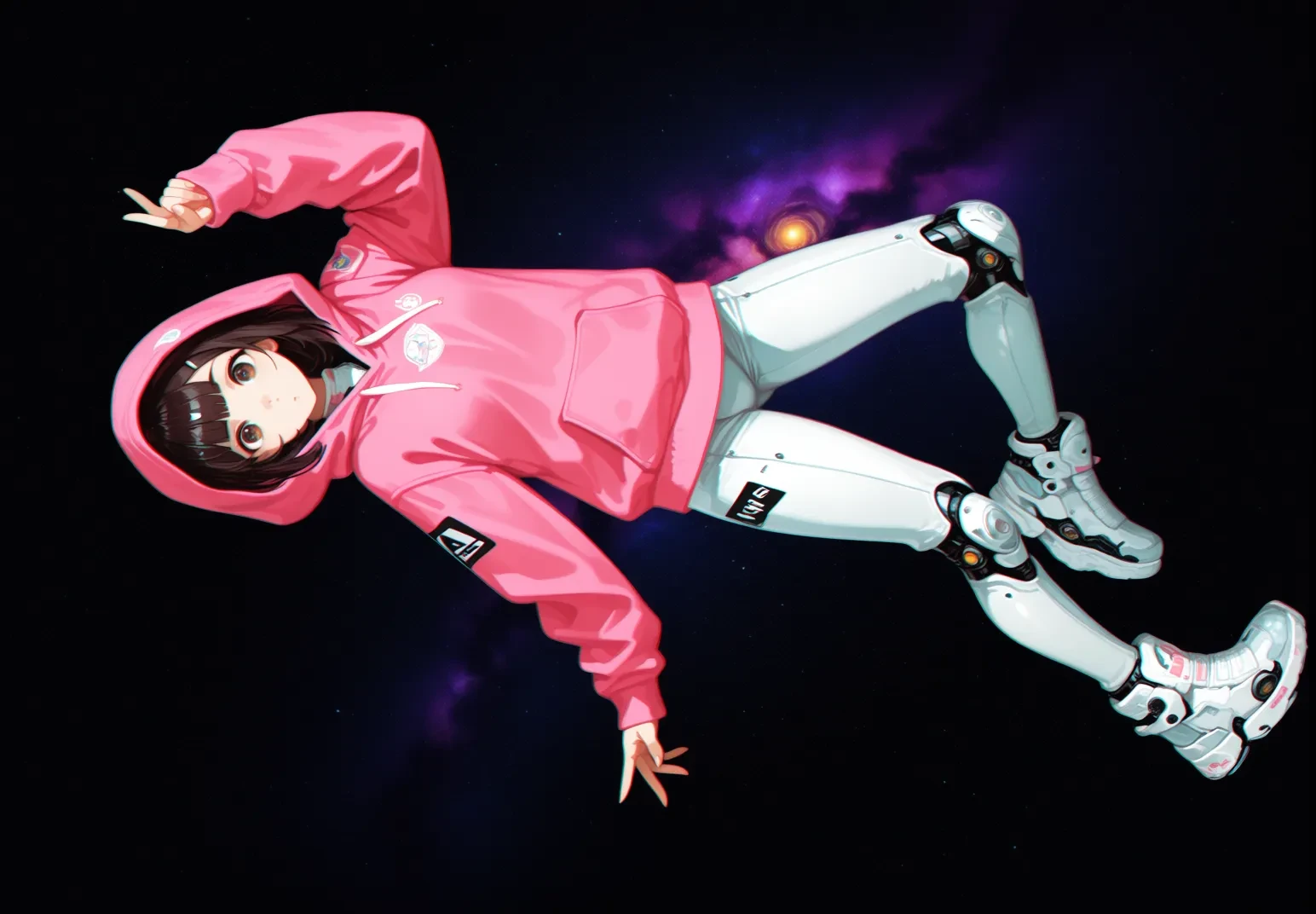
prompt:ourojanitoros style. digital painting., digital painting of a young woman astronout floating in space wearing a pink cute varsity hoodie with a white with sci fi black details. she is doing a ddynamic pose. the image has a dynamic angle and distorted lense with alot of dynamism. The girl is floating in space with the background being a nebula space enviorment full of color, scifi theme, full body, cyberpunk theme. the style is semi realistic concept art with visible paint stroke, with glitched effect and chromatic aberration with kawaii cute themes
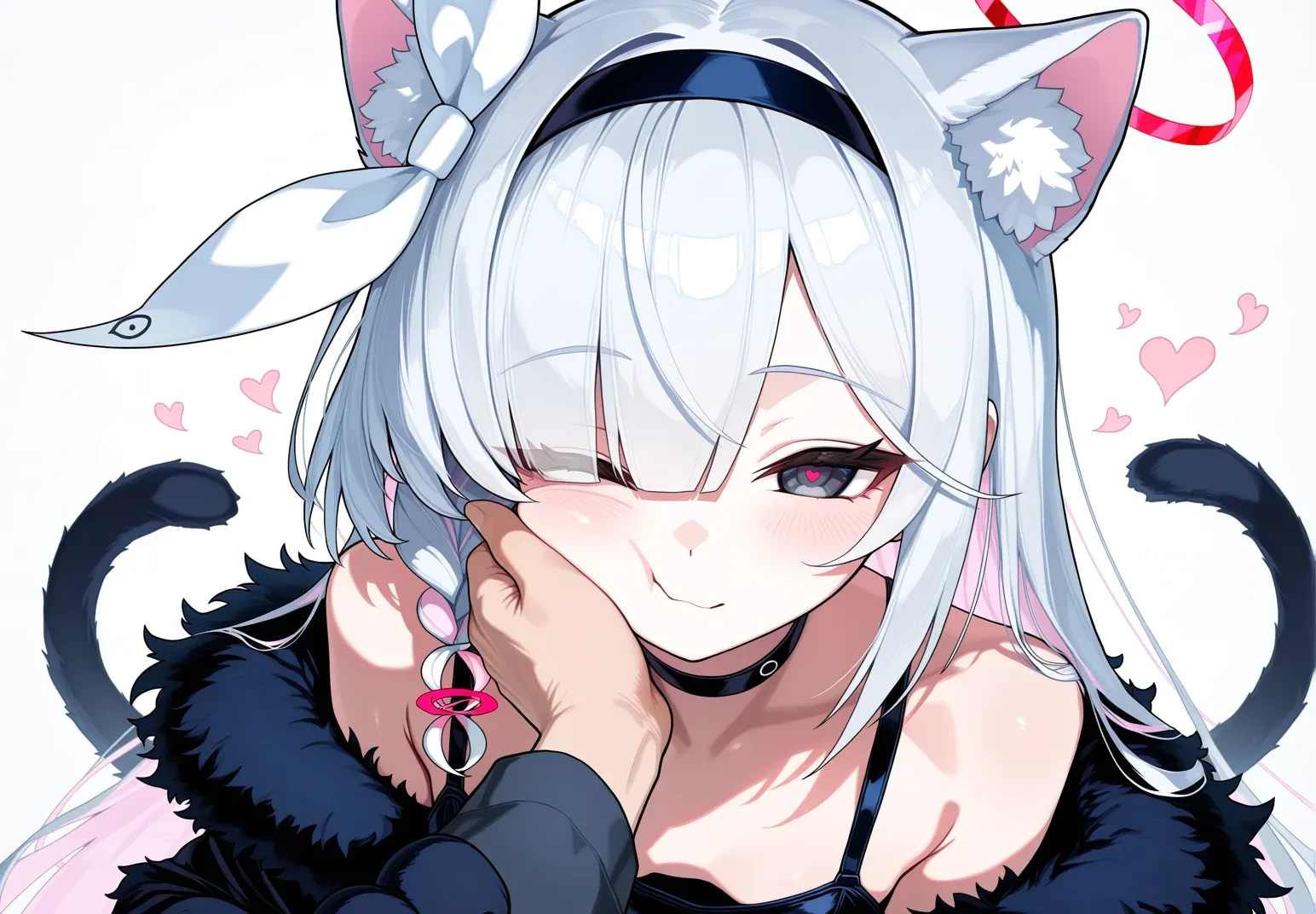
prompt:newest, masterpiece, best quality, year 2025,@nyalia_2025,1girl, animal hands, plana (blue archive), black dress, sleeveless dress, heart, halo, pov hands, black eyes, paw gloves, pov, gloves, black hairband, long hair, cheek squash, hand on another's face, red halo, heart-shaped halo, cat paws, hand on another's cheek, black choker, fur trim, hairband, symbol-shaped pupils, one eye closed, colored inner hair, braid, hair over one eye, multicolored hair, choker, looking at viewer, single braid, solo focus, pink hair, white background, white hair, simple background, heart-shaped pupils, blush, red pupils, 1boy, upper body, closed mouth, shoulders, pink pupils, pink halo, tail, cheek press, cat tail, off shoulder, black gloves, 1other, two-tone hair, alternate costume, smile, animal ear fluff, sensei (blue archive), black coat, grey hair, long sleeves,
Anima is natively supported in ComfyUI, and the basic usage is not complicated.
Model links:
anima-preview
https://www.seaart.ai/zhCN/models/detail/d603qo5e878c73al3940
anima-preview2
https://www.seaart.ai/zhCN/models/detail/d6oppsde878c73eh7u00
2. Basic workflow: the simplest way to implement text-to-image
On-site workflow link:
https://www.seaart.ai/zhCN/workFlowDetail/d62qu65e878c738en0gg
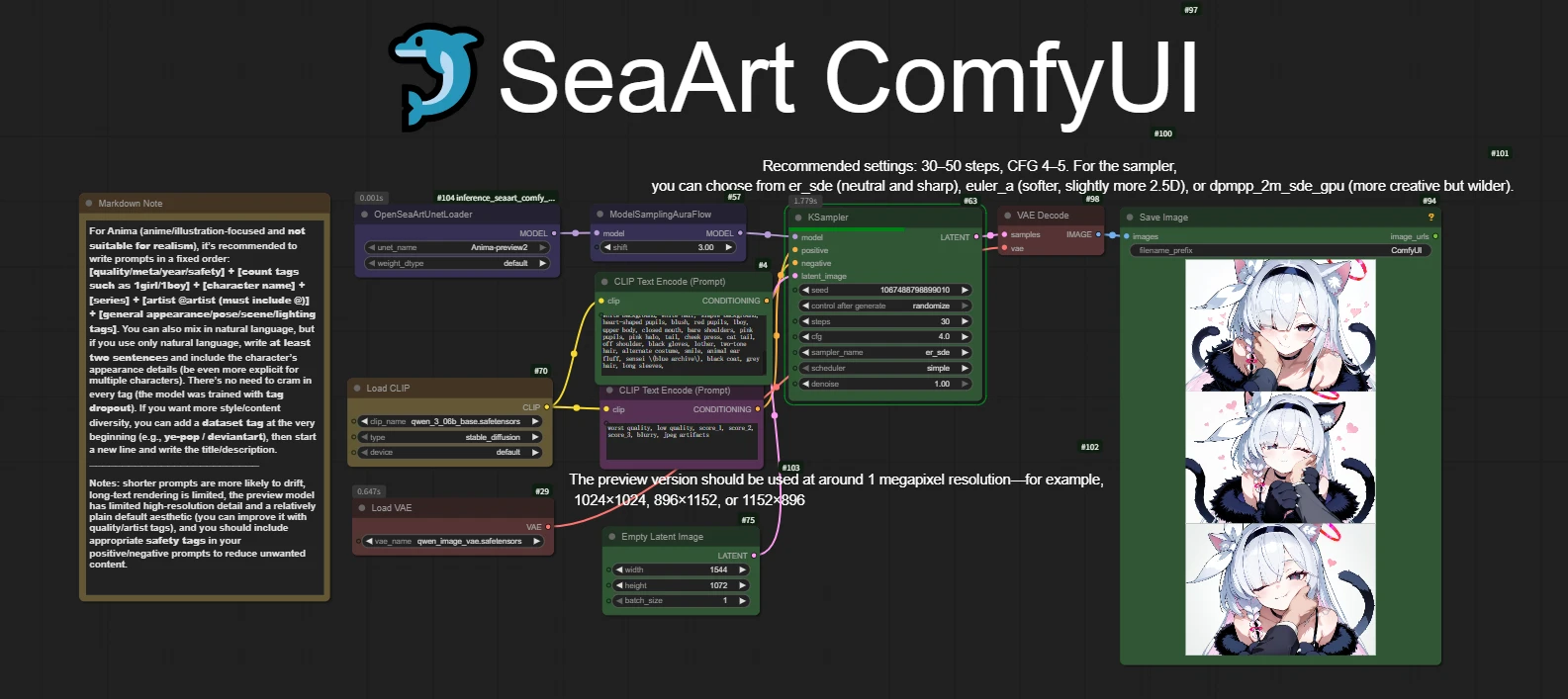
In the workflow, I have already written the recommended parameters and precautions for everyone.
3. How should the recommended parameters be set?
1. Resolution
According to the official model description, the current recommended parameters for Anima are:
1024 x 1024
896 x 1152
1152 x 896
Note: the current preview version is still not very stable at higher resolutions. If you set the size too high at the beginning, it is easy to encounter situations such as loose structure, broken details, and unstable composition.
Wrong example: when we set the image to 2048x2048, the output image breaks down.
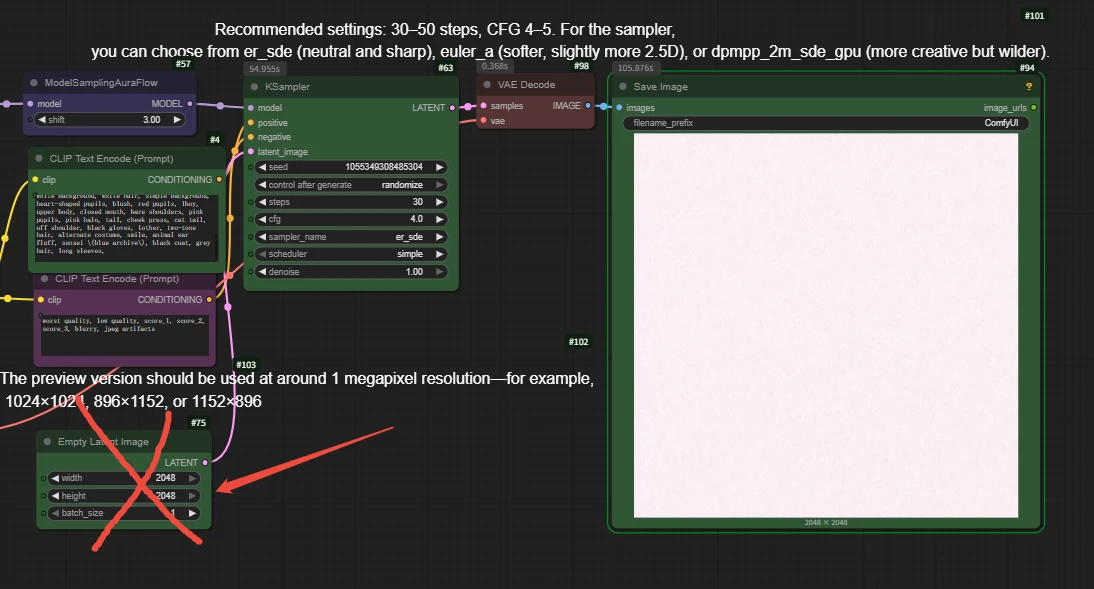
The recommended sampling steps start from 30-50 steps.
The official CFG recommendation is 4-5.
Note: this model is not suitable for pushing CFG very high. When it is too high, it is more likely to cause problems such as stiff images, burnt colors, and strange structure.
Wrong example: cgf=8.5
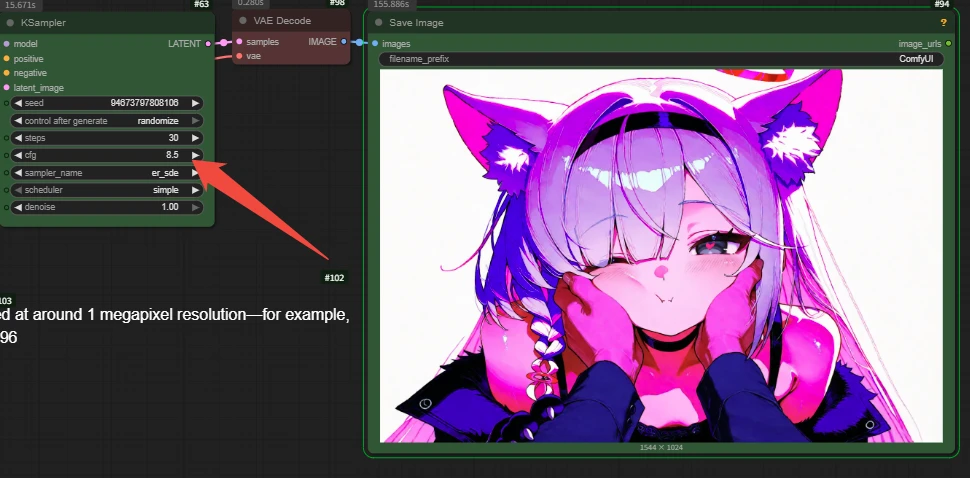
As for samplers, the ones worth trying first are:
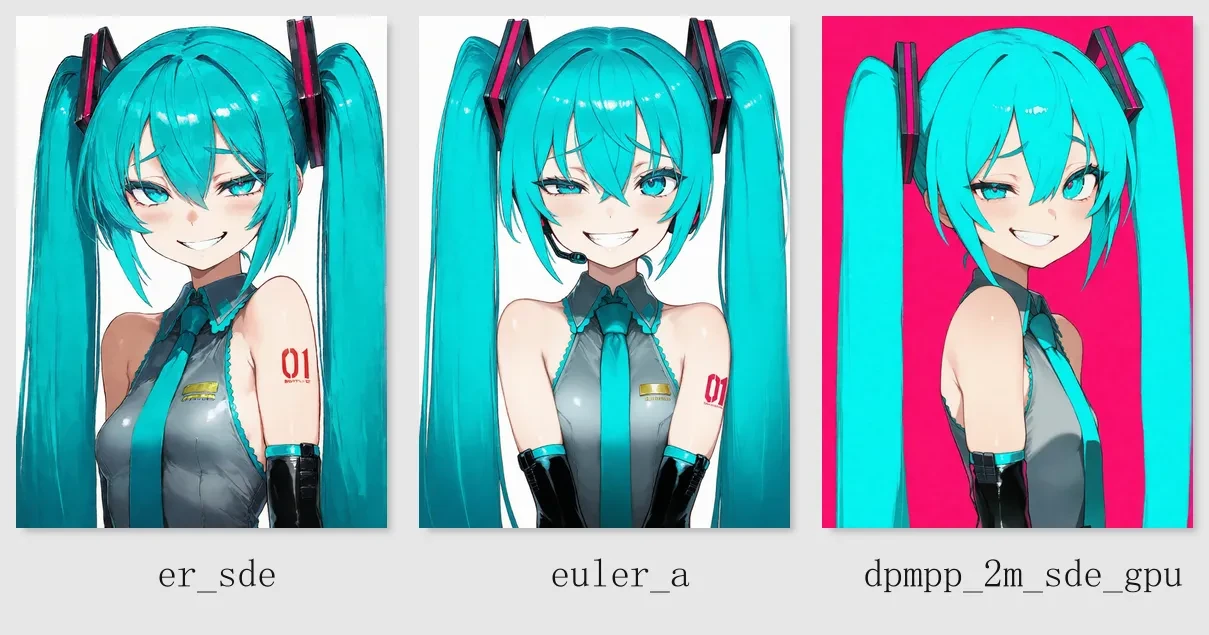
er_sde: the style is more neutral, the flat-color feeling is more natural, and the lines are cleaner, making it suitable as the default starting parameter
euler_a: the lines are softer, sometimes with a slight 2.5D feeling, and for some prompts it can tolerate a slightly higher CFG
dpmpp_2m_sde_gpu: has more variation and stronger creativity, but sometimes can also be more “wild”
If you do not know which parameter group to start with, you can first try:
1024x1024 + 40 steps + CFG 4.5 + er_sde
Let us do a comparison with the seed locked:
4. How should prompts be written to produce better images more easily?
The Anima model is very interesting. It supports: tag-style prompts, natural language prompts, and a mix of tags + natural language.
This means it has a high degree of playability.
Examples:

1. Tag-style writing
If you are used to the common tag-writing style of anime models, you can use this structure:
[quality / meta-information / year / safety tags] [number of people] [character name] [series name] [artist] [general feature tags]
For example:
newest, masterpiece, best quality, score_7, safe, 1girl, reisen udongein inaba, touhou, @MCNsR4d1oHe4d, solo, cowboy shot, looking at viewer, pointing at viewer, finger gun, smile, blush, one eye closed, tongue out, ;q, rabbit ears, animal ears, rabbit tail, purple hair, very long hair, red eyes, blazer, black jacket, white collared shirt, long sleeves, red necktie, pleated skirt, crescent pin, danmaku, crescent, striped background, black background
This kind of writing is more direct and more controllable.
2. Natural language writing
If you do not want to stack many tags, you can also write directly in natural language.
But note: do not write it too short. More recommended: at least 2 sentences, and include the character, clothing, action, camera angle, environment, and lighting.
For example:
An anime-style illustration of Reisen Udongein Inaba from Touhou, shown solo in a cowboy shot and looking directly at the viewer. She points forward with a finger-gun pose, winking with one eye closed, sticking out her tongue with a playful and teasing smile, with a slight blush on her face. She has very long purple hair, red eyes, rabbit ears, and a rabbit tail, and wears a black blazer over a white collared shirt with a red necktie and pleated skirt. Danmaku elements and crescent motifs appear around her, with a striped black background that gives the image a bold and stylish composition. @MCNsR4d1oHe4d
3. Mixed tags and natural language
Because Anima itself supports mixed writing, you can put the stable control information at the front and the image description at the back.
For example:
newest, masterpiece, best quality, score_7, safe, 1girl, reisen udongein inaba, touhou, @MCNsR4d1oHe4d, solo, cowboy shot, looking at viewer, pointing at viewer, finger gun, one eye closed, tongue out, smile, blush, rabbit ears, purple hair, red eyes, black jacket, white collared shirt, red necktie, pleated skirt, danmaku, crescent. A bold anime illustration of Reisen striking a playful finger-gun pose toward the viewer, winking with one eye closed and sticking out her tongue. Her very long purple hair, rabbit ears, and red eyes stand out against a striped black background, while the crescent details and danmaku effects make the composition feel lively and iconic.
4. Usage reminder
If you want to write artist tags, the official side specifically mentions: you need to put @ before the artist tag.
For example: @artist_name; if you do not add @, the effect will be obviously much weaker.
The current version of Anima is closer to a base model, rather than the kind of finished model that already has highly polished aesthetics.
This means it has several characteristics: broad knowledge coverage, rich concept coverage, and the style will not automatically reach the look you expect in one step. If the prompt is written too short, it is easy to drift.
It requires you to actively guide it with quality tags, artist tags, and scene descriptions.
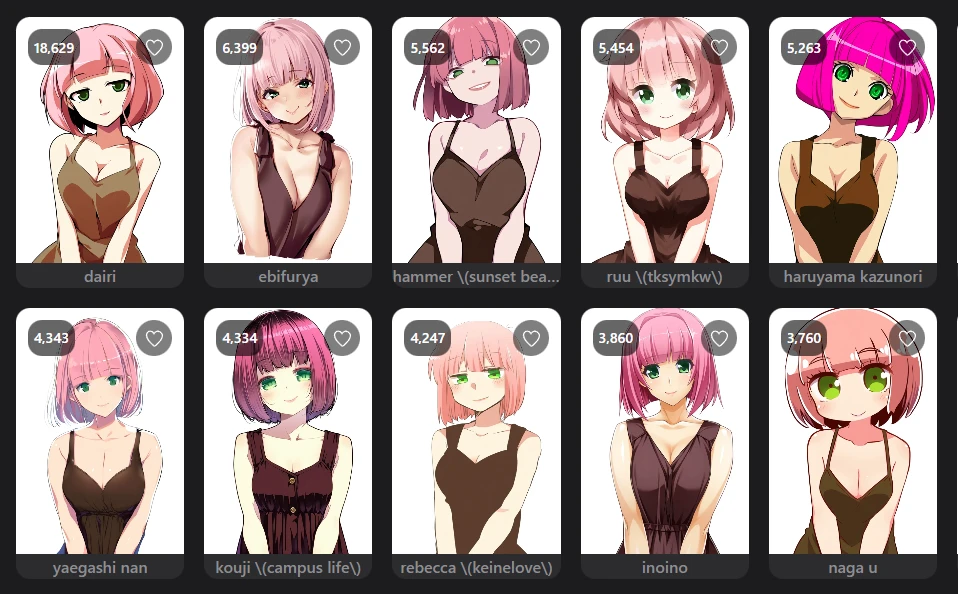
As shown in the figure: under the same prompt, seed, and parameter settings, different artist tags can achieve different effects.
5. Frequently asked questions
1. Why does the image not look refined enough?
Common reasons: the prompt is too short, no quality tags are written, the character and scene information is not specific enough, and the resolution and parameters do not fall within the recommended range.
Suggestion: first complete the prompt, then start with this stable parameter group: 1024x1024 / 40 steps / CFG 4.5 / er_sde.
2. Why does the character structure look strange and the hands are messy?
This type of problem is usually related to the following factors:
The prompt is too weak
CFG is too high
The composition description is insufficient
The step count is not suitable
Too many elements are stuffed in at once
Suggestion: first reduce complex elements, ensure a single character is stable, and then gradually add more layers.
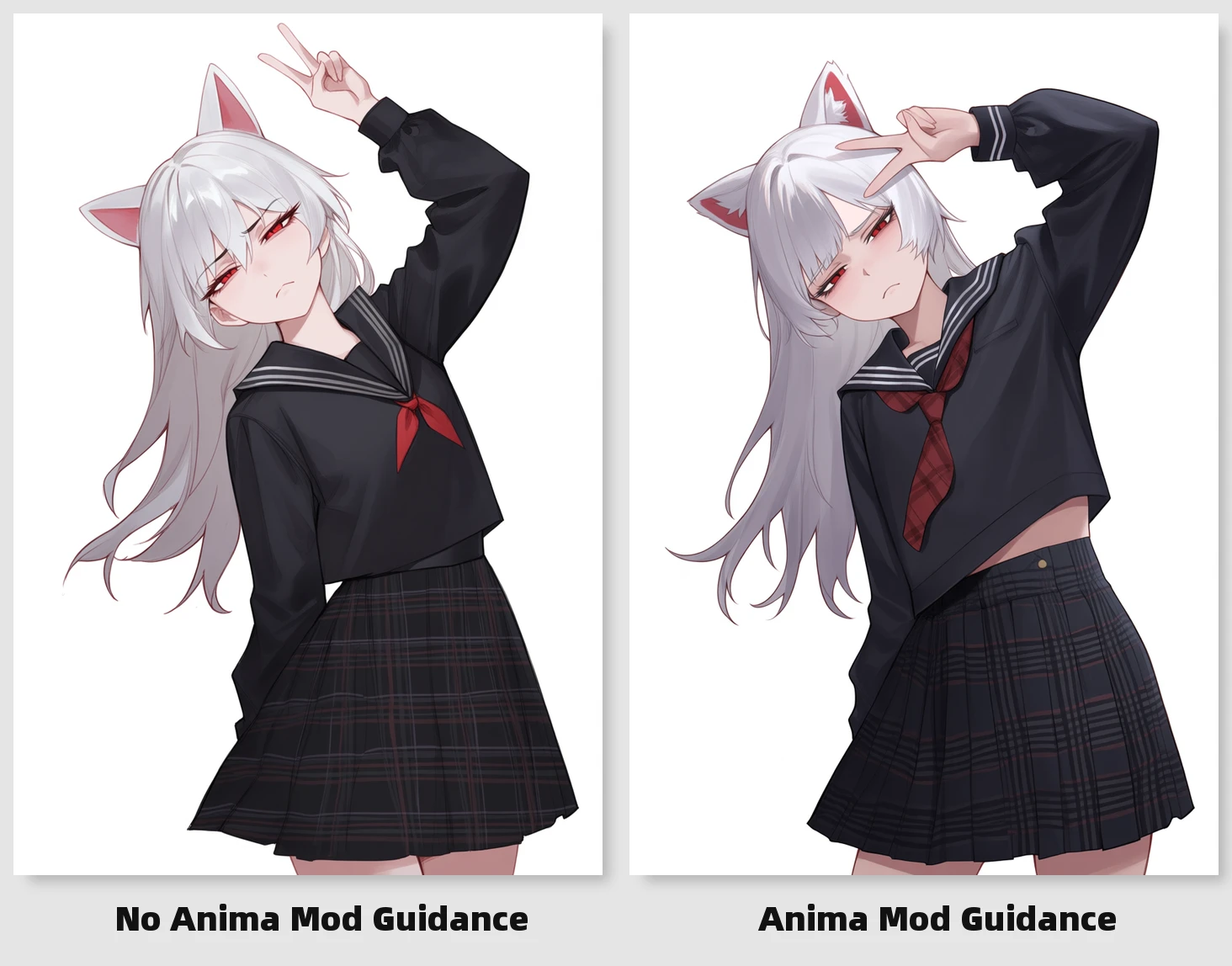
6. Advanced extension: Anima Mod Guidance
In addition to the basic workflow and conventional prompt玩法, there is also an extension solution in ComfyUI specifically aimed at Anima that is worth trying, namely Anima Mod Guidance.
This extension is more suitable for the following situations:
You feel Anima’s outputs are “too unrestrained” and want the prompts to be a bit more stable; you want to strengthen tag following, especially for descriptions such as characters, features, and clothing; you want to reduce some color leakage and drifting elements. So more accurately speaking, it is not a “must-enable plugin,” but an optional enhancement玩法 suitable for advanced users to try.
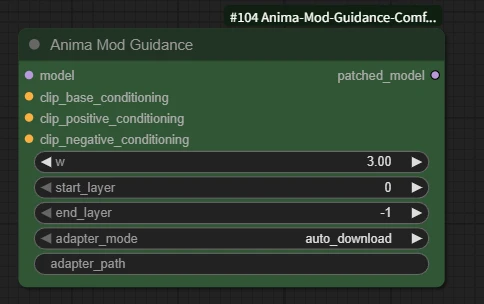
AnimaModGuidance -> clip_base_conditioning: basic subject description
AnimaModGuidance -> clip_positive_conditioning: the direction you want to strengthen
AnimaModGuidance -> clip_negative_conditioning: the opposite-direction description you want to suppress
Workflow connection method:
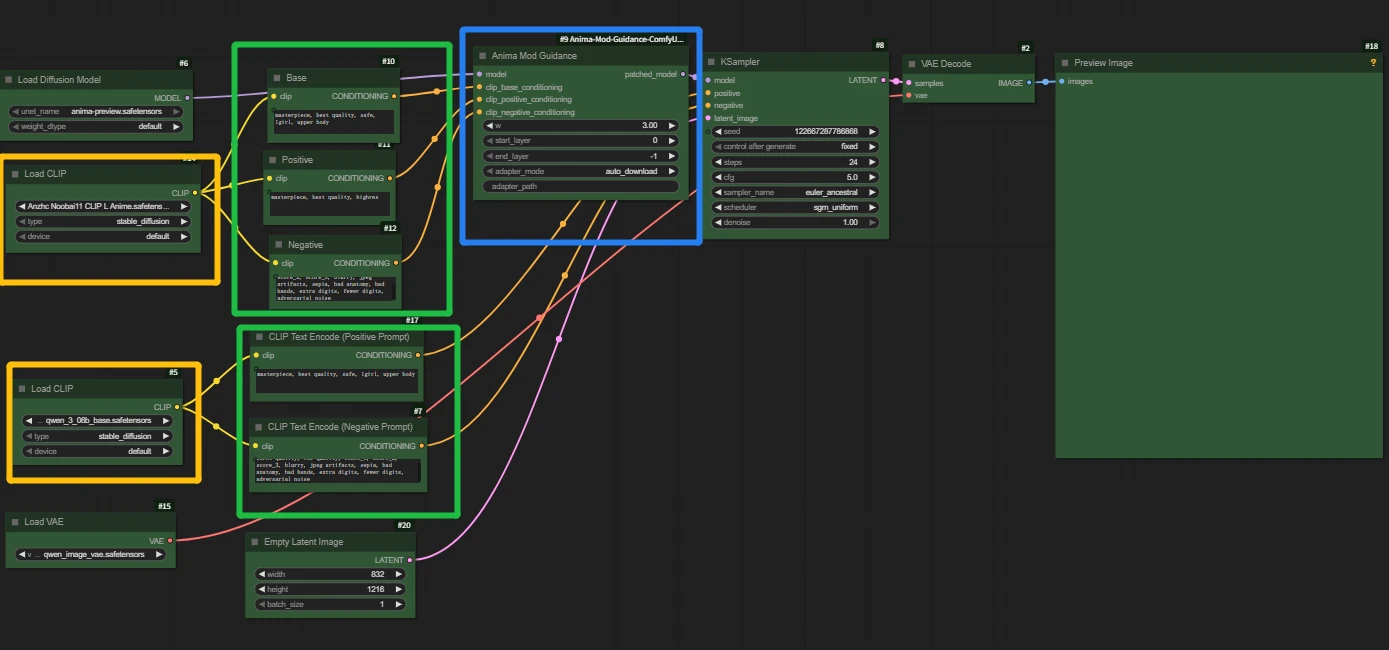
Note: Anima Mod Guidance does not reuse the Qwen text encoding in Anima’s main workflow, but instead additionally introduces a CLIP text encoding path.
The main prompt is still handled by qwen_3_06b_base.safetensors, while this node uses a separate CLIP model.
If you directly connect the conditioning on the Qwen side to AnimaModGuidance, an error will occur.