

日本语版 👉
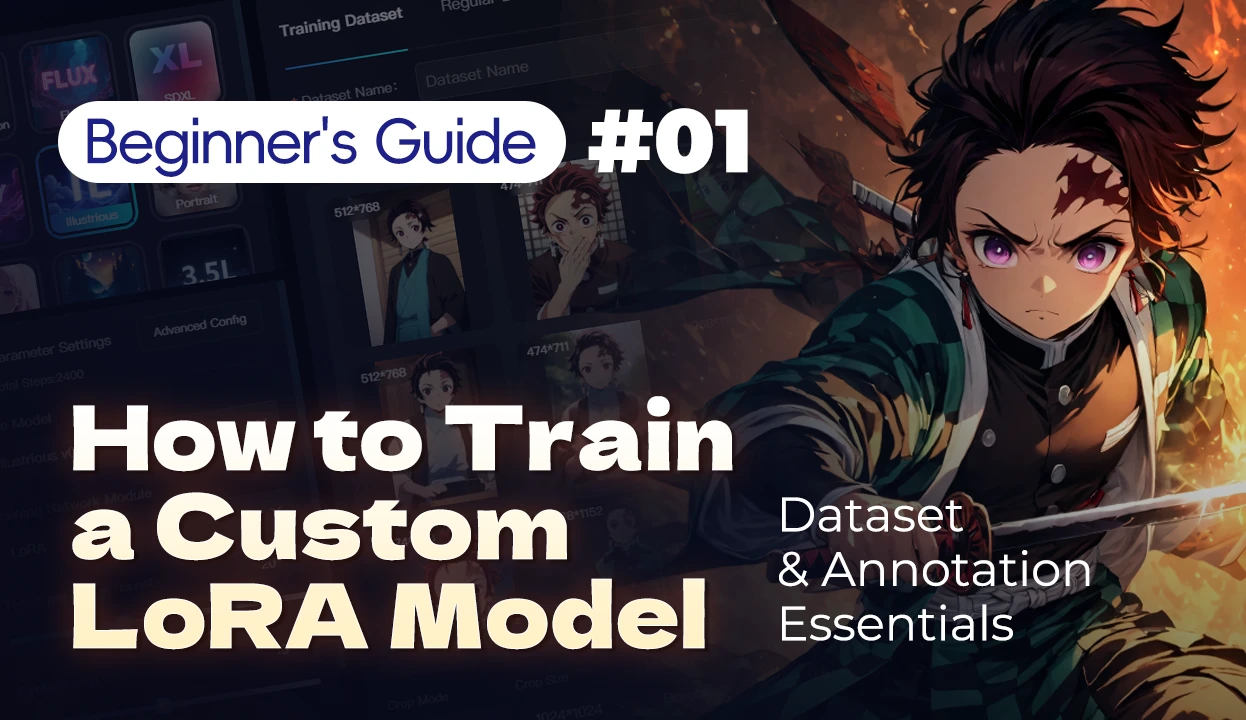
Dataset & Annotation Essentials
Intro
Want to train LoRA models but don’t know where to start?
Struggling with mismatched results from hard-collected images?
Overwhelmed by massive datasets and unclear labeling?
Don’t worry – this zero-experience guide will get you started!
Using Demon Slayer’s Tanjiro as an example, we’ll break down dataset preparation and labeling principles.
1. Data Collection: How to Get High-Quality Character Image Sets?
💡 First, decide exactly which character version to train (avoid mixing different art styles of the same character).
💡 Remember: More high-quality images = better LoRA model accuracy.
1.1 Recommended Image Sources
a. Official materials:
- Anime screenshots (HD Blu-ray sources)
- Official artbooks
- Manga panels (core characters like Tanjiro, Nezuko)
b. Fan-made materials:
- High-rated Pixiv illustrations (filter by artists with consistent styles)
c. Pro tips:
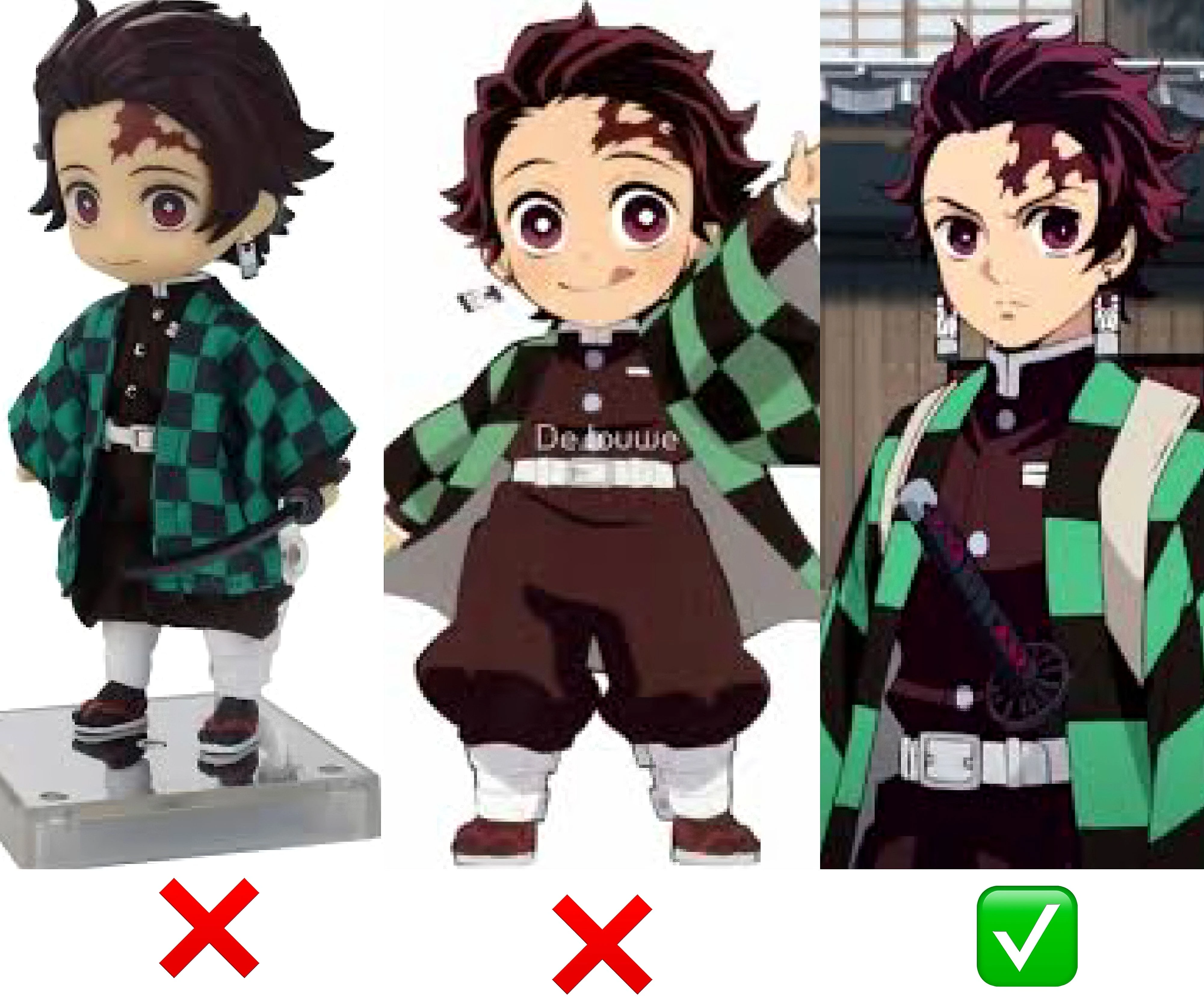
- Avoid overly stylized/deformed fanart (e.g., chibi versions)
- Maintain consistent character proportions
1.2 Selection Criteria
a. Image diversity:
● Include front-facing, side profiles, full-body, and half-body shots (Suggested ratio: 40% front view, 60% other angles)
● Vary backgrounds, outfits, and poses
b. Art style consistency:
● Prioritize screenshots from ufotable-produced anime (avoid mixing other studio’s styles).
c. Resolution requirements:
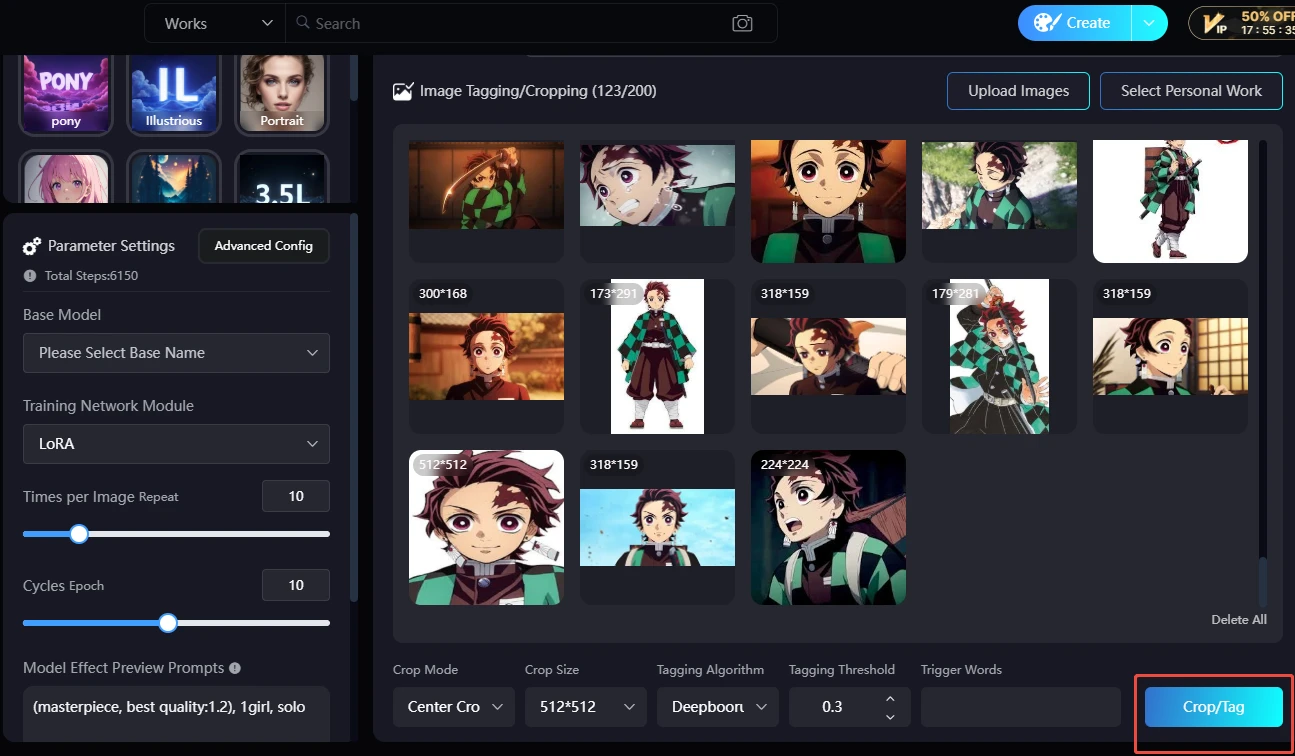
● Minimum 512x512 pixels per image
● Use Seaart for batch cropping after upload
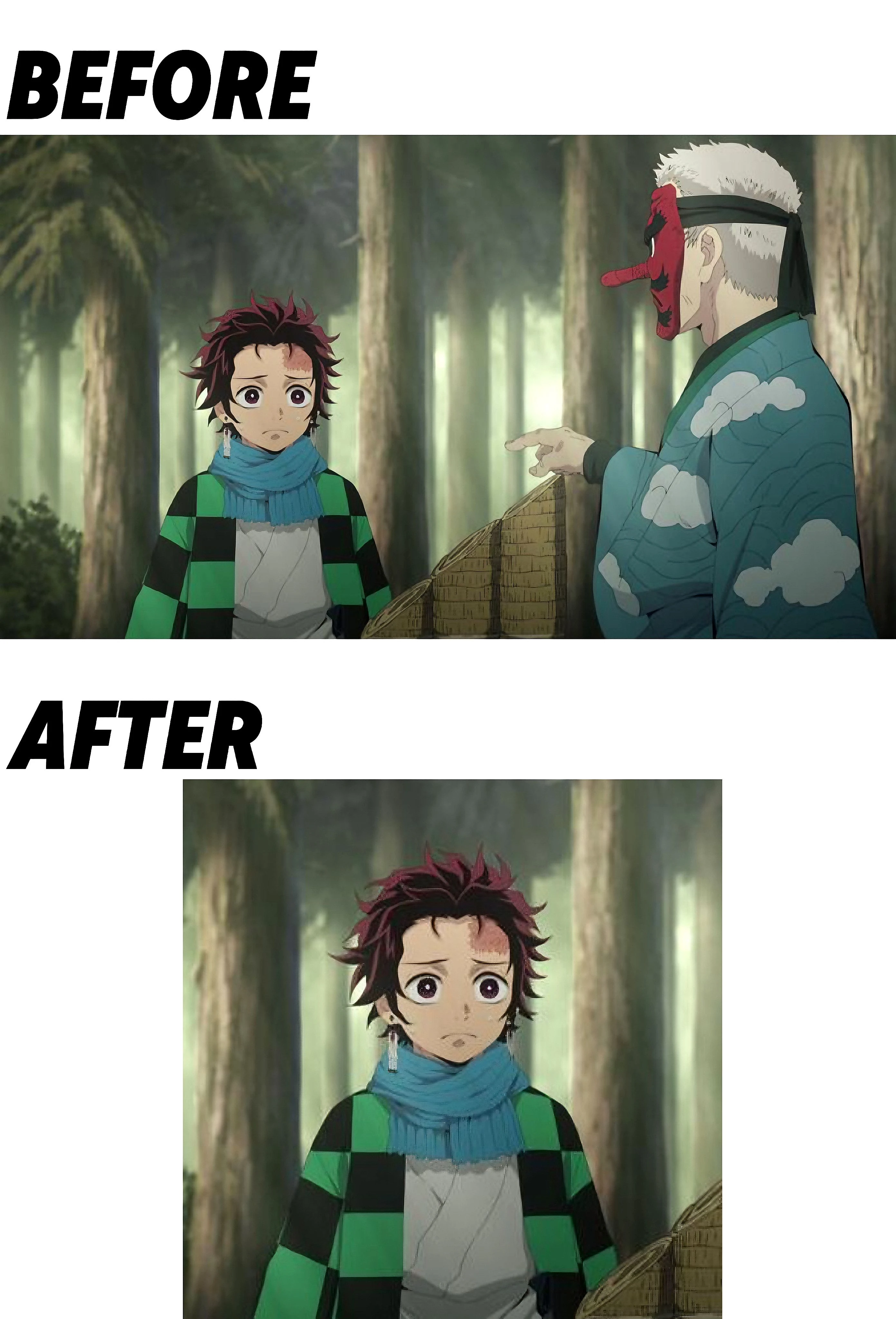
Pro tips for cropping:
● Remove irrelevant elements: unrelated characters, empty spaces, source logos.
1.3 Pitfall Avoidance
a. Avoid low-res/blurry images – don’t upscale existing pics
b. Skip images with awkward hand poses or excessive accessories
2. Data Prep: From Messy Screenshots to Standardized Training Sets
2.1 Basic Steps
1. Deduplicate: Remove identical images (duplicates cause overfitting)
2. Remove watermarks: Use PS to erase subtitles/logos
3. Standardize backgrounds:
a. Solid backgrounds preferred
b. Complex backgrounds require cutouts
4. Convert formats: Save all as PNG (preserves transparency)
2.2 Pro Optimization
● Facial enhancement: Refine blurred facial features
3. Tagging Tricks: Teach AI to Recognize Key Features
3.1 Tagging Logic
💡 Think of tagging as teaching AI with Post-it notes:
"Keep what you want to change, delete what you want AI to auto-recognize"
① KEEP (for future edits):
● Base features:
○ Black hair with red tips → (later swap to white demonized version)
○ Green checkered haori → (later swap to Demon Slayer uniform)
○ Hinokami kagura earrings → (later swap to mechanical prosthetics)
● Special forms:
○ Hinokami Kagura - Burning Headband → (swap to Water Breathing effects)
② DELETE (let AI handle these):
● Tanjiro’s default traits:
○ Forehead scar (AI should auto-recognize)
○ Sword grip (unless you want him holding a gun)
3.2 Handling Bad Tags
When spotting mismatched tags, hunt them down like minesweeper!
Follow the rule: “Wrong tags MUST go, swap-friendly ones stay.”
Fatal tag errors:
● Tag says 1girl but shows Tanjiro (male) → DELETE! (or AI might add curves)
● Labeled blue eyes when his pupils are crimson → REMOVE to prevent “heterochromia Tanjiro”
● multiple boys tag on solo shots → DELETE to avoid clones
It’s like teaching a kid: If the picture’s a cat but labeled “dog”, fix it fast – or AI learns wrong.
3.3 Tag Fix Demo
Original tags:
1boy, black hair, blue haori, holding axe, smiling
Fix process:
1. Delete errors:
a. ✖️ blue haori (Tanjiro wears green checkered)
b. ✖️ holding axe (should be Nichirin Blade)
2. Keep modifiable traits:
a. ✔️ black hair (later change to “white hair + demon horns”)
b. ✔️ smiling (swap to “angry expression”)
3.4 Pro Tagging Mindset
Treat tags like kimono fabric selection:
● Cut misdyed fabric (bad tags)
● Keep base fabric (modifiable core traits)
● Let the tailor (AI) handle standard seams (innate features like scar/sword grip)
This preserves Tanjiro’s “soul” while letting him switch between Water Breathing/Hinokami Kagura “skins”!
Remember: Clear, accurate tags = higher-quality LoRA.
4、Hands-On Guide: Uploading & Tagging Datasets on SeaArt
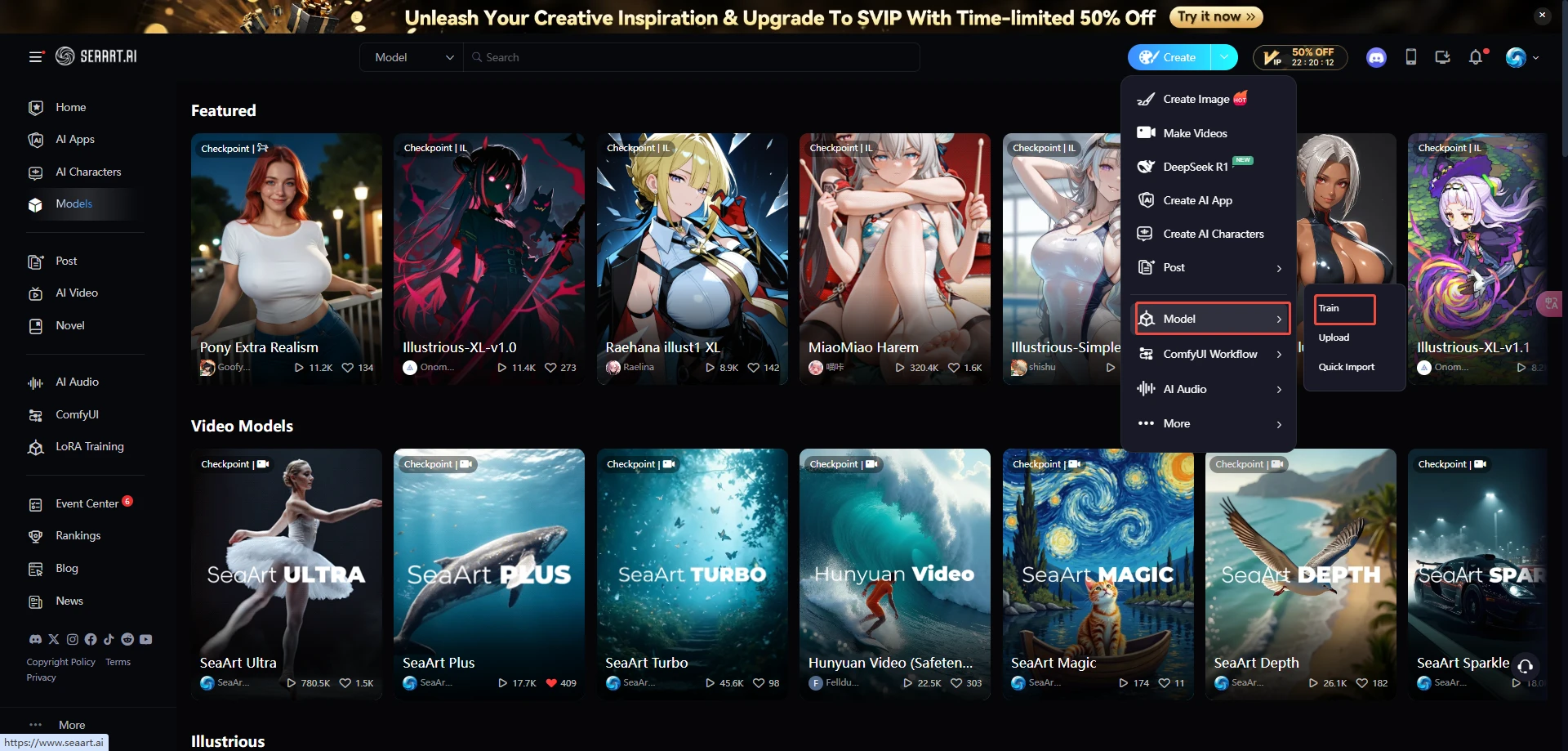
1. Enter LoRA training interface
2、Upload images & batch-crop
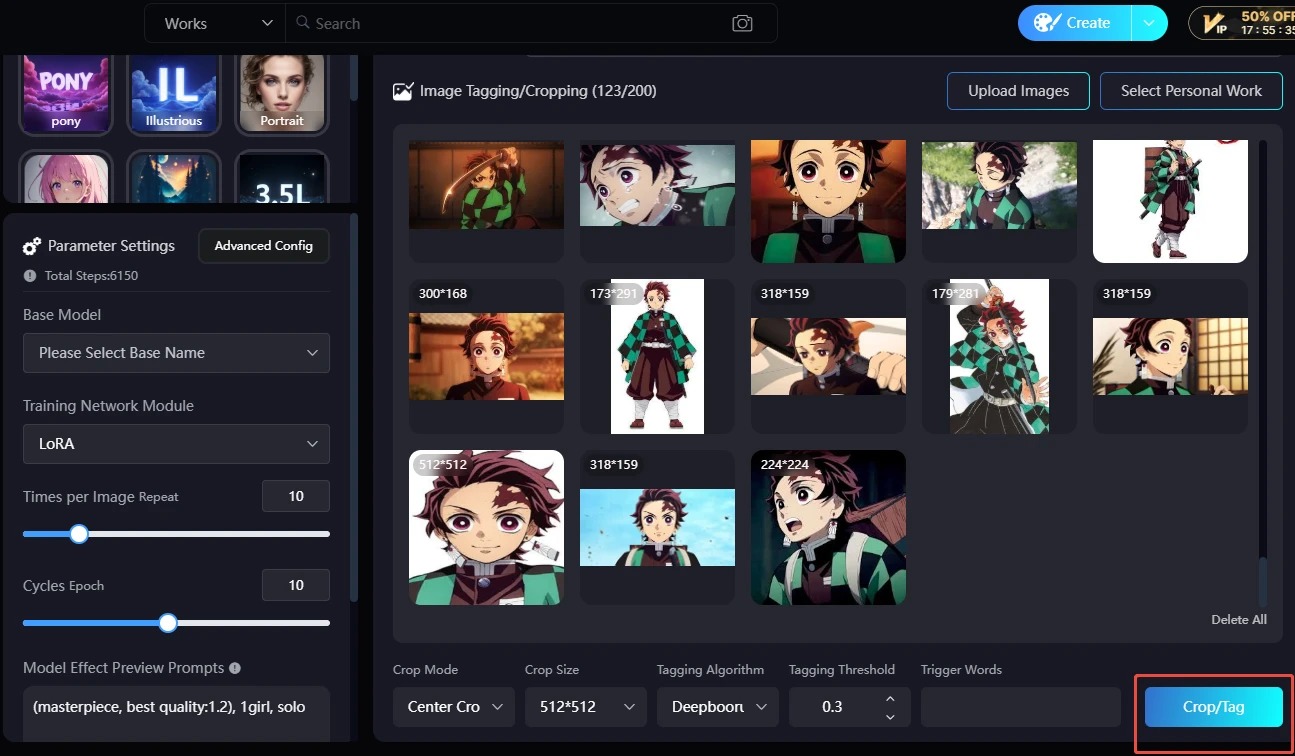
Crop Mode: Center Crop / Focus Crop / No Crop
Center Crop: Crops the central region of the image.
Focus Crop: Automatically identifies the main subject of the image.
3、Tag
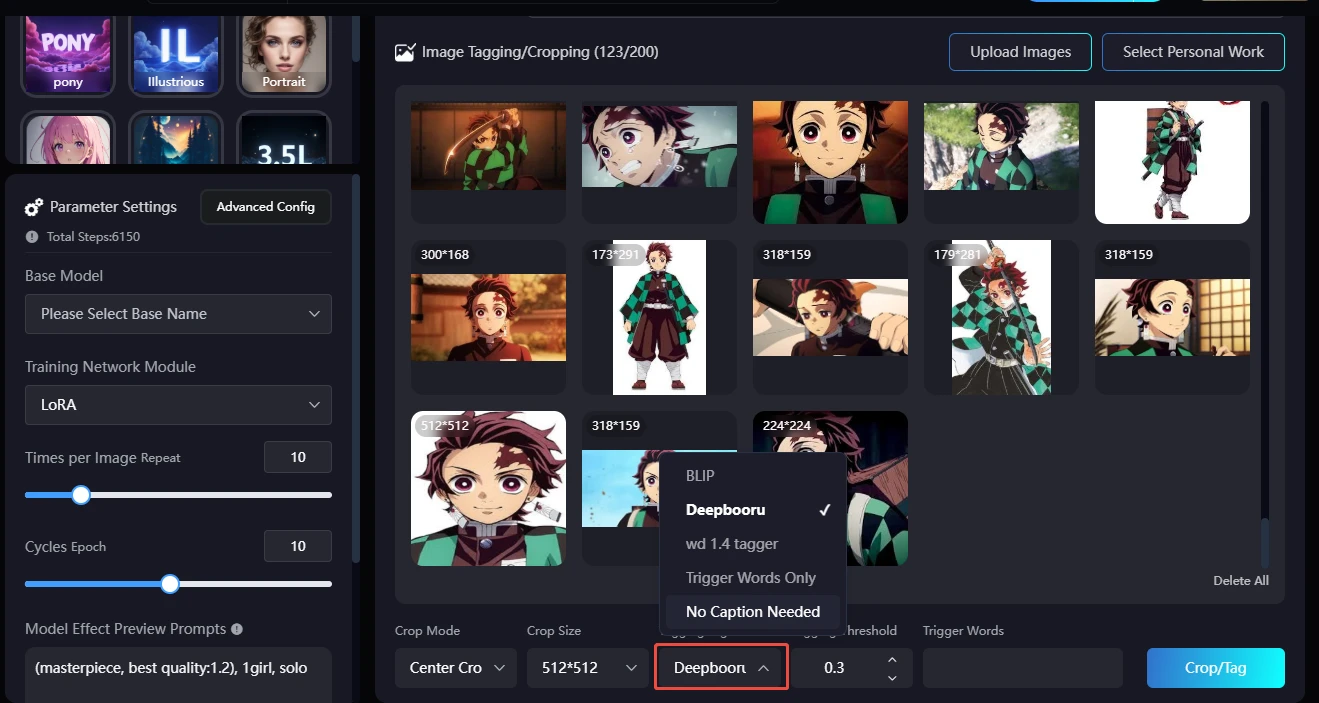
Apply earlier tagging rules: retain/add/delete tags
4、Choose base model
Base Model: It is recommended to choose a high-quality, stable base model that closely matches the style of Lora, as this makes it easier for AI to match features and record differences.
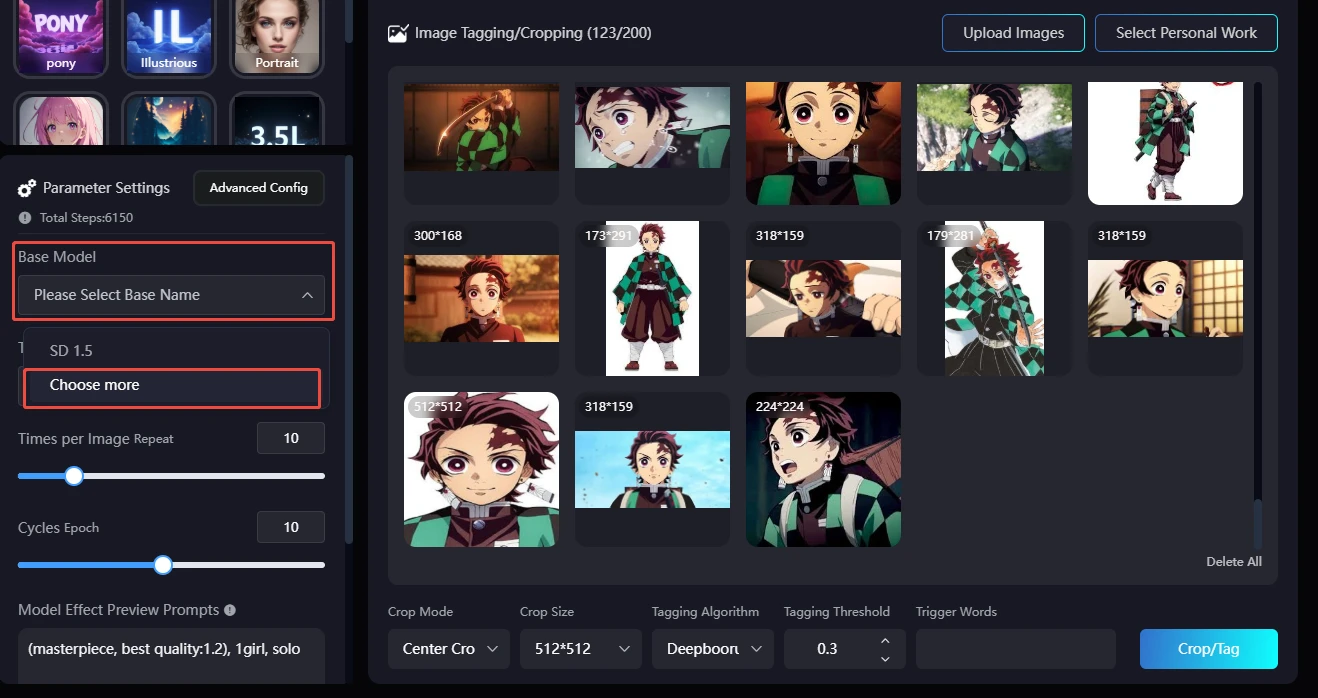
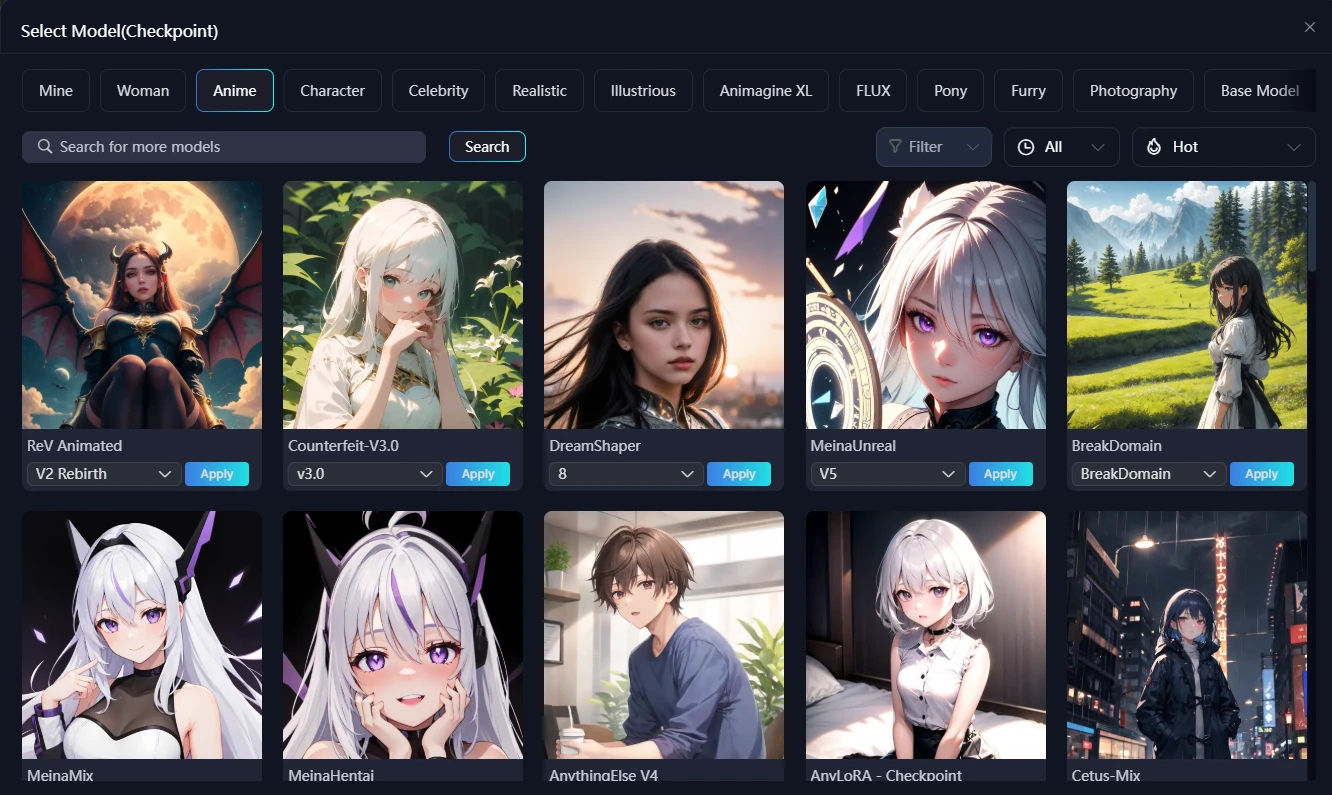
Pick suitable models under the corresponding category tab
That’s your first step in LoRA training – from dataset prep to tagging! Got the hang of it?
🔥 More tutorials coming soon! If this helped, smash that like button!
💬 Want specific guides? Comment below!