
Model
Loading…
Upload Images
Supports JPG/PNG, Up to 10MB, Minimum Dimension: 300px.
Experience the Terrifying AI Zombie Transformation
Become a zombie straight out of The Walking Dead! Use the AI zombie filter to create lifelike AI zombie transformation videos.
Instantly Turn You into a Scary Zombie
Ready to become the stuff of nightmares? AI zombie transformation instantly turns you into a scary zombie that'll make people scream! Upload any photo and watch in amazement as SeaArt AI transforms any image into a bone-chilling, terrifying zombie video, works for both single-person photos and group photos. It's horrifyingly realistic, shockingly fast. Your audience won't believe their eyes!
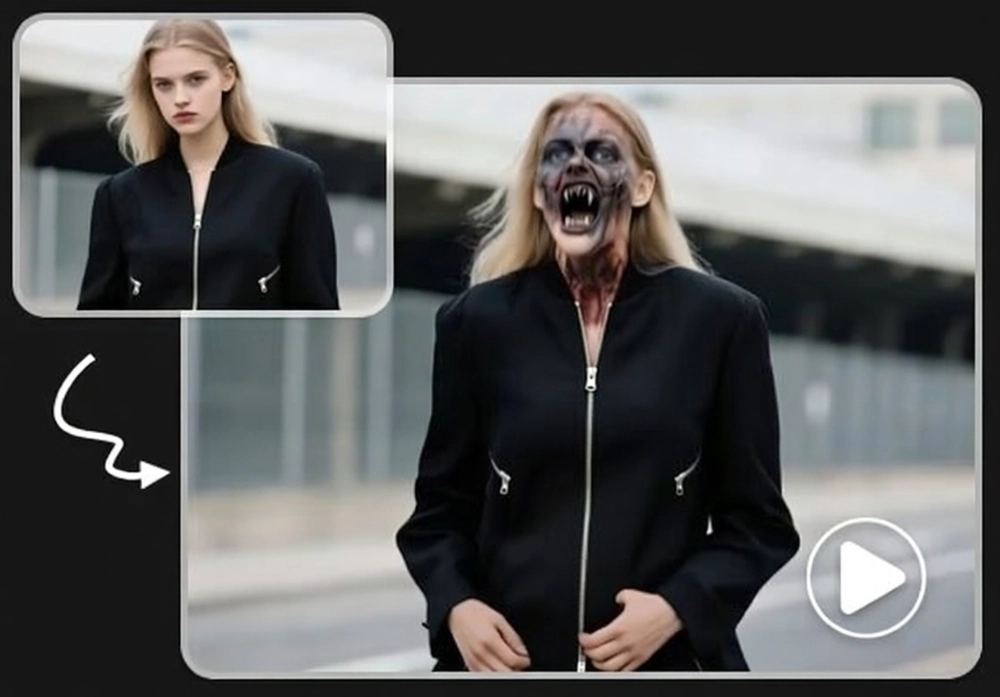
Cinematic-quality AI Zombie Transformation
Get ready for a Hollywood-level AI Zombie effect that'll blow your mind. Watch as AI seamlessly adds putrid green skin, sunken cheekbones, while transforming your outfit into bloodstained tatters. Deep wounds, protruding bones, and yellowed fangs complete the nightmare. Your surroundings also become a post-apocalyptic wasteland filled with decay and horror. A truly horrible scene!
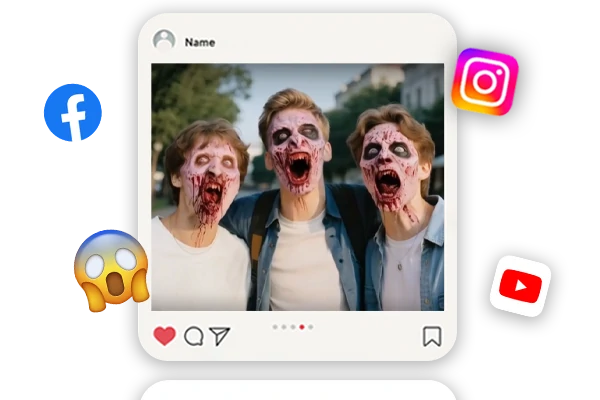
Share Your Zombie Videos and Terrify Others
Share your AI zombie transformation and terrify everyone! From creating eerie videos for social media, surprising friends, to indulging in zombie fantasies, this powerful tool unleashes your dark imagination. Perfect for Halloween scares, creative projects, or just spine-tingling fun. Transform ordinary moments into horror AI generated video that'll go viral and leave your audience screaming for more.
How to Use the AI Zombie Transformation?
Step 1: Upload an Image
Choose a photo of yourself, a friend, or even a group photo that you want to transform into zombie videos.
Step 2: Click to Create
Just click the generate button and wait for a few seconds.
Step 3: Preview and Save
Once you're satisfied with the result, save the generated video to your device.
FAQs About the AI Zombie Transformation

What types of photos can I upload to the AI zombie transformation?

Does the AI zombie filter work on group photos?
Absolutely! The AI zombie effect works perfectly on both individual portraits and group photos. The advanced AI technology automatically recognizes and transforms every person in the image without requiring any manual input or descriptions. Whether you have 2 people or a large group, each person will receive their own realistic zombie makeover.
Can I customize the AI zombie transformation details?
The AI automatically applies cinematic-quality zombie effects, including blood splatter, exposed bones, decaying teeth, and costume changes. The system intelligently adjusts these effects based on your photo for optimal results. You can try more times to get different effects.


